
CoPilot Video Guide
This page is generated from the CoPilot YouTube playlist transcripts and is meant to be used like documentation.Jump to your role
I’m a SOC Operator I’m an Admin/EngineerBrowse by thumbnail
Use these thumbnail grids to jump straight to a video. Click the thumbnail to open YouTube in a new tab; click the title to jump to the summary on this page.Operator thumbnails (SOC operators / analysts)




Admin/Engineer thumbnails (admins / engineers)





How to use this page
- Start with the section that matches your role.
- Videos labeled Best for: Both appear in both tracks below (by design).
Operator Track (SOC operators / analysts)
Alert triage, case work, investigations, and day-to-day SOC workflows.Core SOC Workflows: Alerting, Case Management, and Investigations
Wazuh Content Pack For Graylog - Easily Configure Your SOCFortress SIEM Stack
- Link: https://www.youtube.com/watch?v=euFrHP0VkD8
- Best for: Both
- What you learn:
- Walks through core alert-to-case workflow so analysts can move from detection to tracked investigation quickly.
- Shows how context (customer, asset, enrichment data) is surfaced to reduce triage friction.
- Demonstrates practical UI actions for prioritization, ownership, and investigation progress tracking.
- Shows connector setup steps and validation inside CoPilot.
- Highlights required service reload/restart points after configuration changes.
- Demonstrates alert flow from detection source into CoPilot incident views.
- Includes practical walkthrough steps that can be replicated in production-like SOC environments.
- Emphasizes outcomes analysts/admins should verify after each configuration or workflow change.
- Key CoPilot features shown: Wazuh integration, Graylog connector, Grafana integration, Incident management, Alert triage UI
Wazuh Security Configuration Assessment and CoPilot - Are Your Endpoints Compliant?
- Link: https://www.youtube.com/watch?v=ffAnV31Ne54
- Best for: Both
- What you learn:
- Walks through core alert-to-case workflow so analysts can move from detection to tracked investigation quickly.
- Shows how context (customer, asset, enrichment data) is surfaced to reduce triage friction.
- Demonstrates practical UI actions for prioritization, ownership, and investigation progress tracking.
- Covers rule logic, filtering, or tuning considerations for higher-fidelity detections.
- Uses API-driven actions to push, pull, or validate security operations data.
- Shows practical filtering/search techniques for triage speed.
- Includes practical walkthrough steps that can be replicated in production-like SOC environments.
- Emphasizes outcomes analysts/admins should verify after each configuration or workflow change.
- Key CoPilot features shown: Wazuh integration, SCA visibility, Incident management, Alert triage UI
Powerful Wazuh Alert Management With CoPilot!
- Link: https://www.youtube.com/watch?v=3p6qiH9UF8U
- Best for: Operator
- What you learn:
- Walks through core alert-to-case workflow so analysts can move from detection to tracked investigation quickly.
- Shows how context (customer, asset, enrichment data) is surfaced to reduce triage friction.
- Demonstrates practical UI actions for prioritization, ownership, and investigation progress tracking.
- Breaks down alert lifecycle handling and practical techniques for reducing analyst overload.
- Shows connector setup steps and validation inside CoPilot.
- Demonstrates alert flow from detection source into CoPilot incident views.
- Explains how index/search data is selected and mapped for operations.
- Includes practical walkthrough steps that can be replicated in production-like SOC environments.
- Key CoPilot features shown: Wazuh integration, Built-in case management, Incident management, Alert triage UI
Introducing the Datastore in CoPilot: Upload Artifacts into Cases with Ease
- Link: https://www.youtube.com/watch?v=GwPyKM2X1EM
- Best for: Operator
- What you learn:
- Walks through core alert-to-case workflow so analysts can move from detection to tracked investigation quickly.
- Shows how context (customer, asset, enrichment data) is surfaced to reduce triage friction.
- Demonstrates practical UI actions for prioritization, ownership, and investigation progress tracking.
- Demonstrates uploading and attaching investigation artifacts directly into cases for evidence continuity.
- Walks through Docker Compose or service-level deployment changes.
- Demonstrates alert flow from detection source into CoPilot incident views.
- Demonstrates customer-aware workflows and tenant context handling.
- Includes practical walkthrough steps that can be replicated in production-like SOC environments.
- Key CoPilot features shown: Case datastore/artifact uploads, Incident management, Alert triage UI
Supercharge Open-Source Cybersecurity: Velociraptor + Sigma for Your SIEM
- Link: https://www.youtube.com/watch?v=S2ELWusHcxA
- Best for: Both
- What you learn:
- Walks through core alert-to-case workflow so analysts can move from detection to tracked investigation quickly.
- Shows how context (customer, asset, enrichment data) is surfaced to reduce triage friction.
- Demonstrates practical UI actions for prioritization, ownership, and investigation progress tracking.
- Demonstrates alert flow from detection source into CoPilot incident views.
- Explains how index/search data is selected and mapped for operations.
- Covers rule logic, filtering, or tuning considerations for higher-fidelity detections.
- Includes practical walkthrough steps that can be replicated in production-like SOC environments.
- Emphasizes outcomes analysts/admins should verify after each configuration or workflow change.
- Key CoPilot features shown: Velociraptor integration, Sigma rule workflow, SCA visibility, Incident management, Alert triage UI
Open Source SIEM Response | Dynamic Endpoint Actions with SOCFortress CoPilot
- Link: https://www.youtube.com/watch?v=l9OLtgemYOQ
- Best for: Both
- What you learn:
- Walks through core alert-to-case workflow so analysts can move from detection to tracked investigation quickly.
- Shows how context (customer, asset, enrichment data) is surfaced to reduce triage friction.
- Demonstrates practical UI actions for prioritization, ownership, and investigation progress tracking.
- Explains how index/search data is selected and mapped for operations.
- Covers rule logic, filtering, or tuning considerations for higher-fidelity detections.
- Uses API-driven actions to push, pull, or validate security operations data.
- Includes practical walkthrough steps that can be replicated in production-like SOC environments.
- Emphasizes outcomes analysts/admins should verify after each configuration or workflow change.
- Key CoPilot features shown: Velociraptor integration, Active response automation, Vulnerability visibility, Incident management, Alert triage UI
Endpoint Investigation Made Easier: New Velociraptor Features in SOCFORTRESS CoPilot
- Link: https://www.youtube.com/watch?v=R_pG1Gx_7O8
- Best for: Operator
- What you learn:
- Walks through core alert-to-case workflow so analysts can move from detection to tracked investigation quickly.
- Shows how context (customer, asset, enrichment data) is surfaced to reduce triage friction.
- Demonstrates practical UI actions for prioritization, ownership, and investigation progress tracking.
- Demonstrates alert flow from detection source into CoPilot incident views.
- Uses API-driven actions to push, pull, or validate security operations data.
- Connects alert context to endpoint/asset details for analyst decision making.
- Includes practical walkthrough steps that can be replicated in production-like SOC environments.
- Emphasizes outcomes analysts/admins should verify after each configuration or workflow change.
- Key CoPilot features shown: Velociraptor integration, Incident management, Alert triage UI
AI Analyst and Assistant Workflows
AI Analyst for Wazuh Alerts: Revolutionize Your SOC with SOCFortress Copilot!
- Link: https://www.youtube.com/watch?v=-2srPC-Dw-0
- Best for: Both
- What you learn:
- Demonstrates natural-language investigation workflows that reduce manual querying in backend systems.
- Shows how AI responses can accelerate common SOC questions and operational checks.
- Covers the boundary between assisted analysis and operator validation for reliable decisions.
- Shows guided querying against CoPilot and backend systems using natural language prompts.
- Demonstrates alert flow from detection source into CoPilot incident views.
- Covers rule logic, filtering, or tuning considerations for higher-fidelity detections.
- Connects alert context to endpoint/asset details for analyst decision making.
- Includes practical walkthrough steps that can be replicated in production-like SOC environments.
- Key CoPilot features shown: Wazuh integration, AI analyst, AI-assisted investigation
AI Agent for Open Source SIEM: Wazuh, Velociraptor + CoPilot!
- Link: https://www.youtube.com/watch?v=FHjD9QBaLD4
- Best for: Both
- What you learn:
- Demonstrates natural-language investigation workflows that reduce manual querying in backend systems.
- Shows how AI responses can accelerate common SOC questions and operational checks.
- Covers the boundary between assisted analysis and operator validation for reliable decisions.
- Shows guided querying against CoPilot and backend systems using natural language prompts.
- Walks through Docker Compose or service-level deployment changes.
- Demonstrates alert flow from detection source into CoPilot incident views.
- Explains how index/search data is selected and mapped for operations.
- Includes practical walkthrough steps that can be replicated in production-like SOC environments.
- Key CoPilot features shown: Wazuh integration, Velociraptor integration, AI agent, AI-assisted investigation
AI Chatbot Now With Threat Intel, Cyber News, Knowledge Base & Attack Surface!
- Link: https://www.youtube.com/watch?v=QaLrmSgEcLI
- Best for: Both
- What you learn:
- Demonstrates natural-language investigation workflows that reduce manual querying in backend systems.
- Shows how AI responses can accelerate common SOC questions and operational checks.
- Covers the boundary between assisted analysis and operator validation for reliable decisions.
- Shows guided querying against CoPilot and backend systems using natural language prompts.
- Explains how index/search data is selected and mapped for operations.
- Uses API-driven actions to push, pull, or validate security operations data.
- Includes practical walkthrough steps that can be replicated in production-like SOC environments.
- Emphasizes outcomes analysts/admins should verify after each configuration or workflow change.
- Key CoPilot features shown: Velociraptor integration, AI chatbot, AI-assisted investigation
Detection Engineering and Response Automation
Automate Your SOC: Triggering Alerts with Wazuh Rules via Copilot
- Link: https://www.youtube.com/watch?v=tguRiVgytso
- Best for: Both
- What you learn:
- Shows how to move from static detections to repeatable engineering workflows for better signal quality.
- Demonstrates automation patterns that reduce repetitive analyst actions during containment and response.
- Covers testing/tuning loops so rule or response changes can be validated before broad rollout.
- Shows connector setup steps and validation inside CoPilot.
- Walks through Docker Compose or service-level deployment changes.
- Demonstrates alert flow from detection source into CoPilot incident views.
- Includes practical walkthrough steps that can be replicated in production-like SOC environments.
- Emphasizes outcomes analysts/admins should verify after each configuration or workflow change.
- Key CoPilot features shown: Wazuh integration, Detection tuning
Wazuh Rule Writing With CoPilot AI Module - Handle Your Alert Flooding
- Link: https://www.youtube.com/watch?v=AH1g3p8s2_o
- Best for: Both
- What you learn:
- Shows how to move from static detections to repeatable engineering workflows for better signal quality.
- Demonstrates automation patterns that reduce repetitive analyst actions during containment and response.
- Covers testing/tuning loops so rule or response changes can be validated before broad rollout.
- Shows rule editing/tuning workflow so detections can be refined without leaving CoPilot.
- Walks through Docker Compose or service-level deployment changes.
- Highlights required service reload/restart points after configuration changes.
- Demonstrates alert flow from detection source into CoPilot incident views.
- Includes practical walkthrough steps that can be replicated in production-like SOC environments.
- Key CoPilot features shown: Wazuh integration, Detection tuning
Mastering Wazuh’s Active Response: Block Malicious IPs with CoPilot & Wazuh!
- Link: https://www.youtube.com/watch?v=llm3uSSUhqs
- Best for: Both
- What you learn:
- Shows how to move from static detections to repeatable engineering workflows for better signal quality.
- Demonstrates automation patterns that reduce repetitive analyst actions during containment and response.
- Covers testing/tuning loops so rule or response changes can be validated before broad rollout.
- Demonstrates response actions tied to detections, including safer execution and control boundaries.
- Highlights required service reload/restart points after configuration changes.
- Covers rule logic, filtering, or tuning considerations for higher-fidelity detections.
- Includes practical walkthrough steps that can be replicated in production-like SOC environments.
- Emphasizes outcomes analysts/admins should verify after each configuration or workflow change.
- Key CoPilot features shown: Wazuh integration, Active response automation, Detection tuning
Revolutionize Your SIEM Alerts: Integrate CoPilot & Shuffle
- Link: https://www.youtube.com/watch?v=Ko5jLfkSCrk
- Best for: Both
- What you learn:
- Shows how to move from static detections to repeatable engineering workflows for better signal quality.
- Demonstrates automation patterns that reduce repetitive analyst actions during containment and response.
- Covers testing/tuning loops so rule or response changes can be validated before broad rollout.
- Shows SOC automation orchestration by connecting CoPilot-driven alerts with Shuffle playbooks.
- Shows connector setup steps and validation inside CoPilot.
- Demonstrates alert flow from detection source into CoPilot incident views.
- Demonstrates customer-aware workflows and tenant context handling.
- Includes practical walkthrough steps that can be replicated in production-like SOC environments.
- Key CoPilot features shown: Shuffle SOAR integration, Detection tuning
Tame the Noise: Sigma Exclusions in CoPilot for Velociraptor Alerts
- Link: https://www.youtube.com/watch?v=GWTNA-6Z_Tk
- Best for: Both
- What you learn:
- Shows how to move from static detections to repeatable engineering workflows for better signal quality.
- Demonstrates automation patterns that reduce repetitive analyst actions during containment and response.
- Covers testing/tuning loops so rule or response changes can be validated before broad rollout.
- Demonstrates alert flow from detection source into CoPilot incident views.
- Covers rule logic, filtering, or tuning considerations for higher-fidelity detections.
- Demonstrates customer-aware workflows and tenant context handling.
- Includes practical walkthrough steps that can be replicated in production-like SOC environments.
- Emphasizes outcomes analysts/admins should verify after each configuration or workflow change.
- Key CoPilot features shown: Velociraptor integration, Sigma rule workflow, Sysmon config management, Detection tuning
🚀 Master Sysmon Config Management with CoPilot & Wazuh!
- Link: https://www.youtube.com/watch?v=XT1d49HTqQw
- Best for: Both
- What you learn:
- Shows how to move from static detections to repeatable engineering workflows for better signal quality.
- Demonstrates automation patterns that reduce repetitive analyst actions during containment and response.
- Covers testing/tuning loops so rule or response changes can be validated before broad rollout.
- Shows connector setup steps and validation inside CoPilot.
- Highlights required service reload/restart points after configuration changes.
- Covers rule logic, filtering, or tuning considerations for higher-fidelity detections.
- Includes practical walkthrough steps that can be replicated in production-like SOC environments.
- Emphasizes outcomes analysts/admins should verify after each configuration or workflow change.
- Key CoPilot features shown: Wazuh integration, Sysmon config management, Detection tuning
Supercharge Wazuh Active Response with CoPilot: No More Limits!
- Link: https://www.youtube.com/watch?v=Ogr70DWAeTc
- Best for: Both
- What you learn:
- Shows how to move from static detections to repeatable engineering workflows for better signal quality.
- Demonstrates automation patterns that reduce repetitive analyst actions during containment and response.
- Covers testing/tuning loops so rule or response changes can be validated before broad rollout.
- Demonstrates response actions tied to detections, including safer execution and control boundaries.
- Highlights required service reload/restart points after configuration changes.
- Demonstrates alert flow from detection source into CoPilot incident views.
- Covers rule logic, filtering, or tuning considerations for higher-fidelity detections.
- Includes practical walkthrough steps that can be replicated in production-like SOC environments.
- Key CoPilot features shown: Wazuh integration, Active response automation, Detection tuning
Test Your Wazuh Detection Rules: One-Click Atomic Red Team + Velociraptor + CoPilot
- Link: https://www.youtube.com/watch?v=TMJOBATTK9M
- Best for: Both
- What you learn:
- Shows how to move from static detections to repeatable engineering workflows for better signal quality.
- Demonstrates automation patterns that reduce repetitive analyst actions during containment and response.
- Covers testing/tuning loops so rule or response changes can be validated before broad rollout.
- Shows rule editing/tuning workflow so detections can be refined without leaving CoPilot.
- Uses adversary simulation to validate that detection logic and alert routing behave as expected.
- Demonstrates alert flow from detection source into CoPilot incident views.
- Covers rule logic, filtering, or tuning considerations for higher-fidelity detections.
- Shows practical filtering/search techniques for triage speed.
- Key CoPilot features shown: Wazuh integration, Velociraptor integration, Atomic Red Team testing, Detection rule management, Detection tuning
Simulate Linux Attacks and Tune Detection Rules with Atomic Red Team
- Link: https://www.youtube.com/watch?v=tL3oNEx_3M8
- Best for: Both
- What you learn:
- Shows how to move from static detections to repeatable engineering workflows for better signal quality.
- Demonstrates automation patterns that reduce repetitive analyst actions during containment and response.
- Covers testing/tuning loops so rule or response changes can be validated before broad rollout.
- Shows rule editing/tuning workflow so detections can be refined without leaving CoPilot.
- Uses adversary simulation to validate that detection logic and alert routing behave as expected.
- Highlights required service reload/restart points after configuration changes.
- Demonstrates alert flow from detection source into CoPilot incident views.
- Covers rule logic, filtering, or tuning considerations for higher-fidelity detections.
- Key CoPilot features shown: Atomic Red Team testing, Detection rule management, Detection tuning
Threat Intelligence, Vulnerability, and Security Posture
Auto-Enrich Wazuh Events with Threat Intel Feeds!
- Link: https://www.youtube.com/watch?v=FJunzP2c_mQ
- Best for: Both
- What you learn:
- Shows how enrichment data is layered onto alerts to improve confidence and prioritization.
- Demonstrates workflows for vulnerability, exposure, or threat context inside CoPilot operations.
- Highlights how analysts can convert external intelligence into actionable triage or response steps.
- Demonstrates alert flow from detection source into CoPilot incident views.
- Explains how index/search data is selected and mapped for operations.
- Covers rule logic, filtering, or tuning considerations for higher-fidelity detections.
- Includes practical walkthrough steps that can be replicated in production-like SOC environments.
- Emphasizes outcomes analysts/admins should verify after each configuration or workflow change.
- Key CoPilot features shown: Wazuh integration, Enrichment workflows
Analyzing Processes in Wazuh Alerts with Advanced Risk Scoring from Global Data
- Link: https://www.youtube.com/watch?v=CVVj9HRtjOE
- Best for: Both
- What you learn:
- Shows how enrichment data is layered onto alerts to improve confidence and prioritization.
- Demonstrates workflows for vulnerability, exposure, or threat context inside CoPilot operations.
- Highlights how analysts can convert external intelligence into actionable triage or response steps.
- Demonstrates alert flow from detection source into CoPilot incident views.
- Covers rule logic, filtering, or tuning considerations for higher-fidelity detections.
- Includes practical walkthrough steps that can be replicated in production-like SOC environments.
- Emphasizes outcomes analysts/admins should verify after each configuration or workflow change.
- Key CoPilot features shown: Wazuh integration, Enrichment workflows
Simplify Cloud Security: ScoutSuite and Copilot Tutorial
- Link: https://www.youtube.com/watch?v=G3MDJSMvnRo
- Best for: Both
- What you learn:
- Shows how enrichment data is layered onto alerts to improve confidence and prioritization.
- Demonstrates workflows for vulnerability, exposure, or threat context inside CoPilot operations.
- Highlights how analysts can convert external intelligence into actionable triage or response steps.
- Demonstrates customer-aware workflows and tenant context handling.
- Uses API-driven actions to push, pull, or validate security operations data.
- Includes practical walkthrough steps that can be replicated in production-like SOC environments.
- Emphasizes outcomes analysts/admins should verify after each configuration or workflow change.
- Key CoPilot features shown: SCA visibility, Enrichment workflows
Integrate EPSS with Wazuh for Top-Notch Vulnerability Management!
- Link: https://www.youtube.com/watch?v=Qnm9SXVJGWw
- Best for: Both
- What you learn:
- Shows how enrichment data is layered onto alerts to improve confidence and prioritization.
- Demonstrates workflows for vulnerability, exposure, or threat context inside CoPilot operations.
- Highlights how analysts can convert external intelligence into actionable triage or response steps.
- Connects exposure data to prioritization so teams can address the highest-risk items first.
- Includes practical walkthrough steps that can be replicated in production-like SOC environments.
- Emphasizes outcomes analysts/admins should verify after each configuration or workflow change.
- Key CoPilot features shown: Wazuh integration, EPSS enrichment, Vulnerability visibility, Enrichment workflows
Enhancing Web App Security: Integrating Copilot with Nuclei for Vulnerability Scanning
- Link: https://www.youtube.com/watch?v=-SVHKuQUxlI
- Best for: Both
- What you learn:
- Shows how enrichment data is layered onto alerts to improve confidence and prioritization.
- Demonstrates workflows for vulnerability, exposure, or threat context inside CoPilot operations.
- Highlights how analysts can convert external intelligence into actionable triage or response steps.
- Connects exposure data to prioritization so teams can address the highest-risk items first.
- Walks through Docker Compose or service-level deployment changes.
- Uses API-driven actions to push, pull, or validate security operations data.
- Includes practical walkthrough steps that can be replicated in production-like SOC environments.
- Emphasizes outcomes analysts/admins should verify after each configuration or workflow change.
- Key CoPilot features shown: DUO MFA ingestion, Nuclei scanning integration, SCA visibility, Vulnerability visibility, Enrichment workflows
Boost CoPilot: IoCs from Wazuh + VirusTotal Enrichment
- Link: https://www.youtube.com/watch?v=fNybop2FTRE
- Best for: Both
- What you learn:
- Shows how enrichment data is layered onto alerts to improve confidence and prioritization.
- Demonstrates workflows for vulnerability, exposure, or threat context inside CoPilot operations.
- Highlights how analysts can convert external intelligence into actionable triage or response steps.
- Shows malware/IoC enrichment flow and how reputation context changes triage decisions.
- Shows connector setup steps and validation inside CoPilot.
- Walks through Docker Compose or service-level deployment changes.
- Demonstrates alert flow from detection source into CoPilot incident views.
- Includes practical walkthrough steps that can be replicated in production-like SOC environments.
- Key CoPilot features shown: Wazuh integration, VirusTotal enrichment, Enrichment workflows
CoPilot + VirusTotal: Instantly Scan Files for Malware!
- Link: https://www.youtube.com/watch?v=ixxVe_9LAfQ
- Best for: Both
- What you learn:
- Shows how enrichment data is layered onto alerts to improve confidence and prioritization.
- Demonstrates workflows for vulnerability, exposure, or threat context inside CoPilot operations.
- Highlights how analysts can convert external intelligence into actionable triage or response steps.
- Shows malware/IoC enrichment flow and how reputation context changes triage decisions.
- Connects exposure data to prioritization so teams can address the highest-risk items first.
- Shows connector setup steps and validation inside CoPilot.
- Uses API-driven actions to push, pull, or validate security operations data.
- Includes practical walkthrough steps that can be replicated in production-like SOC environments.
- Key CoPilot features shown: VirusTotal enrichment, SCA visibility, Enrichment workflows
CoPilot Supercharges Wazuh with SCA & Vulnerability Overviews
- Link: https://www.youtube.com/watch?v=NUrnlTvLzVk
- Best for: Both
- What you learn:
- Shows how enrichment data is layered onto alerts to improve confidence and prioritization.
- Demonstrates workflows for vulnerability, exposure, or threat context inside CoPilot operations.
- Highlights how analysts can convert external intelligence into actionable triage or response steps.
- Connects exposure data to prioritization so teams can address the highest-risk items first.
- Explains how index/search data is selected and mapped for operations.
- Demonstrates customer-aware workflows and tenant context handling.
- Shows practical filtering/search techniques for triage speed.
- Includes practical walkthrough steps that can be replicated in production-like SOC environments.
- Key CoPilot features shown: Wazuh integration, SCA visibility, Vulnerability visibility, Enrichment workflows
Admin/Engineer Track (admins / engineers)
Connecting sources, configuring integrations, tuning detections, reporting, and platform operations.Start Here: Platform Overview and Installation
Copilot - Your Open Source Security Integrator
- Link: https://www.youtube.com/watch?v=qQbex2zAhWI
- Best for: Admin-Engineer
- What you learn:
- Provides a guided orientation of CoPilot capabilities and where each module fits in day-to-day SOC operations.
- Shows installation or upgrade flow with emphasis on prerequisites and expected post-install state.
- Clarifies how CoPilot becomes the control plane across open-source SIEM and investigation tooling.
- Includes practical walkthrough steps that can be replicated in production-like SOC environments.
- Emphasizes outcomes analysts/admins should verify after each configuration or workflow change.
- Provides a concise end-to-end example that connects configuration, validation, and operational usage.
- Key CoPilot features shown: Platform onboarding
Copilot - Your Next Open Source Security Tool
- Link: https://www.youtube.com/watch?v=CQolYA30Gls
- Best for: Admin-Engineer
- What you learn:
- Provides a guided orientation of CoPilot capabilities and where each module fits in day-to-day SOC operations.
- Shows installation or upgrade flow with emphasis on prerequisites and expected post-install state.
- Clarifies how CoPilot becomes the control plane across open-source SIEM and investigation tooling.
- Demonstrates alert flow from detection source into CoPilot incident views.
- Demonstrates customer-aware workflows and tenant context handling.
- Uses API-driven actions to push, pull, or validate security operations data.
- Includes practical walkthrough steps that can be replicated in production-like SOC environments.
- Emphasizes outcomes analysts/admins should verify after each configuration or workflow change.
- Key CoPilot features shown: Grafana integration, Shuffle SOAR integration, Platform onboarding
CoPilot Install
- Link: https://www.youtube.com/watch?v=seITDGXAiJw
- Best for: Admin-Engineer
- What you learn:
- Provides a guided orientation of CoPilot capabilities and where each module fits in day-to-day SOC operations.
- Shows installation or upgrade flow with emphasis on prerequisites and expected post-install state.
- Clarifies how CoPilot becomes the control plane across open-source SIEM and investigation tooling.
- Covers install/upgrade checkpoints and common misconfiguration pitfalls during initial setup.
- Shows connector setup steps and validation inside CoPilot.
- Walks through Docker Compose or service-level deployment changes.
- Explains how index/search data is selected and mapped for operations.
- Includes practical walkthrough steps that can be replicated in production-like SOC environments.
- Key CoPilot features shown: Platform onboarding
CoPilot Install — Final Update (I Hope)
- Link: https://www.youtube.com/watch?v=7dUHSMWWTuY
- Best for: Admin-Engineer
- What you learn:
- Provides a guided orientation of CoPilot capabilities and where each module fits in day-to-day SOC operations.
- Shows installation or upgrade flow with emphasis on prerequisites and expected post-install state.
- Clarifies how CoPilot becomes the control plane across open-source SIEM and investigation tooling.
- Covers install/upgrade checkpoints and common misconfiguration pitfalls during initial setup.
- Shows connector setup steps and validation inside CoPilot.
- Walks through Docker Compose or service-level deployment changes.
- Highlights required service reload/restart points after configuration changes.
- Includes practical walkthrough steps that can be replicated in production-like SOC environments.
- Key CoPilot features shown: Grafana integration, Platform onboarding
Core SOC Workflows: Alerting, Case Management, and Investigations
Wazuh Content Pack For Graylog - Easily Configure Your SOCFortress SIEM Stack
- Link: https://www.youtube.com/watch?v=euFrHP0VkD8
- Best for: Both
- What you learn:
- Walks through core alert-to-case workflow so analysts can move from detection to tracked investigation quickly.
- Shows how context (customer, asset, enrichment data) is surfaced to reduce triage friction.
- Demonstrates practical UI actions for prioritization, ownership, and investigation progress tracking.
- Shows connector setup steps and validation inside CoPilot.
- Highlights required service reload/restart points after configuration changes.
- Demonstrates alert flow from detection source into CoPilot incident views.
- Includes practical walkthrough steps that can be replicated in production-like SOC environments.
- Emphasizes outcomes analysts/admins should verify after each configuration or workflow change.
- Key CoPilot features shown: Wazuh integration, Graylog connector, Grafana integration, Incident management, Alert triage UI
Wazuh Security Configuration Assessment and CoPilot - Are Your Endpoints Compliant?
- Link: https://www.youtube.com/watch?v=ffAnV31Ne54
- Best for: Both
- What you learn:
- Walks through core alert-to-case workflow so analysts can move from detection to tracked investigation quickly.
- Shows how context (customer, asset, enrichment data) is surfaced to reduce triage friction.
- Demonstrates practical UI actions for prioritization, ownership, and investigation progress tracking.
- Covers rule logic, filtering, or tuning considerations for higher-fidelity detections.
- Uses API-driven actions to push, pull, or validate security operations data.
- Shows practical filtering/search techniques for triage speed.
- Includes practical walkthrough steps that can be replicated in production-like SOC environments.
- Emphasizes outcomes analysts/admins should verify after each configuration or workflow change.
- Key CoPilot features shown: Wazuh integration, SCA visibility, Incident management, Alert triage UI
Supercharge Open-Source Cybersecurity: Velociraptor + Sigma for Your SIEM
- Link: https://www.youtube.com/watch?v=S2ELWusHcxA
- Best for: Both
- What you learn:
- Walks through core alert-to-case workflow so analysts can move from detection to tracked investigation quickly.
- Shows how context (customer, asset, enrichment data) is surfaced to reduce triage friction.
- Demonstrates practical UI actions for prioritization, ownership, and investigation progress tracking.
- Demonstrates alert flow from detection source into CoPilot incident views.
- Explains how index/search data is selected and mapped for operations.
- Covers rule logic, filtering, or tuning considerations for higher-fidelity detections.
- Includes practical walkthrough steps that can be replicated in production-like SOC environments.
- Emphasizes outcomes analysts/admins should verify after each configuration or workflow change.
- Key CoPilot features shown: Velociraptor integration, Sigma rule workflow, SCA visibility, Incident management, Alert triage UI
Manage Wazuh Detection Rules with CoPilot
- Link: https://www.youtube.com/watch?v=31lCr80-NVM
- Best for: Admin-Engineer
- What you learn:
- Walks through core alert-to-case workflow so analysts can move from detection to tracked investigation quickly.
- Shows how context (customer, asset, enrichment data) is surfaced to reduce triage friction.
- Demonstrates practical UI actions for prioritization, ownership, and investigation progress tracking.
- Shows rule editing/tuning workflow so detections can be refined without leaving CoPilot.
- Highlights required service reload/restart points after configuration changes.
- Covers rule logic, filtering, or tuning considerations for higher-fidelity detections.
- Uses API-driven actions to push, pull, or validate security operations data.
- Includes practical walkthrough steps that can be replicated in production-like SOC environments.
- Key CoPilot features shown: Wazuh integration, Detection rule management, Incident management, Alert triage UI
Open Source SIEM Response | Dynamic Endpoint Actions with SOCFortress CoPilot
- Link: https://www.youtube.com/watch?v=l9OLtgemYOQ
- Best for: Both
- What you learn:
- Walks through core alert-to-case workflow so analysts can move from detection to tracked investigation quickly.
- Shows how context (customer, asset, enrichment data) is surfaced to reduce triage friction.
- Demonstrates practical UI actions for prioritization, ownership, and investigation progress tracking.
- Explains how index/search data is selected and mapped for operations.
- Covers rule logic, filtering, or tuning considerations for higher-fidelity detections.
- Uses API-driven actions to push, pull, or validate security operations data.
- Includes practical walkthrough steps that can be replicated in production-like SOC environments.
- Emphasizes outcomes analysts/admins should verify after each configuration or workflow change.
- Key CoPilot features shown: Velociraptor integration, Active response automation, Vulnerability visibility, Incident management, Alert triage UI
AI Analyst and Assistant Workflows
AI Analyst for Wazuh Alerts: Revolutionize Your SOC with SOCFortress Copilot!
- Link: https://www.youtube.com/watch?v=-2srPC-Dw-0
- Best for: Both
- What you learn:
- Demonstrates natural-language investigation workflows that reduce manual querying in backend systems.
- Shows how AI responses can accelerate common SOC questions and operational checks.
- Covers the boundary between assisted analysis and operator validation for reliable decisions.
- Shows guided querying against CoPilot and backend systems using natural language prompts.
- Demonstrates alert flow from detection source into CoPilot incident views.
- Covers rule logic, filtering, or tuning considerations for higher-fidelity detections.
- Connects alert context to endpoint/asset details for analyst decision making.
- Includes practical walkthrough steps that can be replicated in production-like SOC environments.
- Key CoPilot features shown: Wazuh integration, AI analyst, AI-assisted investigation
AI Agent for Open Source SIEM: Wazuh, Velociraptor + CoPilot!
- Link: https://www.youtube.com/watch?v=FHjD9QBaLD4
- Best for: Both
- What you learn:
- Demonstrates natural-language investigation workflows that reduce manual querying in backend systems.
- Shows how AI responses can accelerate common SOC questions and operational checks.
- Covers the boundary between assisted analysis and operator validation for reliable decisions.
- Shows guided querying against CoPilot and backend systems using natural language prompts.
- Walks through Docker Compose or service-level deployment changes.
- Demonstrates alert flow from detection source into CoPilot incident views.
- Explains how index/search data is selected and mapped for operations.
- Includes practical walkthrough steps that can be replicated in production-like SOC environments.
- Key CoPilot features shown: Wazuh integration, Velociraptor integration, AI agent, AI-assisted investigation
AI Chatbot Now With Threat Intel, Cyber News, Knowledge Base & Attack Surface!
- Link: https://www.youtube.com/watch?v=QaLrmSgEcLI
- Best for: Both
- What you learn:
- Demonstrates natural-language investigation workflows that reduce manual querying in backend systems.
- Shows how AI responses can accelerate common SOC questions and operational checks.
- Covers the boundary between assisted analysis and operator validation for reliable decisions.
- Shows guided querying against CoPilot and backend systems using natural language prompts.
- Explains how index/search data is selected and mapped for operations.
- Uses API-driven actions to push, pull, or validate security operations data.
- Includes practical walkthrough steps that can be replicated in production-like SOC environments.
- Emphasizes outcomes analysts/admins should verify after each configuration or workflow change.
- Key CoPilot features shown: Velociraptor integration, AI chatbot, AI-assisted investigation
Detection Engineering and Response Automation
Automate Your SOC: Triggering Alerts with Wazuh Rules via Copilot
- Link: https://www.youtube.com/watch?v=tguRiVgytso
- Best for: Both
- What you learn:
- Shows how to move from static detections to repeatable engineering workflows for better signal quality.
- Demonstrates automation patterns that reduce repetitive analyst actions during containment and response.
- Covers testing/tuning loops so rule or response changes can be validated before broad rollout.
- Shows connector setup steps and validation inside CoPilot.
- Walks through Docker Compose or service-level deployment changes.
- Demonstrates alert flow from detection source into CoPilot incident views.
- Includes practical walkthrough steps that can be replicated in production-like SOC environments.
- Emphasizes outcomes analysts/admins should verify after each configuration or workflow change.
- Key CoPilot features shown: Wazuh integration, Detection tuning
Wazuh Rule Writing With CoPilot AI Module - Handle Your Alert Flooding
- Link: https://www.youtube.com/watch?v=AH1g3p8s2_o
- Best for: Both
- What you learn:
- Shows how to move from static detections to repeatable engineering workflows for better signal quality.
- Demonstrates automation patterns that reduce repetitive analyst actions during containment and response.
- Covers testing/tuning loops so rule or response changes can be validated before broad rollout.
- Shows rule editing/tuning workflow so detections can be refined without leaving CoPilot.
- Walks through Docker Compose or service-level deployment changes.
- Highlights required service reload/restart points after configuration changes.
- Demonstrates alert flow from detection source into CoPilot incident views.
- Includes practical walkthrough steps that can be replicated in production-like SOC environments.
- Key CoPilot features shown: Wazuh integration, Detection tuning
Mastering Wazuh’s Active Response: Block Malicious IPs with CoPilot & Wazuh!
- Link: https://www.youtube.com/watch?v=llm3uSSUhqs
- Best for: Both
- What you learn:
- Shows how to move from static detections to repeatable engineering workflows for better signal quality.
- Demonstrates automation patterns that reduce repetitive analyst actions during containment and response.
- Covers testing/tuning loops so rule or response changes can be validated before broad rollout.
- Demonstrates response actions tied to detections, including safer execution and control boundaries.
- Highlights required service reload/restart points after configuration changes.
- Covers rule logic, filtering, or tuning considerations for higher-fidelity detections.
- Includes practical walkthrough steps that can be replicated in production-like SOC environments.
- Emphasizes outcomes analysts/admins should verify after each configuration or workflow change.
- Key CoPilot features shown: Wazuh integration, Active response automation, Detection tuning
Revolutionize Your SIEM Alerts: Integrate CoPilot & Shuffle
- Link: https://www.youtube.com/watch?v=Ko5jLfkSCrk
- Best for: Both
- What you learn:
- Shows how to move from static detections to repeatable engineering workflows for better signal quality.
- Demonstrates automation patterns that reduce repetitive analyst actions during containment and response.
- Covers testing/tuning loops so rule or response changes can be validated before broad rollout.
- Shows SOC automation orchestration by connecting CoPilot-driven alerts with Shuffle playbooks.
- Shows connector setup steps and validation inside CoPilot.
- Demonstrates alert flow from detection source into CoPilot incident views.
- Demonstrates customer-aware workflows and tenant context handling.
- Includes practical walkthrough steps that can be replicated in production-like SOC environments.
- Key CoPilot features shown: Shuffle SOAR integration, Detection tuning
Tame the Noise: Sigma Exclusions in CoPilot for Velociraptor Alerts
- Link: https://www.youtube.com/watch?v=GWTNA-6Z_Tk
- Best for: Both
- What you learn:
- Shows how to move from static detections to repeatable engineering workflows for better signal quality.
- Demonstrates automation patterns that reduce repetitive analyst actions during containment and response.
- Covers testing/tuning loops so rule or response changes can be validated before broad rollout.
- Demonstrates alert flow from detection source into CoPilot incident views.
- Covers rule logic, filtering, or tuning considerations for higher-fidelity detections.
- Demonstrates customer-aware workflows and tenant context handling.
- Includes practical walkthrough steps that can be replicated in production-like SOC environments.
- Emphasizes outcomes analysts/admins should verify after each configuration or workflow change.
- Key CoPilot features shown: Velociraptor integration, Sigma rule workflow, Sysmon config management, Detection tuning
🚀 Master Sysmon Config Management with CoPilot & Wazuh!
- Link: https://www.youtube.com/watch?v=XT1d49HTqQw
- Best for: Both
- What you learn:
- Shows how to move from static detections to repeatable engineering workflows for better signal quality.
- Demonstrates automation patterns that reduce repetitive analyst actions during containment and response.
- Covers testing/tuning loops so rule or response changes can be validated before broad rollout.
- Shows connector setup steps and validation inside CoPilot.
- Highlights required service reload/restart points after configuration changes.
- Covers rule logic, filtering, or tuning considerations for higher-fidelity detections.
- Includes practical walkthrough steps that can be replicated in production-like SOC environments.
- Emphasizes outcomes analysts/admins should verify after each configuration or workflow change.
- Key CoPilot features shown: Wazuh integration, Sysmon config management, Detection tuning
Supercharge Wazuh Active Response with CoPilot: No More Limits!
- Link: https://www.youtube.com/watch?v=Ogr70DWAeTc
- Best for: Both
- What you learn:
- Shows how to move from static detections to repeatable engineering workflows for better signal quality.
- Demonstrates automation patterns that reduce repetitive analyst actions during containment and response.
- Covers testing/tuning loops so rule or response changes can be validated before broad rollout.
- Demonstrates response actions tied to detections, including safer execution and control boundaries.
- Highlights required service reload/restart points after configuration changes.
- Demonstrates alert flow from detection source into CoPilot incident views.
- Covers rule logic, filtering, or tuning considerations for higher-fidelity detections.
- Includes practical walkthrough steps that can be replicated in production-like SOC environments.
- Key CoPilot features shown: Wazuh integration, Active response automation, Detection tuning
Test Your Wazuh Detection Rules: One-Click Atomic Red Team + Velociraptor + CoPilot
- Link: https://www.youtube.com/watch?v=TMJOBATTK9M
- Best for: Both
- What you learn:
- Shows how to move from static detections to repeatable engineering workflows for better signal quality.
- Demonstrates automation patterns that reduce repetitive analyst actions during containment and response.
- Covers testing/tuning loops so rule or response changes can be validated before broad rollout.
- Shows rule editing/tuning workflow so detections can be refined without leaving CoPilot.
- Uses adversary simulation to validate that detection logic and alert routing behave as expected.
- Demonstrates alert flow from detection source into CoPilot incident views.
- Covers rule logic, filtering, or tuning considerations for higher-fidelity detections.
- Shows practical filtering/search techniques for triage speed.
- Key CoPilot features shown: Wazuh integration, Velociraptor integration, Atomic Red Team testing, Detection rule management, Detection tuning
Simulate Linux Attacks and Tune Detection Rules with Atomic Red Team
- Link: https://www.youtube.com/watch?v=tL3oNEx_3M8
- Best for: Both
- What you learn:
- Shows how to move from static detections to repeatable engineering workflows for better signal quality.
- Demonstrates automation patterns that reduce repetitive analyst actions during containment and response.
- Covers testing/tuning loops so rule or response changes can be validated before broad rollout.
- Shows rule editing/tuning workflow so detections can be refined without leaving CoPilot.
- Uses adversary simulation to validate that detection logic and alert routing behave as expected.
- Highlights required service reload/restart points after configuration changes.
- Demonstrates alert flow from detection source into CoPilot incident views.
- Covers rule logic, filtering, or tuning considerations for higher-fidelity detections.
- Key CoPilot features shown: Atomic Red Team testing, Detection rule management, Detection tuning
Integrations and Log Ingestion
Wazuh Indexer and CoPilot Integration
- Link: https://www.youtube.com/watch?v=MKqByrkDqZU
- Best for: Admin-Engineer
- What you learn:
- Explains how to onboard external log sources and integrations into a consistent CoPilot workflow.
- Shows field mapping and source-specific considerations so data arrives usable for alerting and triage.
- Demonstrates validation steps to confirm events are flowing end-to-end into the SIEM/CoPilot pipeline.
- Shows connector setup steps and validation inside CoPilot.
- Explains how index/search data is selected and mapped for operations.
- Uses API-driven actions to push, pull, or validate security operations data.
- Includes practical walkthrough steps that can be replicated in production-like SOC environments.
- Emphasizes outcomes analysts/admins should verify after each configuration or workflow change.
- Key CoPilot features shown: Wazuh integration, Connector onboarding
Graylog and CoPilot Integration
- Link: https://www.youtube.com/watch?v=MyvPmQ4Cfb0
- Best for: Admin-Engineer
- What you learn:
- Explains how to onboard external log sources and integrations into a consistent CoPilot workflow.
- Shows field mapping and source-specific considerations so data arrives usable for alerting and triage.
- Demonstrates validation steps to confirm events are flowing end-to-end into the SIEM/CoPilot pipeline.
- Shows connector setup steps and validation inside CoPilot.
- Demonstrates alert flow from detection source into CoPilot incident views.
- Explains how index/search data is selected and mapped for operations.
- Includes practical walkthrough steps that can be replicated in production-like SOC environments.
- Emphasizes outcomes analysts/admins should verify after each configuration or workflow change.
- Key CoPilot features shown: Graylog connector, Connector onboarding
Wazuh Manager and CoPilot Integration
- Link: https://www.youtube.com/watch?v=iI6yKgKC5wk
- Best for: Admin-Engineer
- What you learn:
- Explains how to onboard external log sources and integrations into a consistent CoPilot workflow.
- Shows field mapping and source-specific considerations so data arrives usable for alerting and triage.
- Demonstrates validation steps to confirm events are flowing end-to-end into the SIEM/CoPilot pipeline.
- Shows connector setup steps and validation inside CoPilot.
- Uses API-driven actions to push, pull, or validate security operations data.
- Includes practical walkthrough steps that can be replicated in production-like SOC environments.
- Emphasizes outcomes analysts/admins should verify after each configuration or workflow change.
- Key CoPilot features shown: Wazuh integration, Connector onboarding
Velociraptor and Copilot Integration
- Link: https://www.youtube.com/watch?v=-Cqyczg6ELE
- Best for: Admin-Engineer
- What you learn:
- Explains how to onboard external log sources and integrations into a consistent CoPilot workflow.
- Shows field mapping and source-specific considerations so data arrives usable for alerting and triage.
- Demonstrates validation steps to confirm events are flowing end-to-end into the SIEM/CoPilot pipeline.
- Shows connector setup steps and validation inside CoPilot.
- Uses API-driven actions to push, pull, or validate security operations data.
- Includes practical walkthrough steps that can be replicated in production-like SOC environments.
- Emphasizes outcomes analysts/admins should verify after each configuration or workflow change.
- Key CoPilot features shown: Velociraptor integration, Connector onboarding
CoPilot And InfluxDB - Monitor Your SIEM Stack Servers with InfluxDB and CoPilot!
- Link: https://www.youtube.com/watch?v=vt6M1SzNfjE
- Best for: Admin-Engineer
- What you learn:
- Explains how to onboard external log sources and integrations into a consistent CoPilot workflow.
- Shows field mapping and source-specific considerations so data arrives usable for alerting and triage.
- Demonstrates validation steps to confirm events are flowing end-to-end into the SIEM/CoPilot pipeline.
- Shows connector setup steps and validation inside CoPilot.
- Demonstrates alert flow from detection source into CoPilot incident views.
- Uses API-driven actions to push, pull, or validate security operations data.
- Includes practical walkthrough steps that can be replicated in production-like SOC environments.
- Emphasizes outcomes analysts/admins should verify after each configuration or workflow change.
- Key CoPilot features shown: Grafana integration, InfluxDB metrics integration, Connector onboarding
DFIR-IRIS and CoPilot - Bring your SOC Alerts into CoPilot
- Link: https://www.youtube.com/watch?v=n9koQ1UL-L0
- Best for: Admin-Engineer
- What you learn:
- Explains how to onboard external log sources and integrations into a consistent CoPilot workflow.
- Shows field mapping and source-specific considerations so data arrives usable for alerting and triage.
- Demonstrates validation steps to confirm events are flowing end-to-end into the SIEM/CoPilot pipeline.
- Shows connector setup steps and validation inside CoPilot.
- Demonstrates alert flow from detection source into CoPilot incident views.
- Covers rule logic, filtering, or tuning considerations for higher-fidelity detections.
- Includes practical walkthrough steps that can be replicated in production-like SOC environments.
- Emphasizes outcomes analysts/admins should verify after each configuration or workflow change.
- Key CoPilot features shown: Built-in case management, SCA visibility, Connector onboarding
Grafana and CoPilot Integration
- Link: https://www.youtube.com/watch?v=FOOU1PQnd7g
- Best for: Admin-Engineer
- What you learn:
- Explains how to onboard external log sources and integrations into a consistent CoPilot workflow.
- Shows field mapping and source-specific considerations so data arrives usable for alerting and triage.
- Demonstrates validation steps to confirm events are flowing end-to-end into the SIEM/CoPilot pipeline.
- Shows connector setup steps and validation inside CoPilot.
- Demonstrates customer-aware workflows and tenant context handling.
- Includes practical walkthrough steps that can be replicated in production-like SOC environments.
- Emphasizes outcomes analysts/admins should verify after each configuration or workflow change.
- Key CoPilot features shown: Grafana integration, Connector onboarding
Seamless Office365 Integration with Wazuh: Simplified by Copilot
- Link: https://www.youtube.com/watch?v=ihj2F2rA6BQ
- Best for: Admin-Engineer
- What you learn:
- Explains how to onboard external log sources and integrations into a consistent CoPilot workflow.
- Shows field mapping and source-specific considerations so data arrives usable for alerting and triage.
- Demonstrates validation steps to confirm events are flowing end-to-end into the SIEM/CoPilot pipeline.
- Explains how index/search data is selected and mapped for operations.
- Covers rule logic, filtering, or tuning considerations for higher-fidelity detections.
- Demonstrates customer-aware workflows and tenant context handling.
- Includes practical walkthrough steps that can be replicated in production-like SOC environments.
- Emphasizes outcomes analysts/admins should verify after each configuration or workflow change.
- Key CoPilot features shown: Wazuh integration, Office 365 connector, Connector onboarding
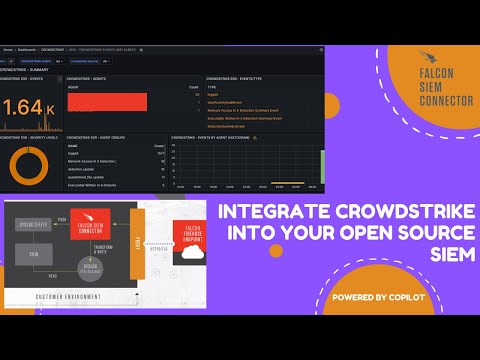
Unlock Full SIEM Potential: Effortlessly Ingest Crowdstrike Events Into Your Open Source SIEM!
- Link: https://www.youtube.com/watch?v=YOVUOpZDEzM
- Best for: Admin-Engineer
- What you learn:
- Explains how to onboard external log sources and integrations into a consistent CoPilot workflow.
- Shows field mapping and source-specific considerations so data arrives usable for alerting and triage.
- Demonstrates validation steps to confirm events are flowing end-to-end into the SIEM/CoPilot pipeline.
- Demonstrates scalable ingestion patterns for third-party events into the security data pipeline.
- Shows connector setup steps and validation inside CoPilot.
- Walks through Docker Compose or service-level deployment changes.
- Highlights required service reload/restart points after configuration changes.
- Includes practical walkthrough steps that can be replicated in production-like SOC environments.
- Key CoPilot features shown: CrowdStrike ingestion, Customer portal, Connector onboarding
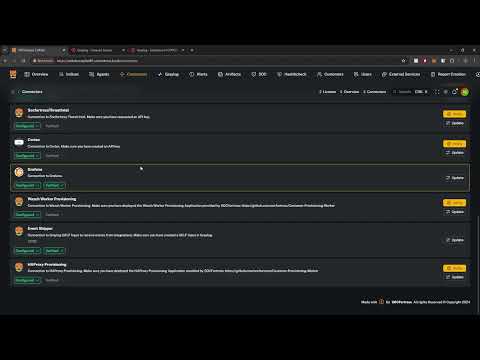
CoPilot Event Shipper Configuration - Ingest 3rd Party Logs into your SIEM Stack
- Link: https://www.youtube.com/watch?v=tgWRvOJX5HA
- Best for: Admin-Engineer
- What you learn:
- Explains how to onboard external log sources and integrations into a consistent CoPilot workflow.
- Shows field mapping and source-specific considerations so data arrives usable for alerting and triage.
- Demonstrates validation steps to confirm events are flowing end-to-end into the SIEM/CoPilot pipeline.
- Demonstrates scalable ingestion patterns for third-party events into the security data pipeline.
- Shows connector setup steps and validation inside CoPilot.
- Includes practical walkthrough steps that can be replicated in production-like SOC environments.
- Emphasizes outcomes analysts/admins should verify after each configuration or workflow change.
- Key CoPilot features shown: DUO MFA ingestion, Event shipper, Connector onboarding
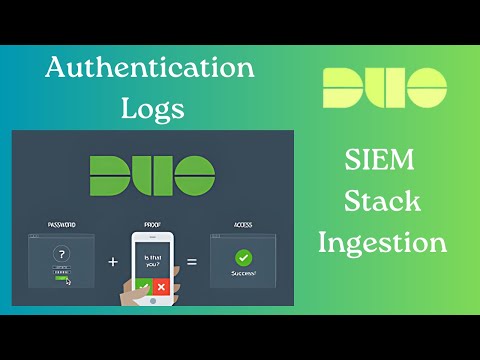
Unlock Full SIEM Potential: Effortlessly Ingest DUO MFA Events Into Your Open Source SIEM!
- Link: https://www.youtube.com/watch?v=chTthkpMpTY
- Best for: Admin-Engineer
- What you learn:
- Explains how to onboard external log sources and integrations into a consistent CoPilot workflow.
- Shows field mapping and source-specific considerations so data arrives usable for alerting and triage.
- Demonstrates validation steps to confirm events are flowing end-to-end into the SIEM/CoPilot pipeline.
- Demonstrates scalable ingestion patterns for third-party events into the security data pipeline.
- Walks through Docker Compose or service-level deployment changes.
- Explains how index/search data is selected and mapped for operations.
- Covers rule logic, filtering, or tuning considerations for higher-fidelity detections.
- Includes practical walkthrough steps that can be replicated in production-like SOC environments.
- Key CoPilot features shown: DUO MFA ingestion, Event shipper, Connector onboarding
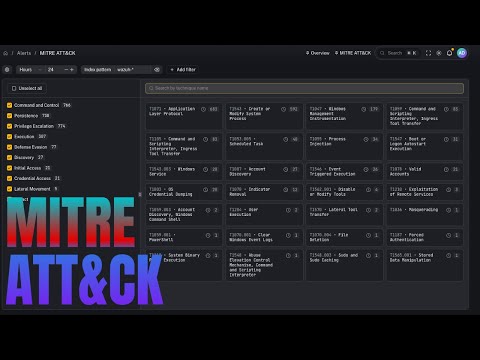
New MITRE ATT&CK Integration in CoPilot – Game Changer for SOC Analysts!
- Link: https://www.youtube.com/watch?v=wK4aA7QrXmE
- Best for: Admin-Engineer
- What you learn:
- Explains how to onboard external log sources and integrations into a consistent CoPilot workflow.
- Shows field mapping and source-specific considerations so data arrives usable for alerting and triage.
- Demonstrates validation steps to confirm events are flowing end-to-end into the SIEM/CoPilot pipeline.
- Explains ATT&CK mapping benefits for investigation context and coverage discussions.
- Demonstrates alert flow from detection source into CoPilot incident views.
- Covers rule logic, filtering, or tuning considerations for higher-fidelity detections.
- Includes practical walkthrough steps that can be replicated in production-like SOC environments.
- Emphasizes outcomes analysts/admins should verify after each configuration or workflow change.
- Key CoPilot features shown: MITRE ATT&CK mapping, Connector onboarding
Supercharge Your Log Ingestion: Webhooks to SIEM Made Easy
- Link: https://www.youtube.com/watch?v=O5SaFwAMMtA
- Best for: Admin-Engineer
- What you learn:
- Explains how to onboard external log sources and integrations into a consistent CoPilot workflow.
- Shows field mapping and source-specific considerations so data arrives usable for alerting and triage.
- Demonstrates validation steps to confirm events are flowing end-to-end into the SIEM/CoPilot pipeline.
- Demonstrates scalable ingestion patterns for third-party events into the security data pipeline.
- Shows connector setup steps and validation inside CoPilot.
- Explains how index/search data is selected and mapped for operations.
- Covers rule logic, filtering, or tuning considerations for higher-fidelity detections.
- Includes practical walkthrough steps that can be replicated in production-like SOC environments.
- Key CoPilot features shown: Webhook ingestion pipeline, Shuffle SOAR integration, Connector onboarding
Threat Intelligence, Vulnerability, and Security Posture
Auto-Enrich Wazuh Events with Threat Intel Feeds!
- Link: https://www.youtube.com/watch?v=FJunzP2c_mQ
- Best for: Both
- What you learn:
- Shows how enrichment data is layered onto alerts to improve confidence and prioritization.
- Demonstrates workflows for vulnerability, exposure, or threat context inside CoPilot operations.
- Highlights how analysts can convert external intelligence into actionable triage or response steps.
- Demonstrates alert flow from detection source into CoPilot incident views.
- Explains how index/search data is selected and mapped for operations.
- Covers rule logic, filtering, or tuning considerations for higher-fidelity detections.
- Includes practical walkthrough steps that can be replicated in production-like SOC environments.
- Emphasizes outcomes analysts/admins should verify after each configuration or workflow change.
- Key CoPilot features shown: Wazuh integration, Enrichment workflows
Analyzing Processes in Wazuh Alerts with Advanced Risk Scoring from Global Data
- Link: https://www.youtube.com/watch?v=CVVj9HRtjOE
- Best for: Both
- What you learn:
- Shows how enrichment data is layered onto alerts to improve confidence and prioritization.
- Demonstrates workflows for vulnerability, exposure, or threat context inside CoPilot operations.
- Highlights how analysts can convert external intelligence into actionable triage or response steps.
- Demonstrates alert flow from detection source into CoPilot incident views.
- Covers rule logic, filtering, or tuning considerations for higher-fidelity detections.
- Includes practical walkthrough steps that can be replicated in production-like SOC environments.
- Emphasizes outcomes analysts/admins should verify after each configuration or workflow change.
- Key CoPilot features shown: Wazuh integration, Enrichment workflows
Simplify Cloud Security: ScoutSuite and Copilot Tutorial
- Link: https://www.youtube.com/watch?v=G3MDJSMvnRo
- Best for: Both
- What you learn:
- Shows how enrichment data is layered onto alerts to improve confidence and prioritization.
- Demonstrates workflows for vulnerability, exposure, or threat context inside CoPilot operations.
- Highlights how analysts can convert external intelligence into actionable triage or response steps.
- Demonstrates customer-aware workflows and tenant context handling.
- Uses API-driven actions to push, pull, or validate security operations data.
- Includes practical walkthrough steps that can be replicated in production-like SOC environments.
- Emphasizes outcomes analysts/admins should verify after each configuration or workflow change.
- Key CoPilot features shown: SCA visibility, Enrichment workflows
Integrate EPSS with Wazuh for Top-Notch Vulnerability Management!
- Link: https://www.youtube.com/watch?v=Qnm9SXVJGWw
- Best for: Both
- What you learn:
- Shows how enrichment data is layered onto alerts to improve confidence and prioritization.
- Demonstrates workflows for vulnerability, exposure, or threat context inside CoPilot operations.
- Highlights how analysts can convert external intelligence into actionable triage or response steps.
- Connects exposure data to prioritization so teams can address the highest-risk items first.
- Includes practical walkthrough steps that can be replicated in production-like SOC environments.
- Emphasizes outcomes analysts/admins should verify after each configuration or workflow change.
- Key CoPilot features shown: Wazuh integration, EPSS enrichment, Vulnerability visibility, Enrichment workflows
Enhancing Web App Security: Integrating Copilot with Nuclei for Vulnerability Scanning
- Link: https://www.youtube.com/watch?v=-SVHKuQUxlI
- Best for: Both
- What you learn:
- Shows how enrichment data is layered onto alerts to improve confidence and prioritization.
- Demonstrates workflows for vulnerability, exposure, or threat context inside CoPilot operations.
- Highlights how analysts can convert external intelligence into actionable triage or response steps.
- Connects exposure data to prioritization so teams can address the highest-risk items first.
- Walks through Docker Compose or service-level deployment changes.
- Uses API-driven actions to push, pull, or validate security operations data.
- Includes practical walkthrough steps that can be replicated in production-like SOC environments.
- Emphasizes outcomes analysts/admins should verify after each configuration or workflow change.
- Key CoPilot features shown: DUO MFA ingestion, Nuclei scanning integration, SCA visibility, Vulnerability visibility, Enrichment workflows
Boost CoPilot: IoCs from Wazuh + VirusTotal Enrichment
- Link: https://www.youtube.com/watch?v=fNybop2FTRE
- Best for: Both
- What you learn:
- Shows how enrichment data is layered onto alerts to improve confidence and prioritization.
- Demonstrates workflows for vulnerability, exposure, or threat context inside CoPilot operations.
- Highlights how analysts can convert external intelligence into actionable triage or response steps.
- Shows malware/IoC enrichment flow and how reputation context changes triage decisions.
- Shows connector setup steps and validation inside CoPilot.
- Walks through Docker Compose or service-level deployment changes.
- Demonstrates alert flow from detection source into CoPilot incident views.
- Includes practical walkthrough steps that can be replicated in production-like SOC environments.
- Key CoPilot features shown: Wazuh integration, VirusTotal enrichment, Enrichment workflows
CoPilot + VirusTotal: Instantly Scan Files for Malware!
- Link: https://www.youtube.com/watch?v=ixxVe_9LAfQ
- Best for: Both
- What you learn:
- Shows how enrichment data is layered onto alerts to improve confidence and prioritization.
- Demonstrates workflows for vulnerability, exposure, or threat context inside CoPilot operations.
- Highlights how analysts can convert external intelligence into actionable triage or response steps.
- Shows malware/IoC enrichment flow and how reputation context changes triage decisions.
- Connects exposure data to prioritization so teams can address the highest-risk items first.
- Shows connector setup steps and validation inside CoPilot.
- Uses API-driven actions to push, pull, or validate security operations data.
- Includes practical walkthrough steps that can be replicated in production-like SOC environments.
- Key CoPilot features shown: VirusTotal enrichment, SCA visibility, Enrichment workflows
CoPilot Supercharges Wazuh with SCA & Vulnerability Overviews
- Link: https://www.youtube.com/watch?v=NUrnlTvLzVk
- Best for: Both
- What you learn:
- Shows how enrichment data is layered onto alerts to improve confidence and prioritization.
- Demonstrates workflows for vulnerability, exposure, or threat context inside CoPilot operations.
- Highlights how analysts can convert external intelligence into actionable triage or response steps.
- Connects exposure data to prioritization so teams can address the highest-risk items first.
- Explains how index/search data is selected and mapped for operations.
- Demonstrates customer-aware workflows and tenant context handling.
- Shows practical filtering/search techniques for triage speed.
- Includes practical walkthrough steps that can be replicated in production-like SOC environments.
- Key CoPilot features shown: Wazuh integration, SCA visibility, Vulnerability visibility, Enrichment workflows
Operations, Reporting, and Customer Experience
Wazuh Dashboards in Grafana & Customer Provisioning in CoPilot!
- Link: https://www.youtube.com/watch?v=hC0JHY5WF-U
- Best for: Admin-Engineer
- What you learn:
- Focuses on operational maturity features for customer-facing SOC delivery and service consistency.
- Shows how to package and present outcomes for stakeholders with less manual effort.
- Demonstrates platform workflows that improve repeatability across customers and analysts.
- Shows reporting/dashboard workflows to communicate security posture and outcomes clearly.
- Demonstrates alert flow from detection source into CoPilot incident views.
- Explains how index/search data is selected and mapped for operations.
- Covers rule logic, filtering, or tuning considerations for higher-fidelity detections.
- Includes practical walkthrough steps that can be replicated in production-like SOC environments.
- Key CoPilot features shown: Wazuh integration, Grafana integration, Multi-tenant operations
Create Custom PDF Reports in Grafana Detailing Security Events | Share with Your Clients!
- Link: https://www.youtube.com/watch?v=9xHr5-Wlypw
- Best for: Admin-Engineer
- What you learn:
- Focuses on operational maturity features for customer-facing SOC delivery and service consistency.
- Shows how to package and present outcomes for stakeholders with less manual effort.
- Demonstrates platform workflows that improve repeatability across customers and analysts.
- Shows reporting/dashboard workflows to communicate security posture and outcomes clearly.
- Shows connector setup steps and validation inside CoPilot.
- Demonstrates alert flow from detection source into CoPilot incident views.
- Includes practical walkthrough steps that can be replicated in production-like SOC environments.
- Emphasizes outcomes analysts/admins should verify after each configuration or workflow change.
- Key CoPilot features shown: Grafana integration, Reporting workflow, Multi-tenant operations
A Customer Portal for Your Open-Source SIEM Stack
- Link: https://www.youtube.com/watch?v=_bvFejcFwFM
- Best for: Admin-Engineer
- What you learn:
- Focuses on operational maturity features for customer-facing SOC delivery and service consistency.
- Shows how to package and present outcomes for stakeholders with less manual effort.
- Demonstrates platform workflows that improve repeatability across customers and analysts.
- Introduces customer-facing portal workflows for transparent, self-service visibility.
- Walks through Docker Compose or service-level deployment changes.
- Demonstrates alert flow from detection source into CoPilot incident views.
- Demonstrates customer-aware workflows and tenant context handling.
- Includes practical walkthrough steps that can be replicated in production-like SOC environments.
- Key CoPilot features shown: Customer portal, Multi-tenant operations
Index (all videos)
- Copilot - Your Open Source Security Integrator — Best for: Admin-Engineer
- Copilot - Your Next Open Source Security Tool — Best for: Admin-Engineer
- CoPilot Install — Best for: Admin-Engineer
- CoPilot Install — Final Update (I Hope) — Best for: Admin-Engineer
- Wazuh Content Pack For Graylog - Easily Configure Your SOCFortress SIEM Stack — Best for: Both
- Wazuh Security Configuration Assessment and CoPilot - Are Your Endpoints Compliant? — Best for: Both
- Powerful Wazuh Alert Management With CoPilot! — Best for: Operator
- Introducing the Datastore in CoPilot: Upload Artifacts into Cases with Ease — Best for: Operator
- Supercharge Open-Source Cybersecurity: Velociraptor + Sigma for Your SIEM — Best for: Both
- Manage Wazuh Detection Rules with CoPilot — Best for: Admin-Engineer
- Open Source SIEM Response | Dynamic Endpoint Actions with SOCFortress CoPilot — Best for: Both
- Endpoint Investigation Made Easier: New Velociraptor Features in SOCFORTRESS CoPilot — Best for: Operator
- AI Analyst for Wazuh Alerts: Revolutionize Your SOC with SOCFortress Copilot! — Best for: Both
- AI Agent for Open Source SIEM: Wazuh, Velociraptor + CoPilot! — Best for: Both
- AI Chatbot Now With Threat Intel, Cyber News, Knowledge Base & Attack Surface! — Best for: Both
- Automate Your SOC: Triggering Alerts with Wazuh Rules via Copilot — Best for: Both
- Wazuh Rule Writing With CoPilot AI Module - Handle Your Alert Flooding — Best for: Both
- Mastering Wazuh’s Active Response: Block Malicious IPs with CoPilot & Wazuh! — Best for: Both
- Revolutionize Your SIEM Alerts: Integrate CoPilot & Shuffle — Best for: Both
- Tame the Noise: Sigma Exclusions in CoPilot for Velociraptor Alerts — Best for: Both
- 🚀 Master Sysmon Config Management with CoPilot & Wazuh! — Best for: Both
- Supercharge Wazuh Active Response with CoPilot: No More Limits! — Best for: Both
- Test Your Wazuh Detection Rules: One-Click Atomic Red Team + Velociraptor + CoPilot — Best for: Both
- Simulate Linux Attacks and Tune Detection Rules with Atomic Red Team — Best for: Both
- Wazuh Indexer and CoPilot Integration — Best for: Admin-Engineer
- Graylog and CoPilot Integration — Best for: Admin-Engineer
- Wazuh Manager and CoPilot Integration — Best for: Admin-Engineer
- Velociraptor and Copilot Integration — Best for: Admin-Engineer
- CoPilot And InfluxDB - Monitor Your SIEM Stack Servers with InfluxDB and CoPilot! — Best for: Admin-Engineer
- DFIR-IRIS and CoPilot - Bring your SOC Alerts into CoPilot — Best for: Admin-Engineer
- Grafana and CoPilot Integration — Best for: Admin-Engineer
- Seamless Office365 Integration with Wazuh: Simplified by Copilot — Best for: Admin-Engineer
- Unlock Full SIEM Potential: Effortlessly Ingest Crowdstrike Events Into Your Open Source SIEM! — Best for: Admin-Engineer
- CoPilot Event Shipper Configuration - Ingest 3rd Party Logs into your SIEM Stack — Best for: Admin-Engineer
- Unlock Full SIEM Potential: Effortlessly Ingest DUO MFA Events Into Your Open Source SIEM! — Best for: Admin-Engineer
- New MITRE ATT&CK Integration in CoPilot – Game Changer for SOC Analysts! — Best for: Admin-Engineer
- Supercharge Your Log Ingestion: Webhooks to SIEM Made Easy — Best for: Admin-Engineer
- Auto-Enrich Wazuh Events with Threat Intel Feeds! — Best for: Both
- Analyzing Processes in Wazuh Alerts with Advanced Risk Scoring from Global Data — Best for: Both
- Simplify Cloud Security: ScoutSuite and Copilot Tutorial — Best for: Both
- Integrate EPSS with Wazuh for Top-Notch Vulnerability Management! — Best for: Both
- Enhancing Web App Security: Integrating Copilot with Nuclei for Vulnerability Scanning — Best for: Both
- Boost CoPilot: IoCs from Wazuh + VirusTotal Enrichment — Best for: Both
- CoPilot + VirusTotal: Instantly Scan Files for Malware! — Best for: Both
- CoPilot Supercharges Wazuh with SCA & Vulnerability Overviews — Best for: Both
- Wazuh Dashboards in Grafana & Customer Provisioning in CoPilot! — Best for: Admin-Engineer
- Create Custom PDF Reports in Grafana Detailing Security Events | Share with Your Clients! — Best for: Admin-Engineer
- A Customer Portal for Your Open-Source SIEM Stack — Best for: Admin-Engineer