
Vulnerability overview
Menu: Exposure → Vulnerabilities Vulnerability Overview provides near real-time vulnerability data (from Wazuh Indexer) enriched with EPSS scoring and package details, so you can prioritize remediation based on both severity and likely exploitation.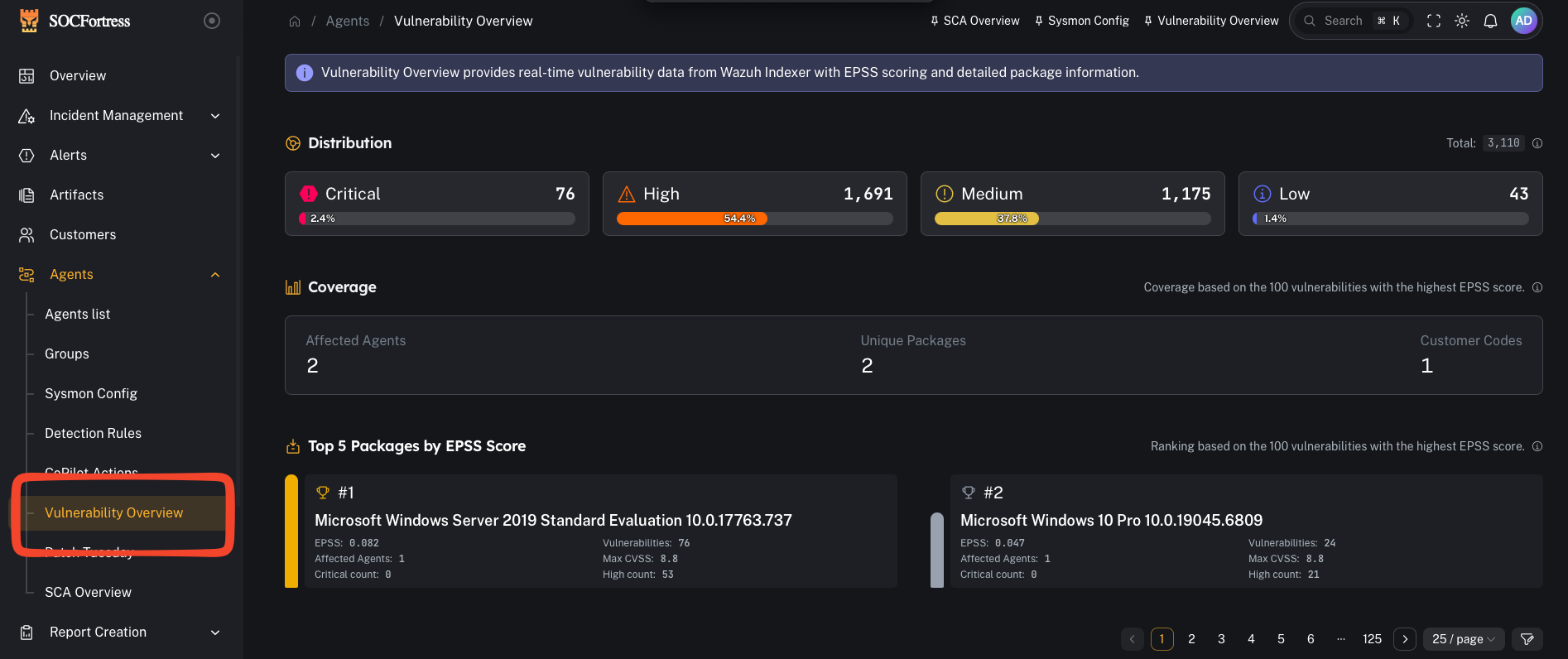
What you’re looking at
Distribution
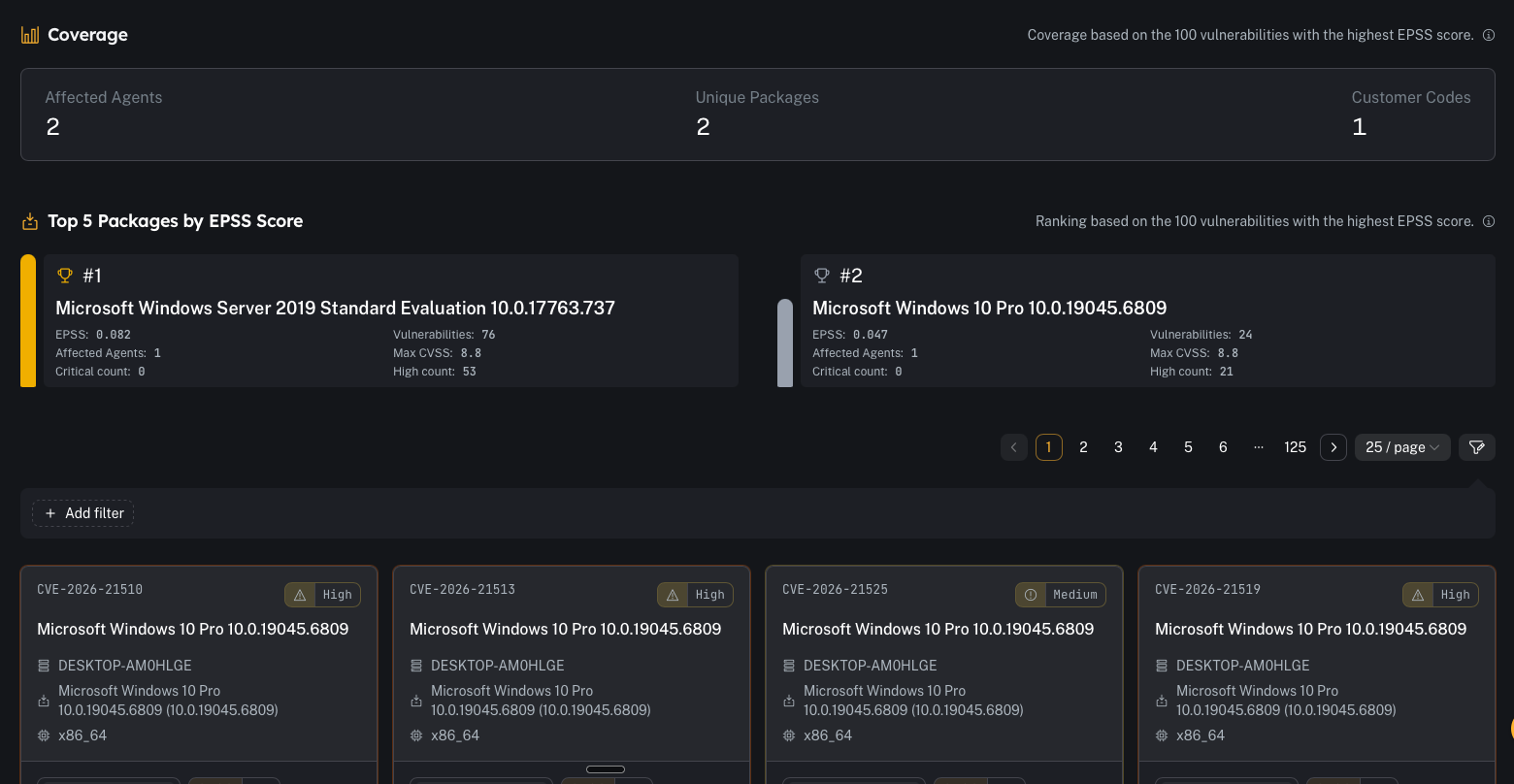
- “How bad is it right now?”
- tracking whether patching is reducing overall exposure
Coverage + top packages by EPSS
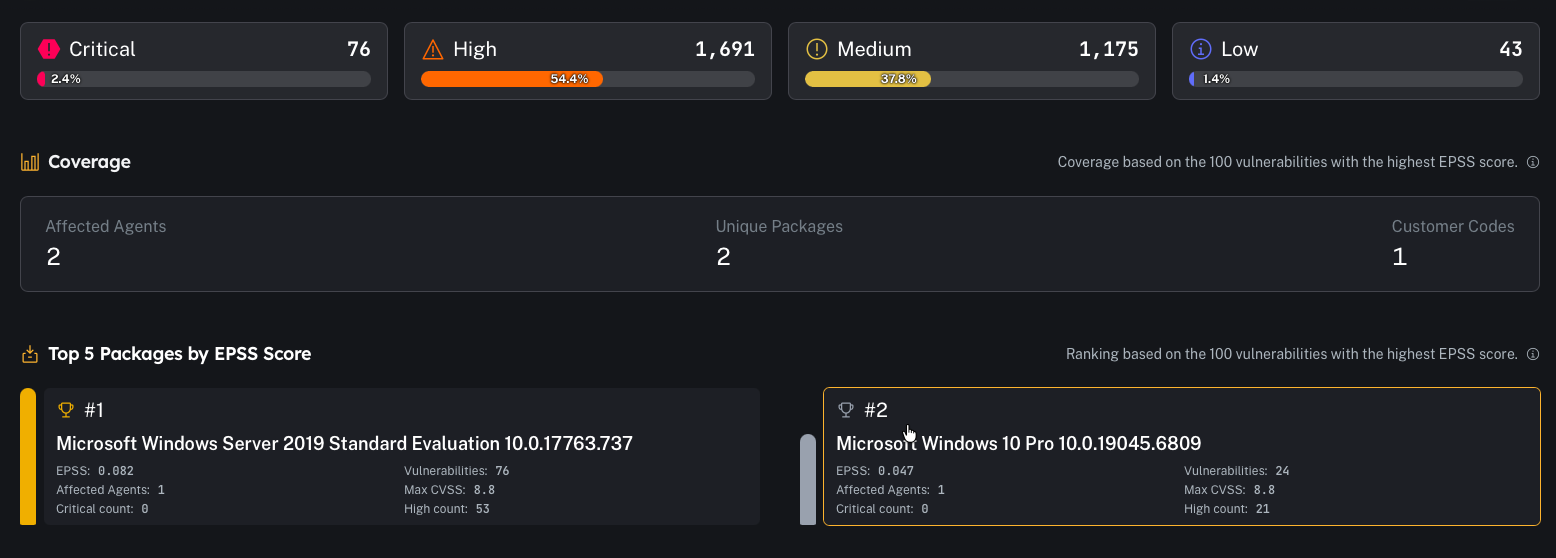
- how many agents are impacted
- how many unique packages are involved
- how many customer codes are represented
Detailed table
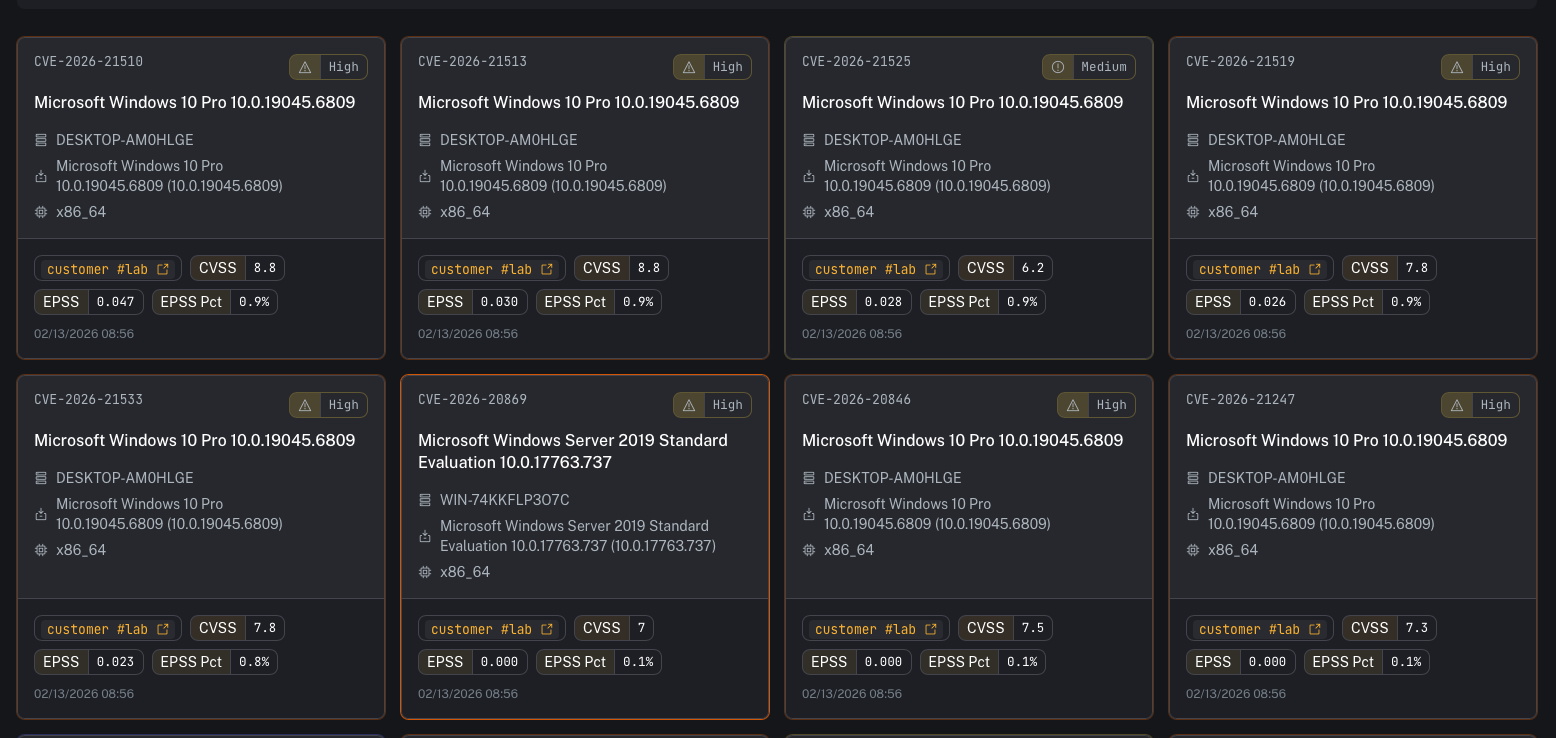
- CVE
- severity
- affected agent/hostname
- package / OS / architecture
- CVSS
- EPSS score and EPSS percentile
- timestamp (when observed)
EPSS (Exploit Prediction Scoring System) — how to use it
EPSS is a probability model maintained by FIRST that estimates the likelihood a CVE will be exploited “in the wild.” In CoPilot you’ll typically see:- EPSS: a score between 0 and 1 (higher means more likely exploitation)
- EPSS Pct: percentile ranking (how that CVE compares to other CVEs)
- Use CVSS to understand impact/severity
- Use EPSS to understand likelihood/urgency
- Prioritize items that are High CVSS + High EPSS first
- A Medium CVSS with a very high EPSS can be more urgent than a High CVSS with very low EPSS.
Common tasks
Filter by tenant/customer
Use filters to focus on one customer code at a time in multi-tenant environments.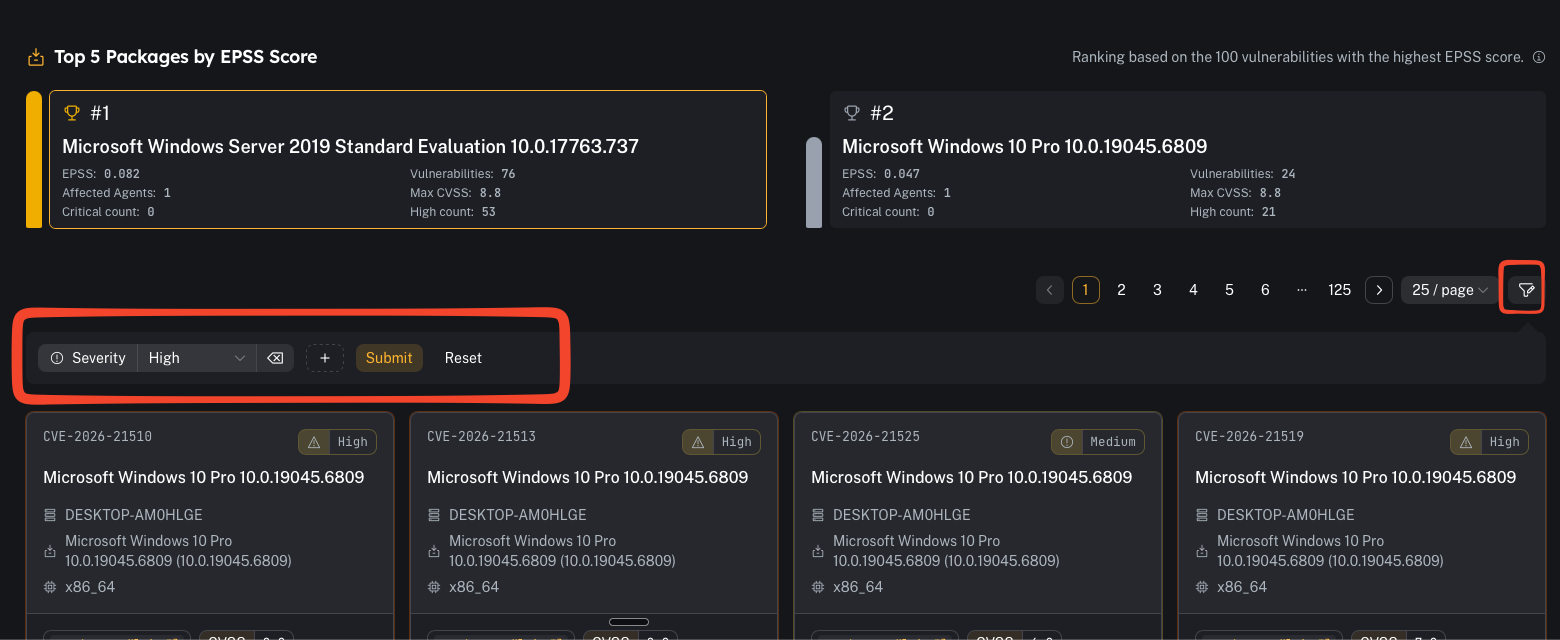
Identify “top risk” items
A practical triage flow:- Review Top Packages by EPSS
- Open the package/CVE details
- Identify affected agents
- Create remediation tasks (patch/update/remove package)
- Validate closure by confirming the item disappears as inventory updates
Pivot to reporting
If you need a deliverable for a customer or internal patch window:- use the reporting workflow described here: Vulnerability report
Prerequisites
- Wazuh inventory (syscollector) is flowing for endpoints
- Wazuh vulnerability detection is enabled and indexing results
Gotchas
- Stale inventory = stale posture. If an agent hasn’t checked in recently, its vulnerability list may be outdated.
- EPSS is a prioritization signal, not a guarantee—use it alongside your environment context (internet exposure, compensating controls, exploitability, asset criticality).