
CoPilot actions
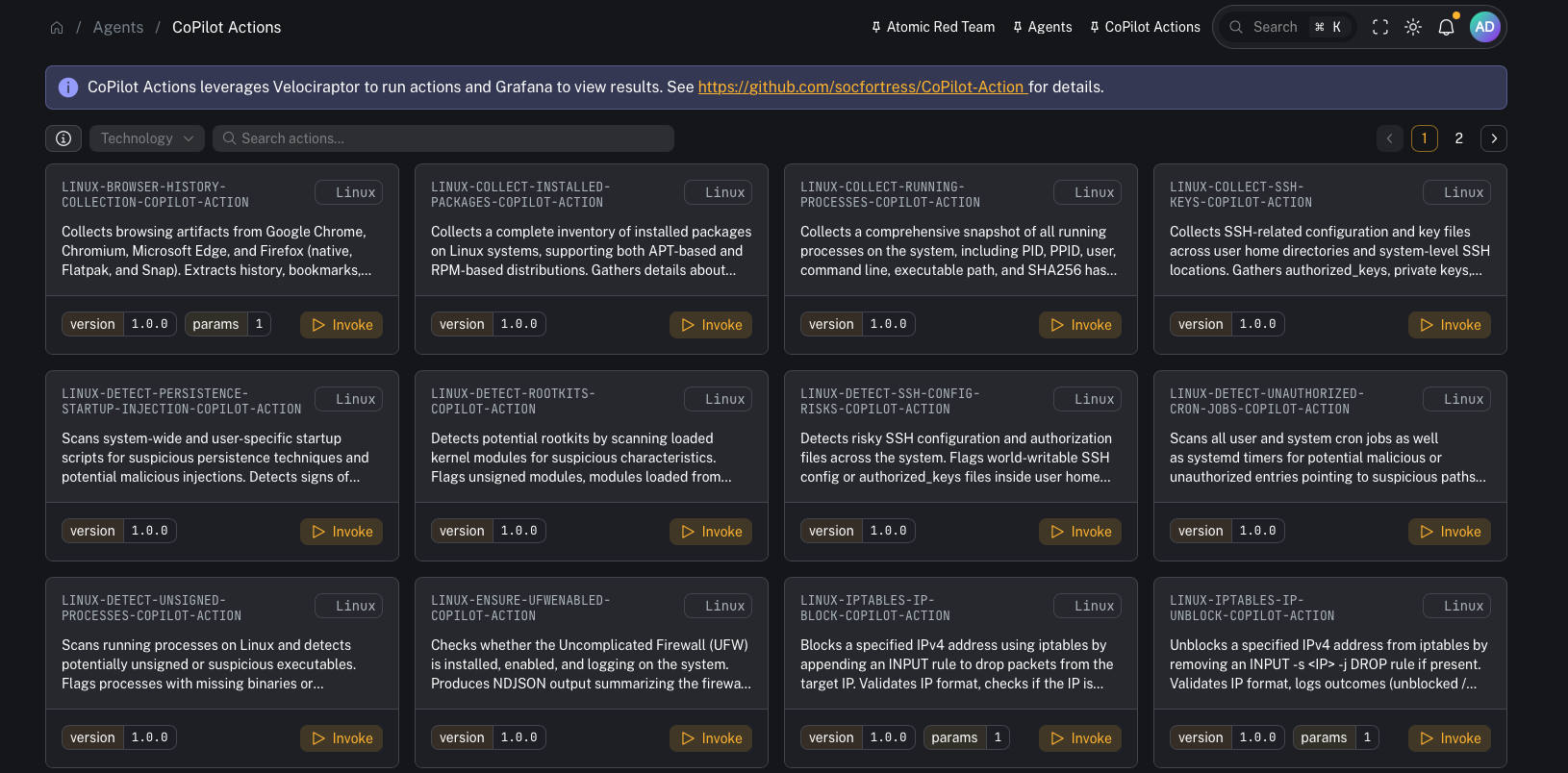
Menu: Respond → CoPilot Actions CoPilot Actions provides a more flexible way to launch endpoint actions (response + collection) across your infrastructure. At a high level it combines:- CoPilot (operator UI)
- Velociraptor (executes artifacts to run the action)
- Custom scripts (the action logic)
- Grafana (dashboards to visualize action results)
Why this exists (vs “traditional Wazuh Active Response”)
Wazuh Active Response is powerful, but at scale it can become cumbersome to:- deploy scripts to endpoints
- keep action logic consistent across OSes
- manage parameters and rollouts cleanly
How it works
Conceptually:- You choose an action in CoPilot
- CoPilot invokes a Velociraptor artifact (Windows or Linux)
- The artifact downloads/executes the action script for the selected action
- Results are written to logs and ingested into the stack
- Grafana dashboards let you explore outcomes over time
- supported OS/technology
- action metadata + description
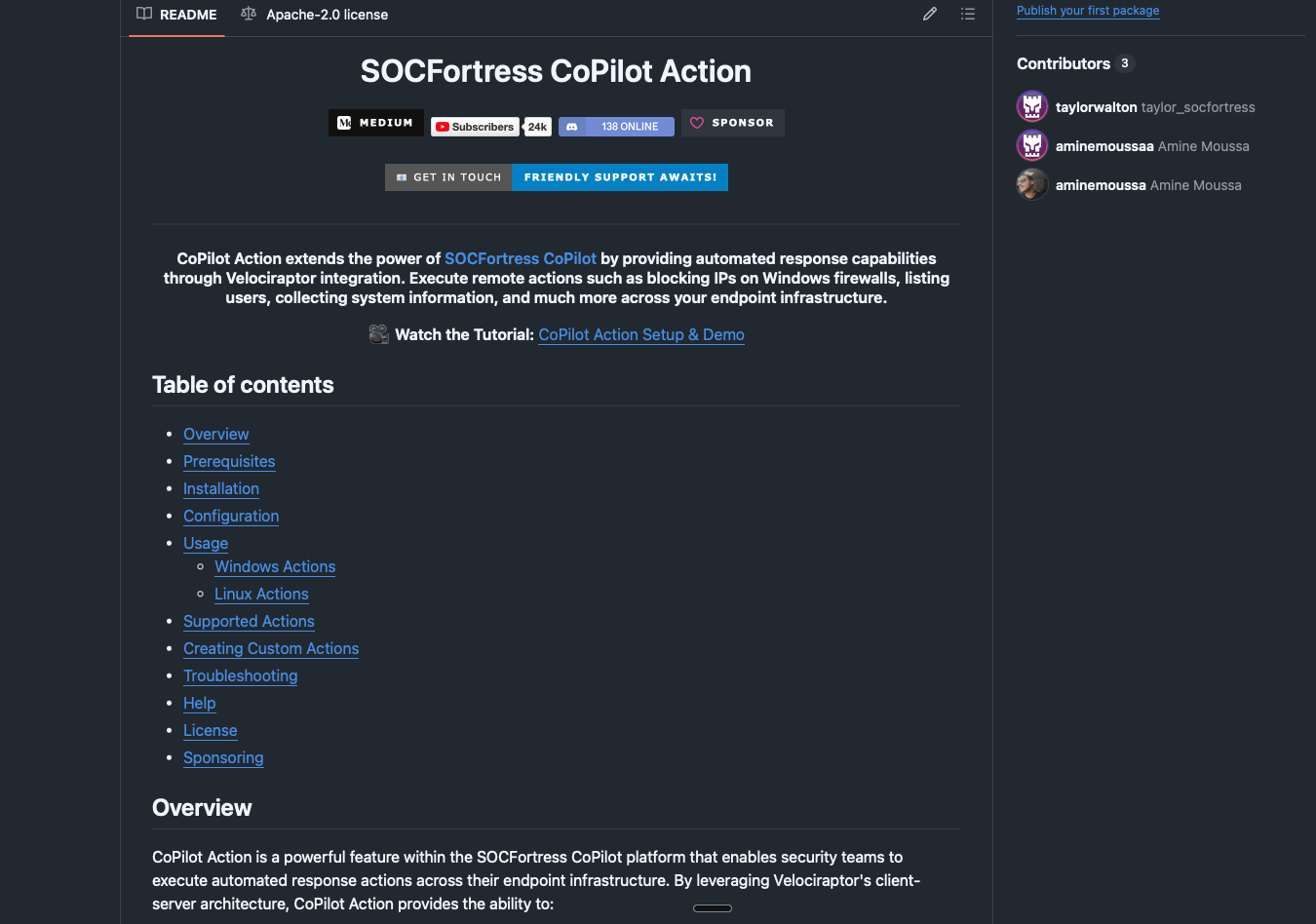
- a link to the underlying source code repo for the action
Prerequisites
- CoPilot is deployed and you can access Respond → CoPilot Actions.
- Velociraptor server + clients are deployed (the CoPilot-Action repo recommends Velociraptor 0.74.1+).
- CoPilot can authenticate to Velociraptor (Connector configured).
Setup checklist (recommended)
This is the practical “get it working end-to-end” checklist.1) Import the required Velociraptor artifacts
From the repo:velociraptor/Linux.Execute.RemoteBashScript.yamlvelociraptor/Windows.Execute.RemotePowerShellScript.yaml
- View Artifacts → Upload Artifacts
2) Confirm the CoPilot ↔ Velociraptor connector
In CoPilot, configure and test the Velociraptor connector:- Connectors → Velociraptor
3) Ensure endpoints can download action scripts
CoPilot Actions commonly downloads scripts from public GitHub repos. Verify:- endpoints have egress to
raw.githubusercontent.com(or wherever your scripts live) - DNS + TLS inspection/proxy rules won’t block downloads
4) (Windows) Verify PowerShell can run scripts
If a Windows action relies on PowerShell, validate the execution policy and permissions on target endpoints. (Example from the repo docs:RemoteSigned at LocalMachine scope.)
5) Create SIEM routing for action output (Graylog)
Recommended pattern:- Create a dedicated Graylog index set (e.g.,
copilot_action) - Create a Graylog stream that routes CoPilot Action output to that index
6) Add/verify Wazuh rule support for action output
Action output is typically written to active response logs that the Wazuh agent already ships. Add/verify the supporting detection rules so the Wazuh manager can identify/classify “CoPilot Action” results.7) Import Grafana dashboards (optional but recommended)
The CoPilot-Action repo includes dashboards under:Grafana/
Repo pointers
Everything you need to stand this up (artifacts + dashboards + docs) lives in:Common tasks
Find an action
Use search to filter actions by name/technology.Invoke an action
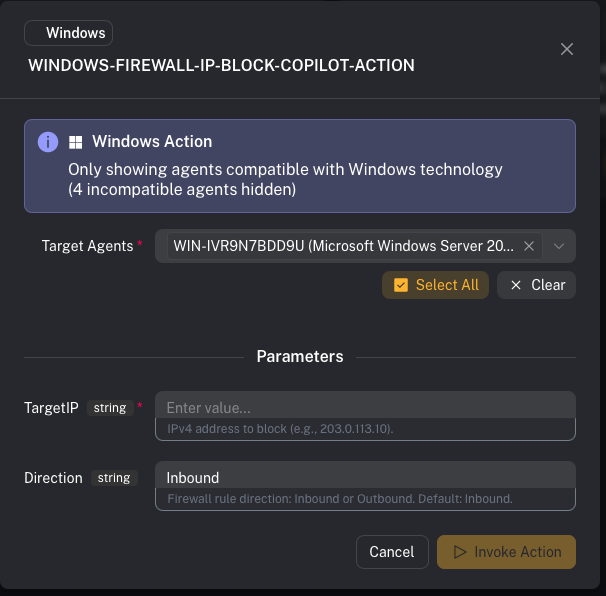
- Select an action
- Review metadata (OS support, parameters)
- Select a target agent
- Invoke
- collecting browser history
- blocking an IP address via Windows Firewall
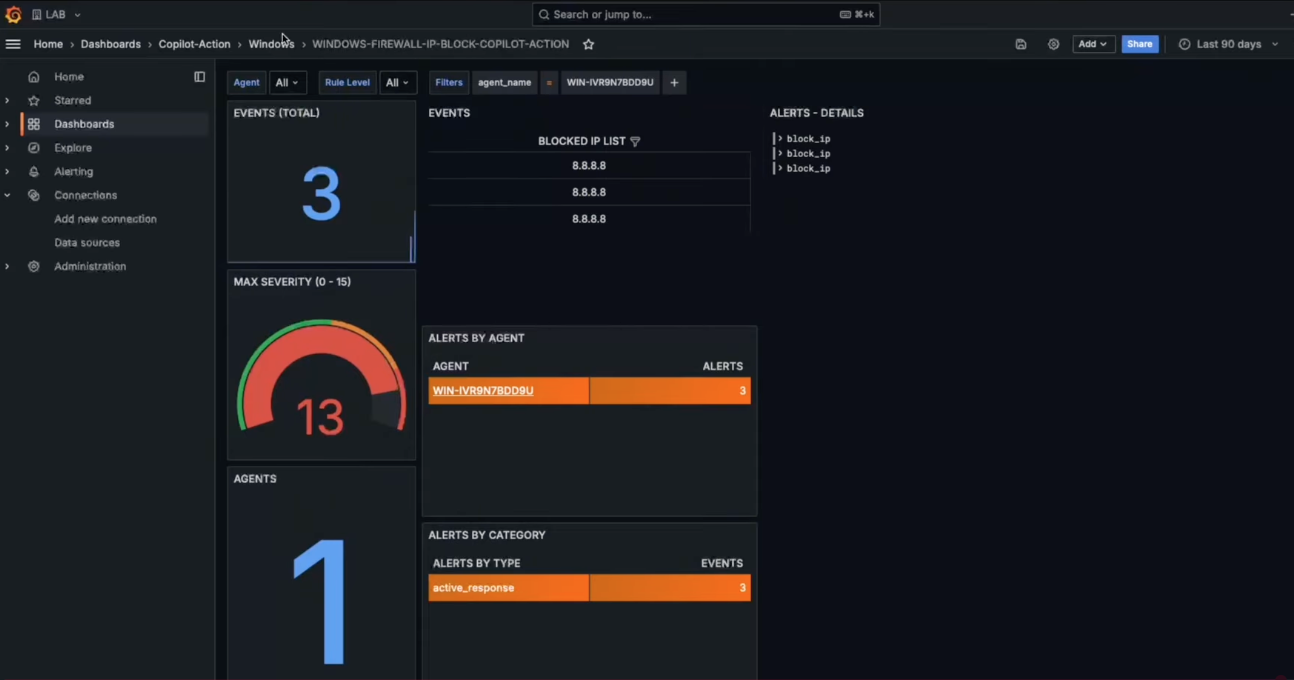
View results
Results can be viewed:- in Grafana dashboards (recommended for trending/overview)
- in Velociraptor execution logs/results (best for deep troubleshooting)
Troubleshooting (fast checks)
If an action fails:- Confirm the required Velociraptor artifacts exist and are runnable
- Check the Velociraptor artifact execution logs/results for errors
- Verify Graylog stream/index routing if you expect results in dashboards
- Confirm endpoint prerequisites (PowerShell availability, script paths, permissions)
Gotchas
- Actions can be disruptive (containment/firewall changes). Use approvals + logging.
- Start by testing actions on a lab endpoint and then roll out.
- Ensure your routing keeps action output separated from core security telemetry.