
Vulnerability reports (Wazuh)
Menu: Reports → Vulnerability Reports Vulnerability reports pull data from the Wazuh Vulnerability Detection module. Wazuh’s model (simplified):- agents collect software inventory via Syscollector
- the manager correlates inventory with CTI feeds and flags CVEs
- results are indexed and queryable (inventory + alerts)
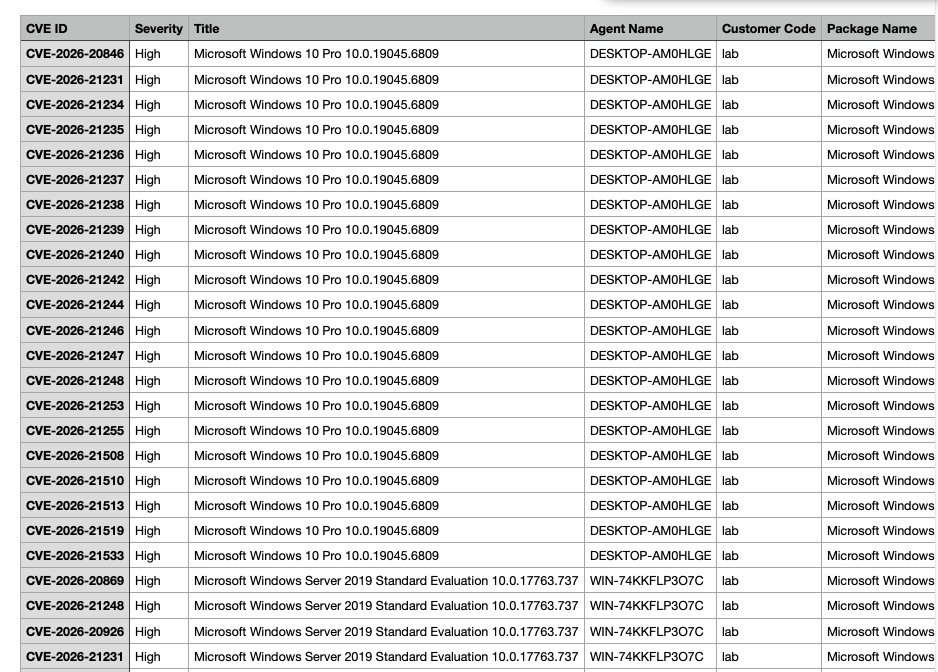
What you can generate
- A vulnerability report for a specific customer/tenant
- Filtered views by severity, agent, package, CVE, etc. (depending on UI/options)
Step 1 — Filter what you want to report on
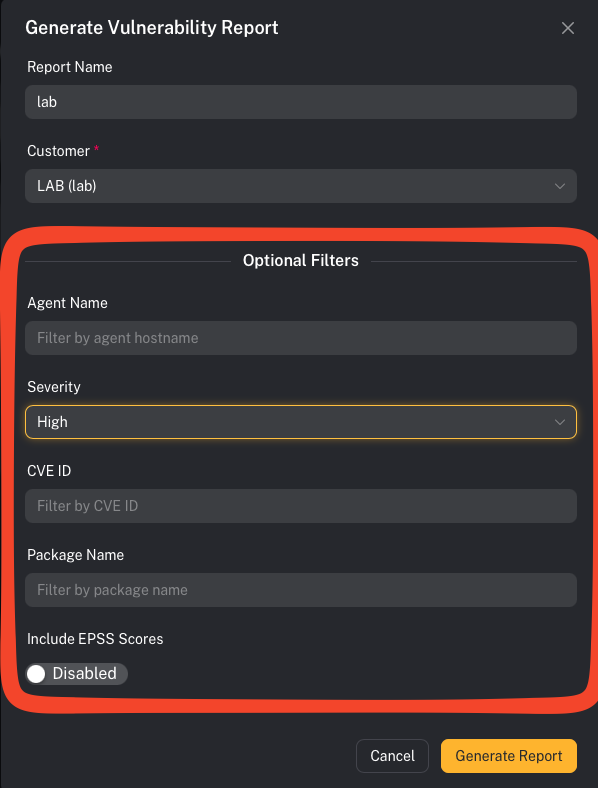
- Customer
- Severity (Critical/High/Medium/Low)
- Agent/host
- Specific CVE (
CVE-…)
Step 2 — Generate and download
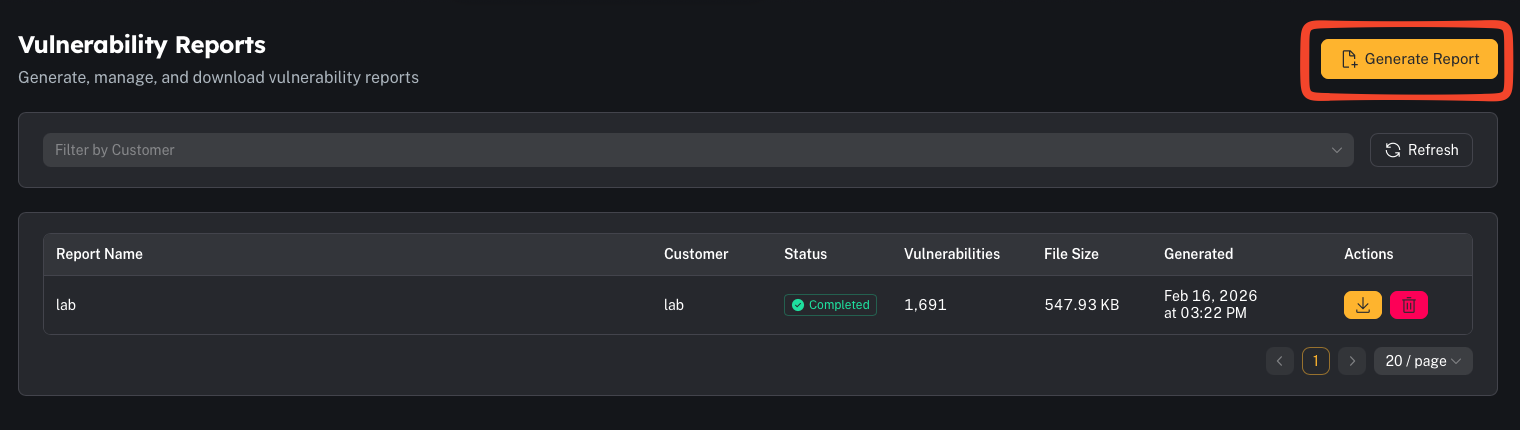
- Use “Critical + High” first for remediation prioritization.
- If you’re generating very large reports, prefer background generation if available.
Common gotchas
“The report is empty”
Common causes:- the Wazuh vulnerability module isn’t enabled or isn’t indexing status
- the customer has no Syscollector inventory data
- filters are too narrow