
Agents
Menu: Endpoints → Agents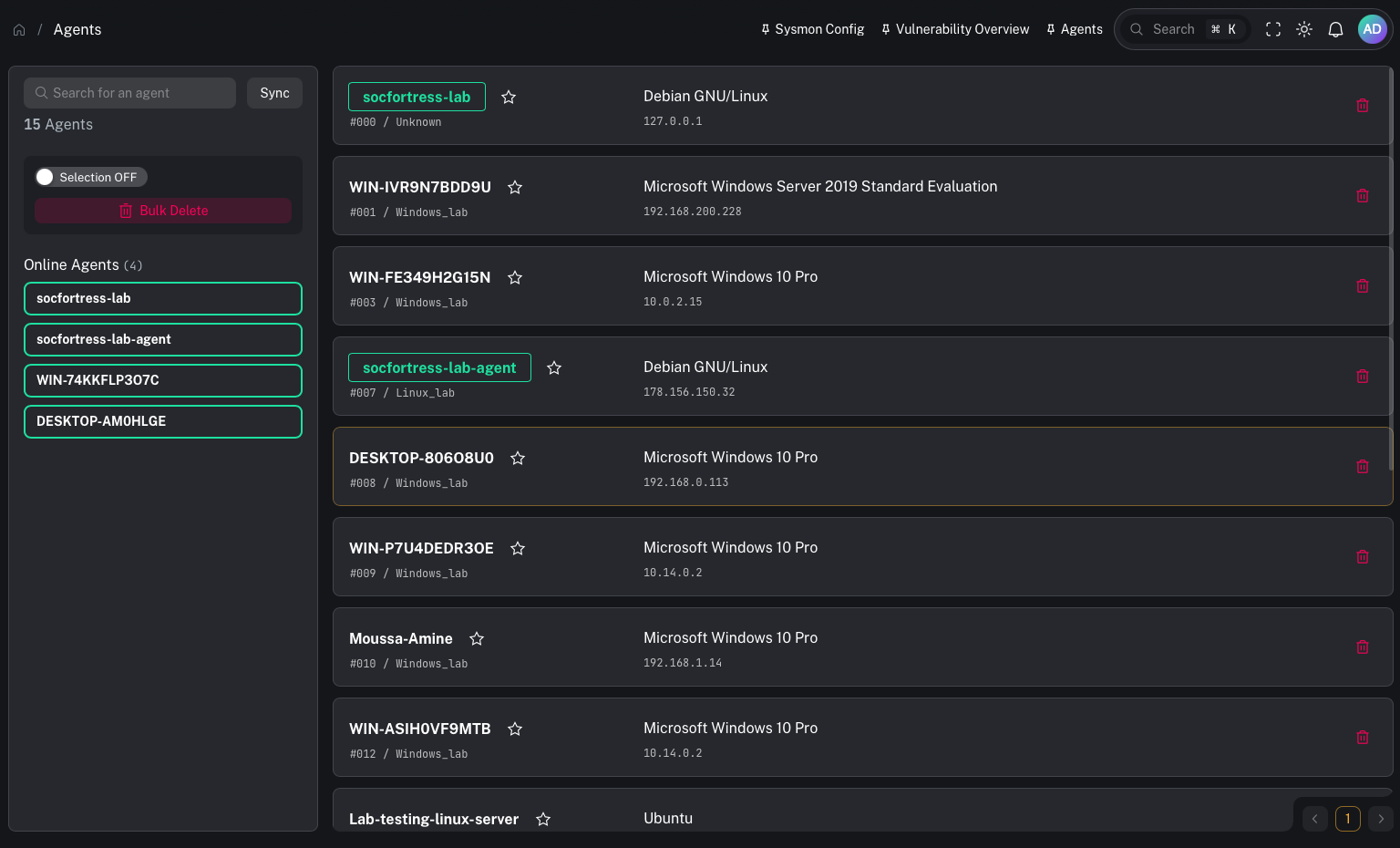
What this page is
Agents are the onboarded endpoints reporting to the Wazuh Manager. In CoPilot, the Wazuh Manager is the source of truth for agent inventory and core endpoint status. This section includes:- viewing agent inventory
- organizing agents into groups
- reviewing posture (vulnerabilities, Patch Tuesday, SCA)
- running response workflows (artifact collection, commands, quarantine, active response)
When to use it
Use Agents when you need to:- confirm an endpoint is onboarded and reporting
- find endpoints by hostname/customer/group
- pivot from an alert to the impacted endpoint
Prerequisites
- Agents are enrolled and reporting into the stack
- Customer labels/grouping is configured (if you’re multi-tenant)
Common tasks
Open an agent’s dedicated page
You can open an agent directly by ID:/agents/<agent_id>
On the dedicated agent page you can typically access:
- Overview (identity + last seen + versions + customer_code)
- Vulnerabilities (Wazuh vulnerability module)
- SCA (Wazuh SCA results)
- Cases the endpoint is part of
- Artifacts previously collected
- Alerts the endpoint is part of
- Collect (run Velociraptor artifacts)
- Command (run remote commands)
- Quarantine (isolate/unisolate endpoint)
- Active Response (run response capabilities)
- File Collection (collect a file)
- Data Store (endpoint data store)
Other pages in this section
- View agents: Agents
- Manage groups: Agent groups
- Sysmon config: Sysmon config
- Detection rules: Detection rules
- Response/actions: CoPilot actions
- Posture:
Gotchas
- If an agent isn’t visible here, it’s usually an enrollment/ingestion issue upstream.