
Index management (Wazuh Indexer)
Menu: Platform → Log Management → Index Management Best for: Admin / Engineer Index Management gives you an operational view of your Wazuh Indexer storage and index health. This matters because the indexer is where your SIEM data lives — if storage or index health degrades, search/alerting and investigations degrade with it.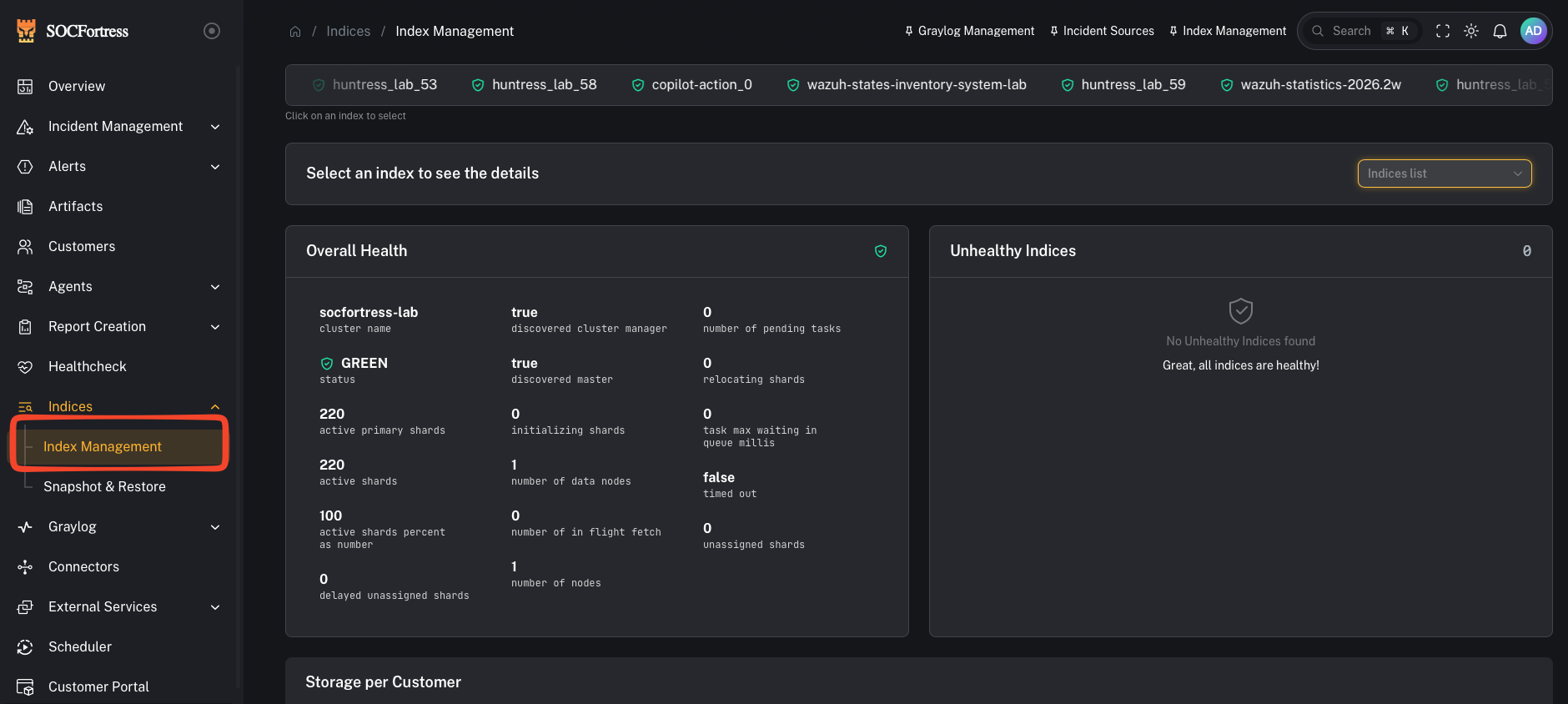
What you can do here
- Check overall indexer health (high-level “are we OK?” signal)
- See storage usage by customer (who is consuming the most disk)
- Identify large/noisy indexes
- Delete indexes when appropriate (careful: destructive)
Step 1 — Review overall health
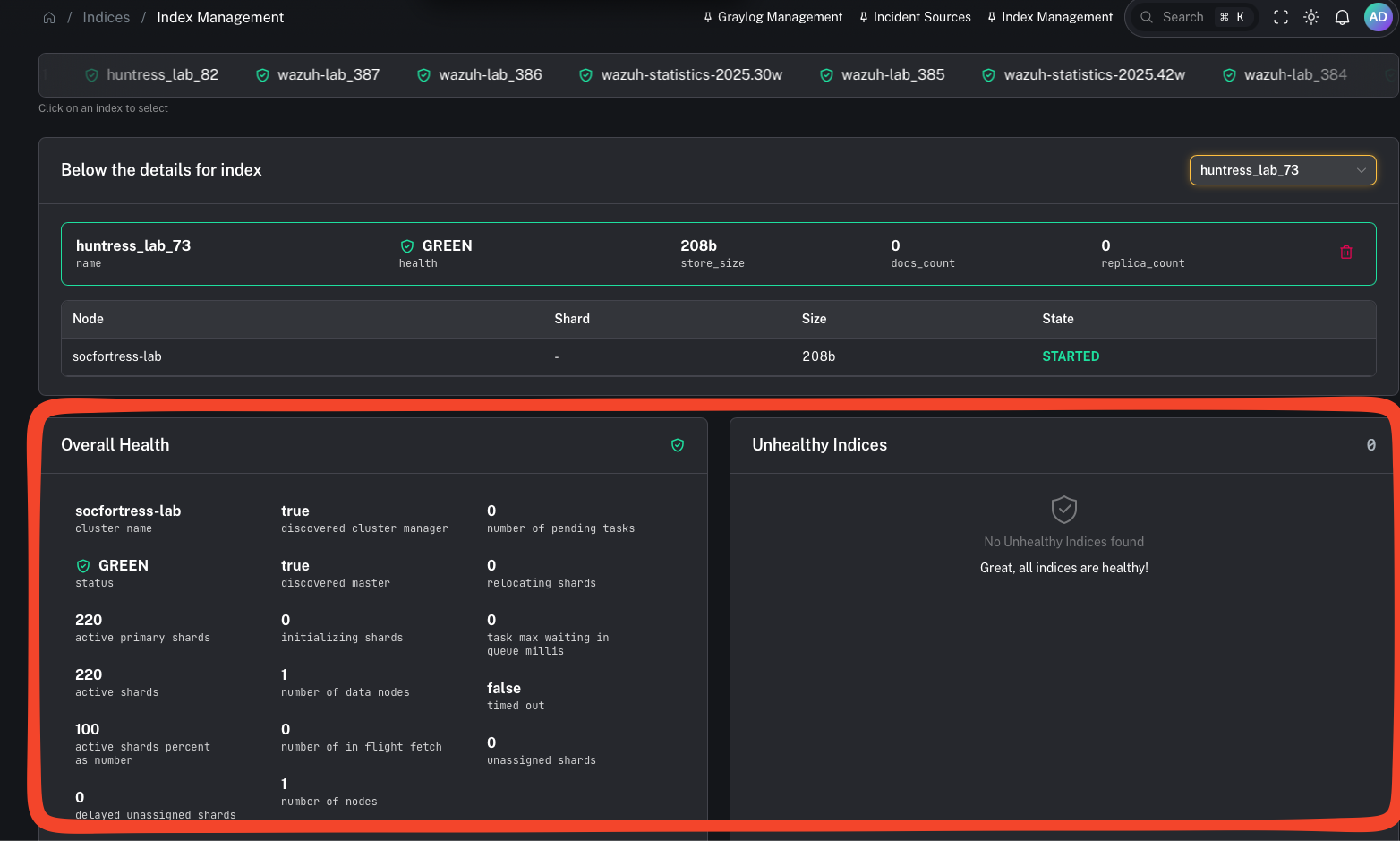
- searches slowing down
- ingestion backpressure
- dashboards timing out
- alerting gaps
Step 2 — Review storage by customer (who is using the disk?)
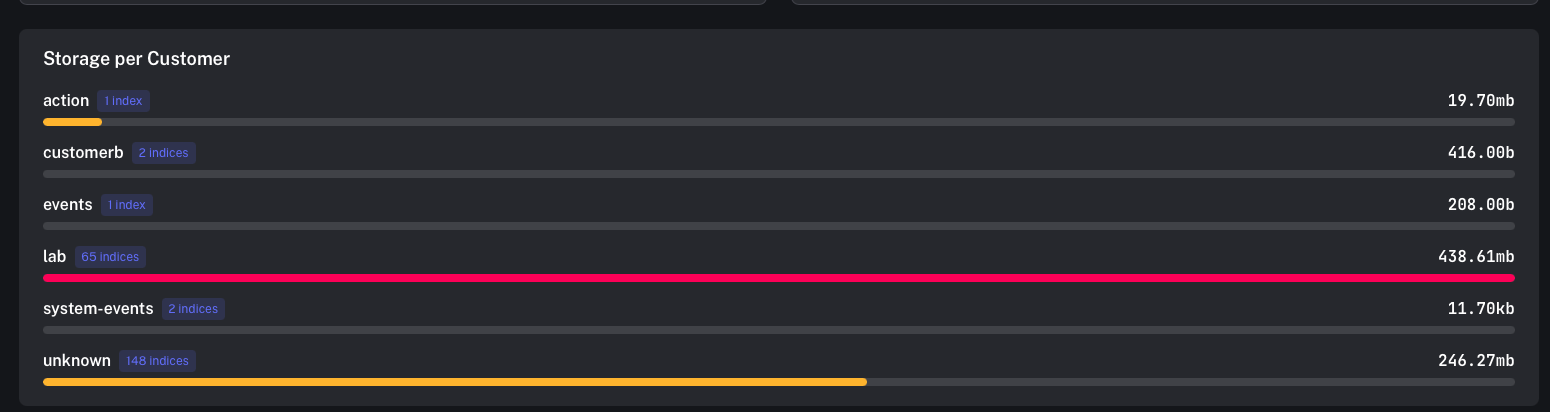
- Which customers have the highest log volume?
- Which customer is driving storage growth this week?
- Do we need to tune ingestion/noise upstream?
- confirm high-volume customers match expectations (endpoint count, integrations)
- tune noisy sources (drop/suppress earlier in the pipeline)
- adjust retention strategy
Step 3 — Delete indexes (only when you mean it)
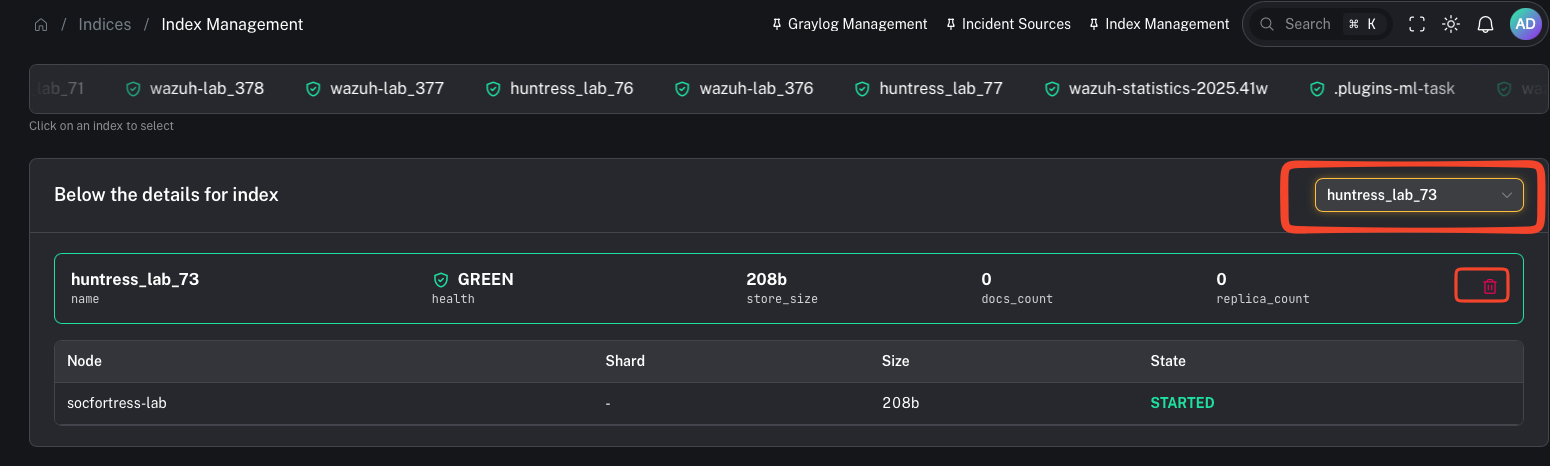
- removing test/lab data
- cleaning up misconfigured pipelines that created junk indexes
- emergency disk recovery (prefer snapshots + retention tuning first)