
- coverage conversations (“what do we detect?”)
- investigation context (“what does this behavior usually mean?”)
- mapping detections to a globally recognized adversary behavior framework
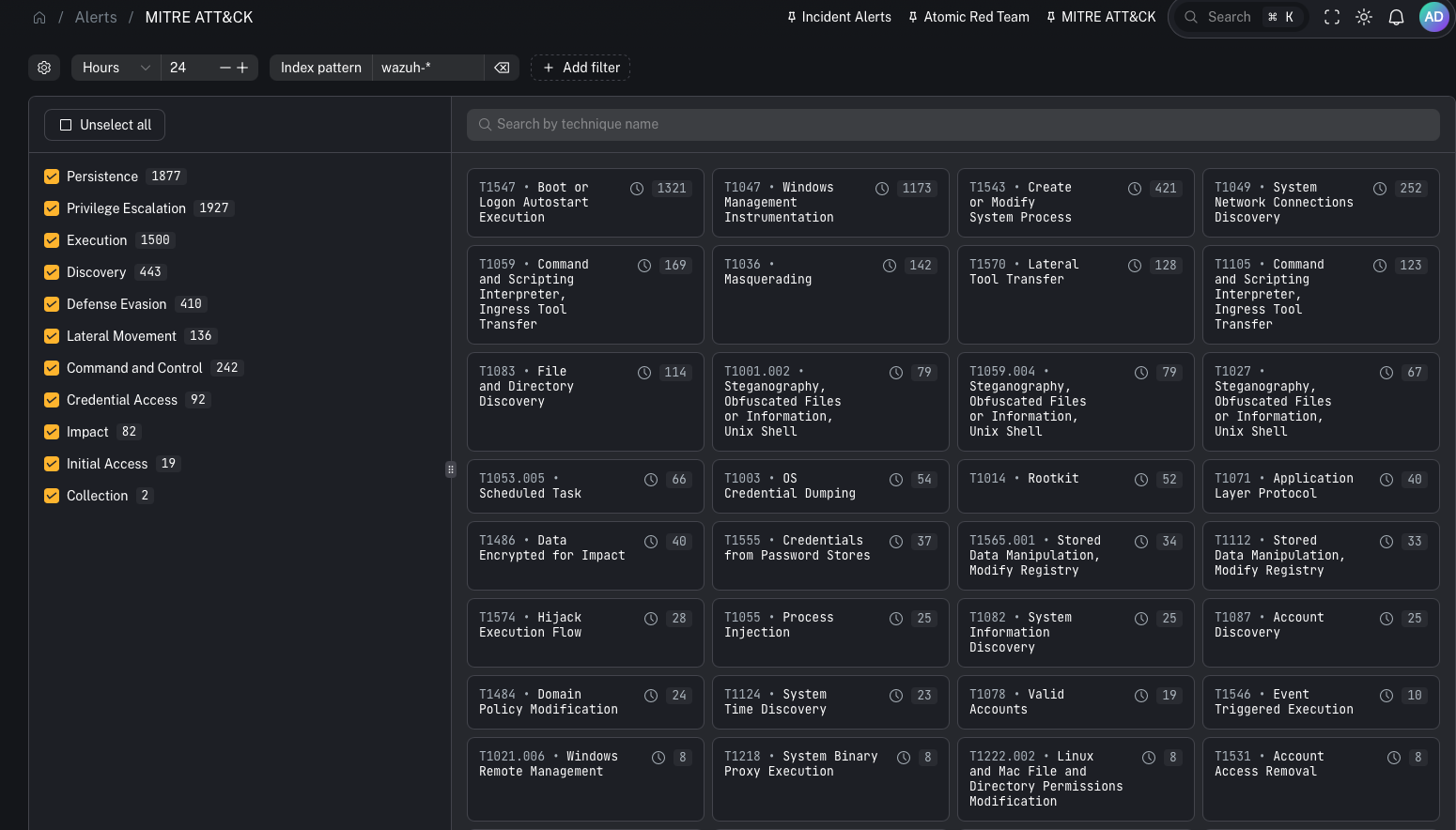
What it is
MITRE ATT&CK is a widely used framework that maps adversary behavior from initial access through execution, persistence, lateral movement, and exfiltration. In CoPilot, the MITRE ATT&CK view is built from MITRE technique IDs attached to Wazuh rules. Key idea:- When a Wazuh rule fires and includes MITRE technique metadata, CoPilot can display that technique and group related events under it.
Why this is a power feature
Most SIEM alert views are “alert-first.” MITRE ATT&CK flips it to “behavior-first.” This helps:- leadership and customers understand coverage in a standardized language
- analysts quickly interpret what a detection is trying to tell them
- detection engineers spot gaps (tactics/techniques you never hit)
How technique enrichment works (Wazuh)
Wazuh’s rule syntax supports attaching MITRE technique IDs to a rule. That means:- default Wazuh rules can provide technique mappings
- your custom rules can also include technique IDs
- SOCFortress rules can include technique IDs as part of your tuned ruleset
What you can do in the UI
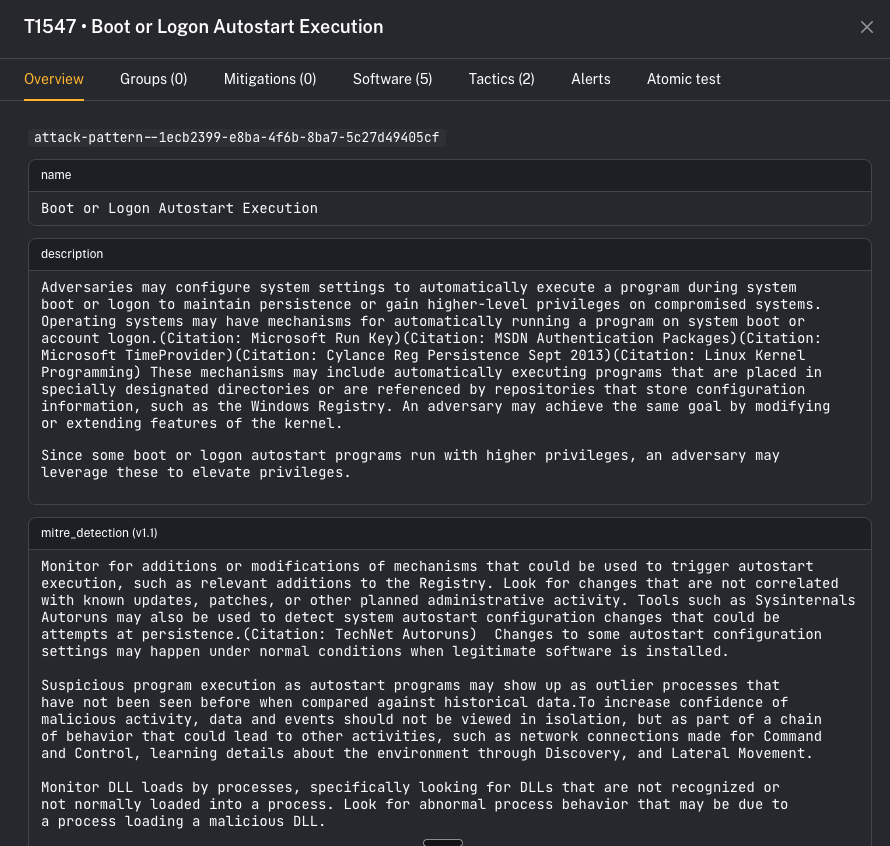
When you open a technique, CoPilot shows an overview page with:- description
- references
- direct link out to the MITRE technique page
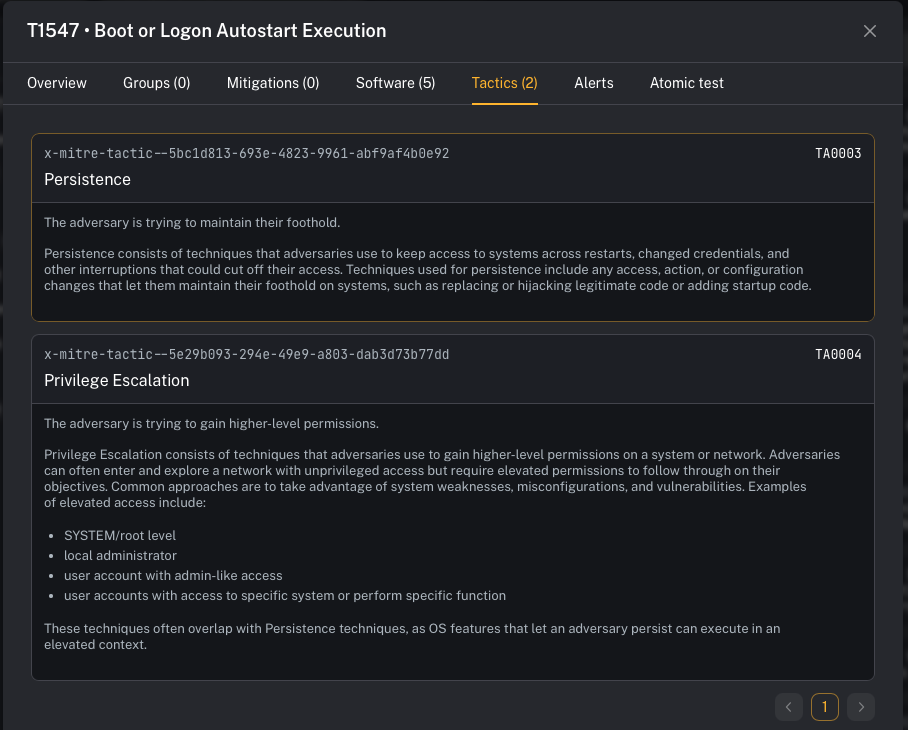
- Tactics (the “why” / objectives)
- Mitigations (recommended controls)
- Software (tools/malware commonly associated)
- Alerts / events mapped to that technique
- Atomic tests (where available) to validate detections
Operator workflow (practical)
Use MITRE ATT&CK when you want a fast interpretation loop:- Open Alerts → MITRE ATT&CK
- Pick a technique showing activity
- Review tactics/mitigations/software context
- Pivot into the linked alerts/events for the concrete evidence
- If you’re testing, run an Atomic test to validate end-to-end detection coverage
Prerequisites
- Wazuh detections are flowing into the stack
- Your Wazuh rules include MITRE technique IDs (default rules + your custom rules)
Gotchas
- MITRE mapping quality depends on rule metadata. If a rule has no technique ID, it won’t show up here.
- This view is best for context and coverage—not necessarily the primary incident queue.