> ## Documentation Index
> Fetch the complete documentation index at: https://docs.socfortress.co/llms.txt
> Use this file to discover all available pages before exploring further.
# Vulnerability reports (Wazuh)
> Generate CSV reports from the Wazuh Vulnerability Detection module data in the Wazuh Indexer.
# Vulnerability reports (Wazuh)
**Menu:** Report Creation → Vulnerability Reports
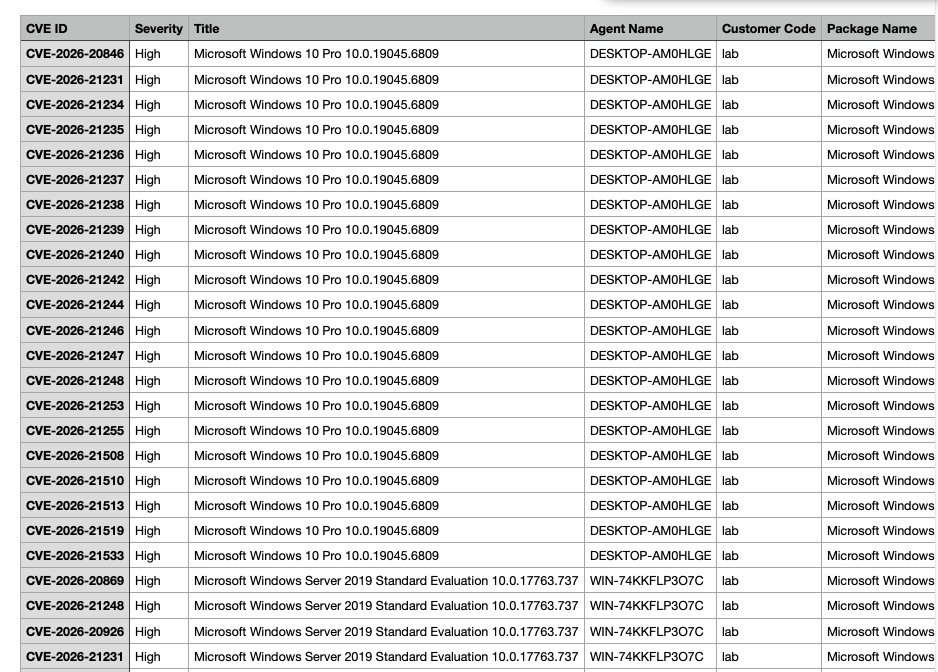
Vulnerability reports pull data from the **Wazuh Vulnerability Detection** module.
Wazuh’s model (simplified):
* agents collect software inventory via **Syscollector**
* the manager correlates inventory with CTI feeds and flags CVEs
* results are indexed and queryable (inventory + alerts)
 ***
## What you can generate
* A vulnerability report for a specific **customer/tenant**
* Filtered views by severity, agent, package, CVE, etc. (depending on UI/options)
***
## Step 1 — Filter what you want to report on
***
## What you can generate
* A vulnerability report for a specific **customer/tenant**
* Filtered views by severity, agent, package, CVE, etc. (depending on UI/options)
***
## Step 1 — Filter what you want to report on
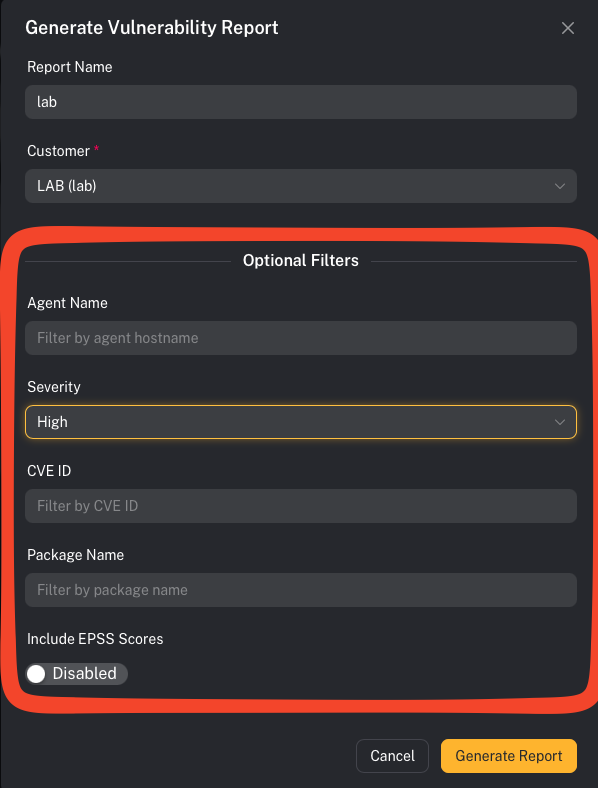 Common operator filters:
* Customer
* Severity (Critical/High/Medium/Low)
* Agent/host
* Specific CVE (`CVE-…`)
***
## Step 2 — Generate and download
Common operator filters:
* Customer
* Severity (Critical/High/Medium/Low)
* Agent/host
* Specific CVE (`CVE-…`)
***
## Step 2 — Generate and download
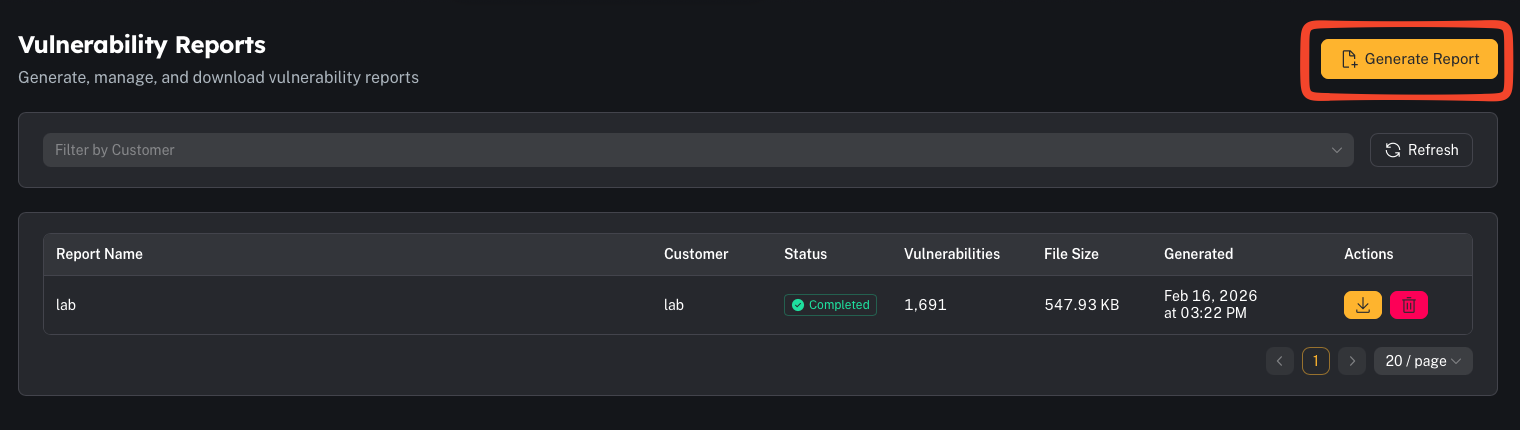 When you generate a report, CoPilot produces a **CSV** and stores it for download.
Operator tips:
* Use “Critical + High” first for remediation prioritization.
* If you’re generating very large reports, prefer background generation if available.
***
## Common gotchas
### “The report is empty”
Common causes:
* the Wazuh vulnerability module isn’t enabled or isn’t indexing status
* the customer has no Syscollector inventory data
* filters are too narrow
### “Why do vulnerabilities exist even if we patched?”
Wazuh correlates inventory versions + hotfix data (Windows) against CVE ranges. Inventory and patch state need to be current.
When you generate a report, CoPilot produces a **CSV** and stores it for download.
Operator tips:
* Use “Critical + High” first for remediation prioritization.
* If you’re generating very large reports, prefer background generation if available.
***
## Common gotchas
### “The report is empty”
Common causes:
* the Wazuh vulnerability module isn’t enabled or isn’t indexing status
* the customer has no Syscollector inventory data
* filters are too narrow
### “Why do vulnerabilities exist even if we patched?”
Wazuh correlates inventory versions + hotfix data (Windows) against CVE ranges. Inventory and patch state need to be current.