> ## Documentation Index
> Fetch the complete documentation index at: https://docs.socfortress.co/llms.txt
> Use this file to discover all available pages before exploring further.
# SCA reports (Wazuh)
> Generate CSV reports for Security Configuration Assessment (SCA) results from Wazuh policy scans.
# SCA reports (Wazuh)
**Menu:** Report Creation → SCA Reports
SCA (Security Configuration Assessment) reports pull from the **Wazuh SCA module**, which evaluates endpoints against hardening/compliance policies.
Wazuh SCA model (simplified):
* agents scan against SCA **policies** (rules/checks)
* results are tracked per check (pass/fail/not applicable)
* agents send diffs/summary to the manager to reduce noise
 ***
## What you can do
* Review SCA posture across a customer (policy score, failing checks)
* Generate a CSV report for auditing and remediation planning
***
## Step 1 — Review SCA overview
***
## What you can do
* Review SCA posture across a customer (policy score, failing checks)
* Generate a CSV report for auditing and remediation planning
***
## Step 1 — Review SCA overview
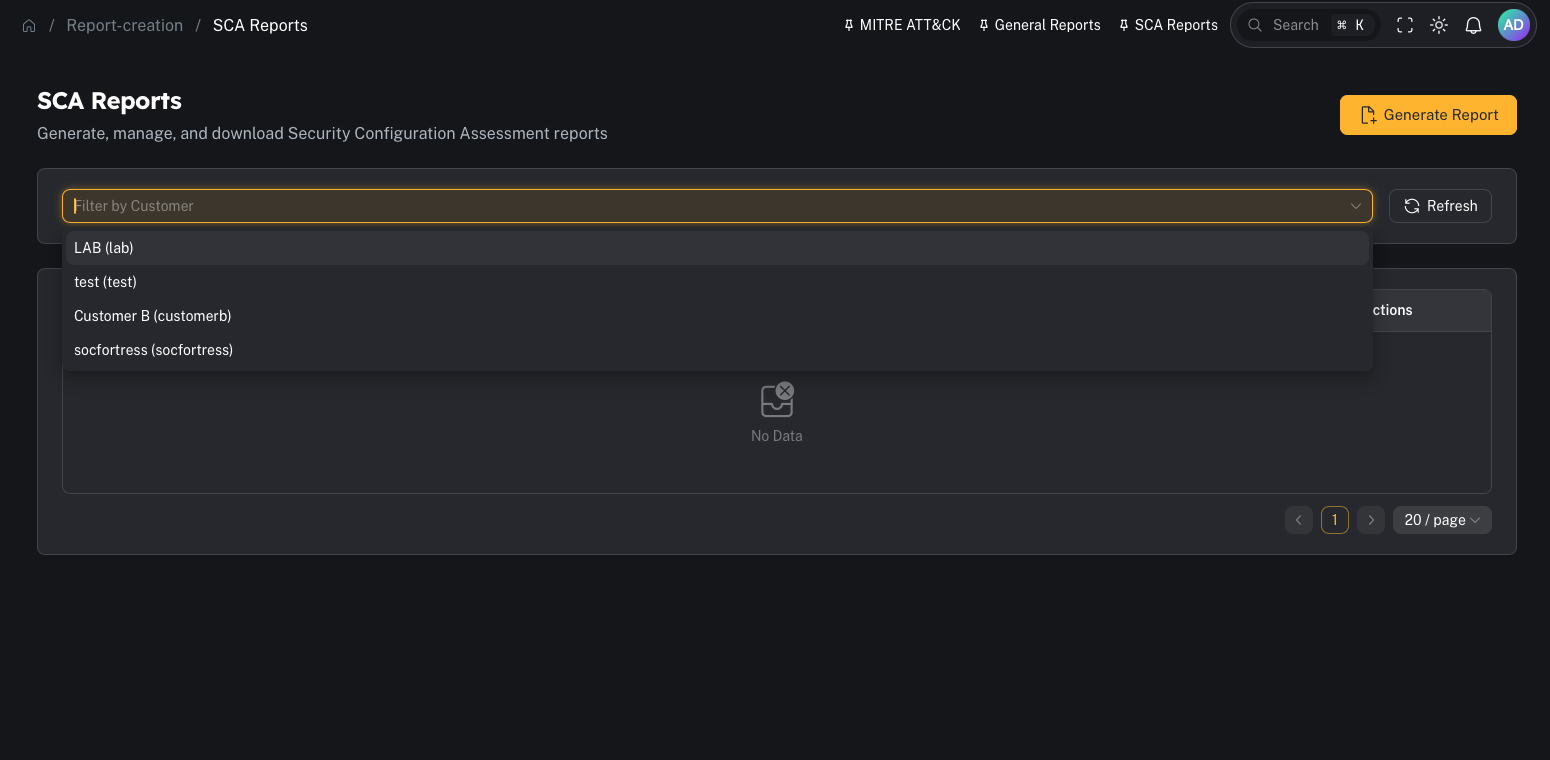 Common operator filters:
* Customer
* Agent/host
* Policy id/name
* Minimum/maximum score
***
## Step 2 — Generate and download
Common operator filters:
* Customer
* Agent/host
* Policy id/name
* Minimum/maximum score
***
## Step 2 — Generate and download
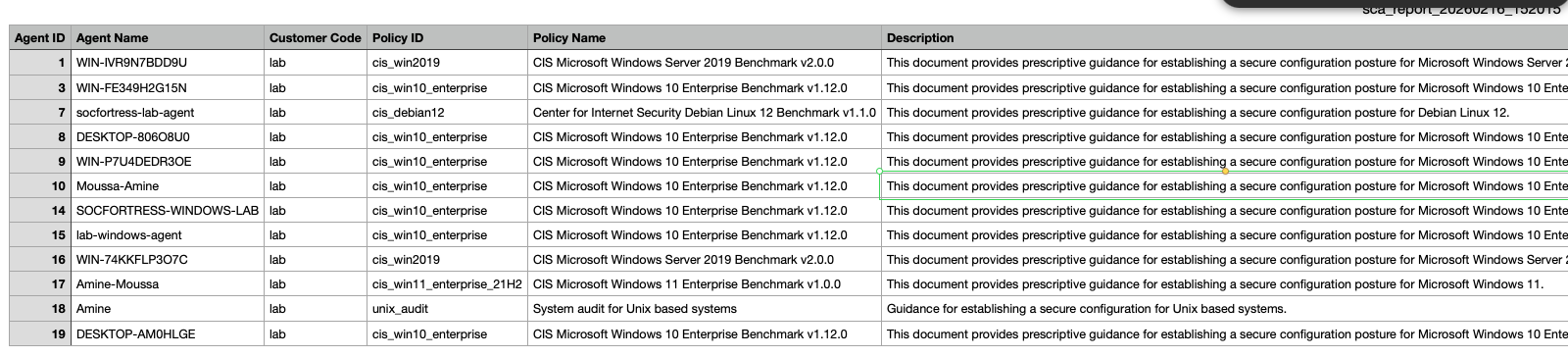
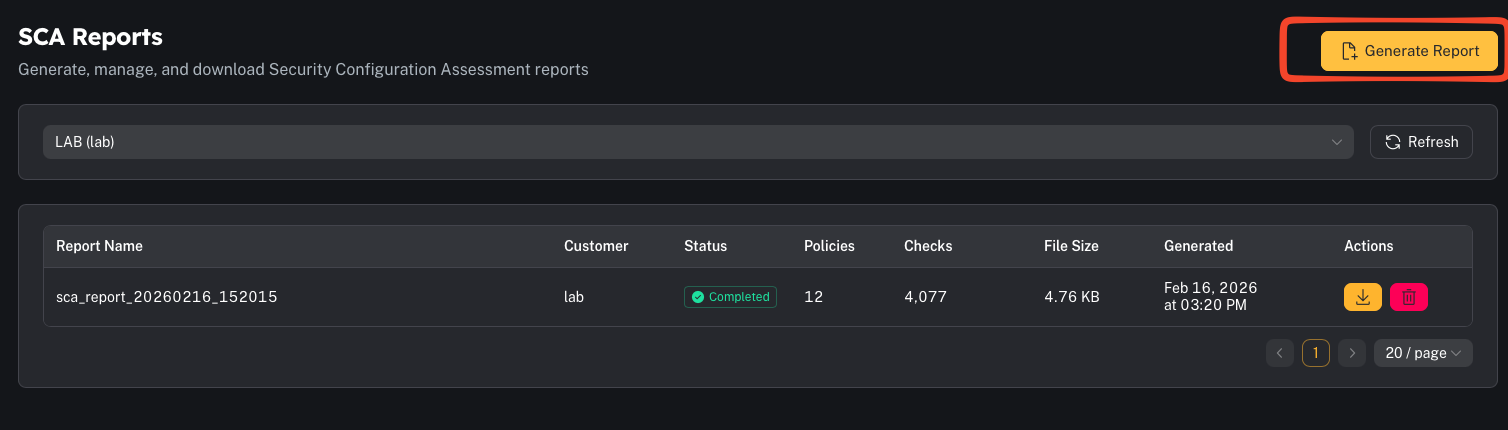 When you generate an SCA report, CoPilot produces a **CSV** containing policy results.
Operator tips:
* Treat SCA as a “secure baseline drift” signal.
* Use policy-based grouping (CIS/NIST mappings) for audit discussions.
***
## Common gotchas
### “No SCA data found”
Common causes:
* SCA is not enabled on the agents
* policies are not deployed
* the agents haven’t scanned yet (or haven’t checked in)
### “Why did results change?”
SCA alerts are typically emitted on **status change** between scans (pass↔fail↔n/a) rather than spamming every scan.
When you generate an SCA report, CoPilot produces a **CSV** containing policy results.
Operator tips:
* Treat SCA as a “secure baseline drift” signal.
* Use policy-based grouping (CIS/NIST mappings) for audit discussions.
***
## Common gotchas
### “No SCA data found”
Common causes:
* SCA is not enabled on the agents
* policies are not deployed
* the agents haven’t scanned yet (or haven’t checked in)
### “Why did results change?”
SCA alerts are typically emitted on **status change** between scans (pass↔fail↔n/a) rather than spamming every scan.