> ## Documentation Index
> Fetch the complete documentation index at: https://docs.socfortress.co/llms.txt
> Use this file to discover all available pages before exploring further.
# Index management (Wazuh Indexer)
> Monitor index health, disk usage by customer, and manage retention in the Wazuh Indexer.
# Index management (Wazuh Indexer)
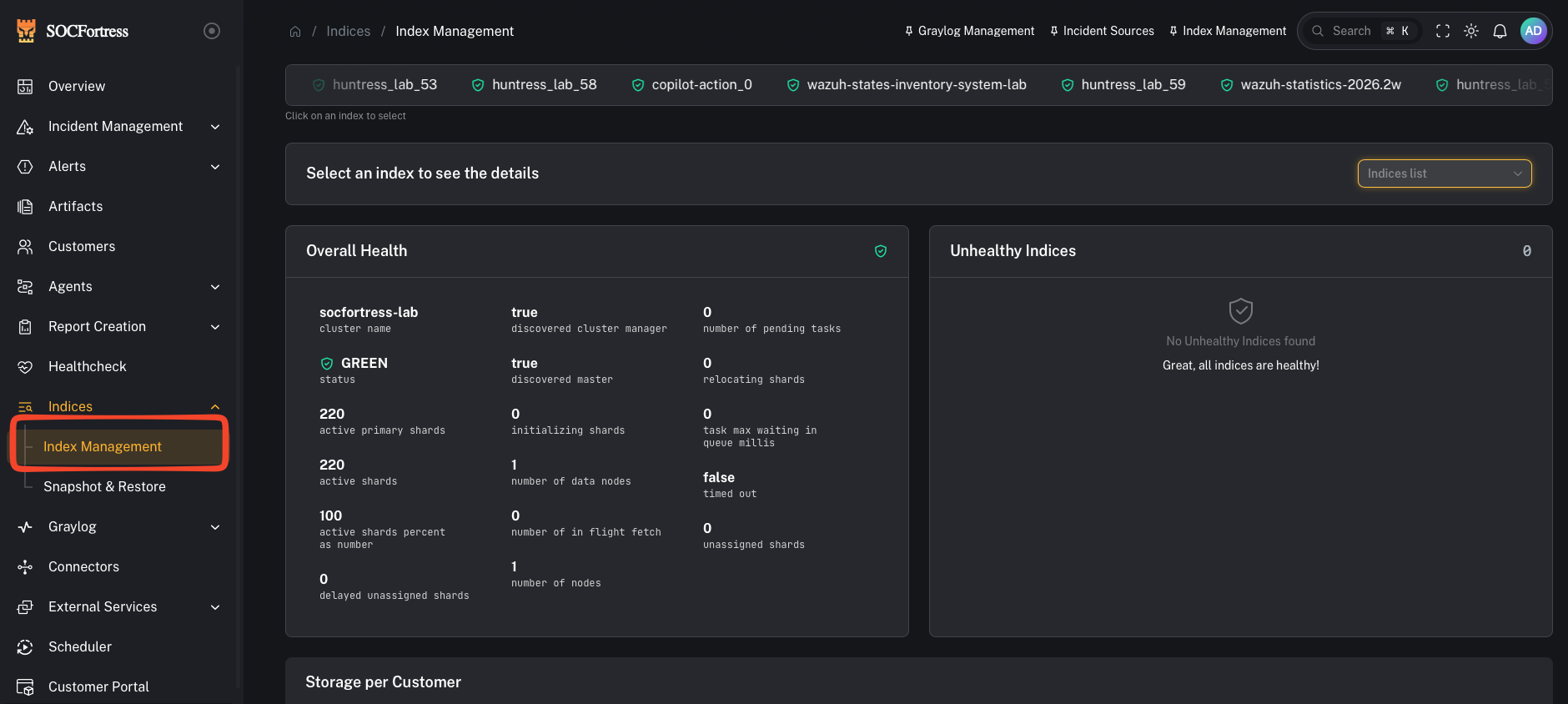
**Menu:** Log Management → Index Management
**Best for:** Admin / Engineer
Index Management gives you an operational view of your **Wazuh Indexer** storage and index health.
This matters because the indexer is where your SIEM data lives — if storage or index health degrades, search/alerting and investigations degrade with it.
 ***
## What you can do here
* Check overall **indexer health** (high-level “are we OK?” signal)
* See **storage usage by customer** (who is consuming the most disk)
* Identify large/noisy indexes
* Delete indexes when appropriate (careful: destructive)
***
## Step 1 — Review overall health
***
## What you can do here
* Check overall **indexer health** (high-level “are we OK?” signal)
* See **storage usage by customer** (who is consuming the most disk)
* Identify large/noisy indexes
* Delete indexes when appropriate (careful: destructive)
***
## Step 1 — Review overall health
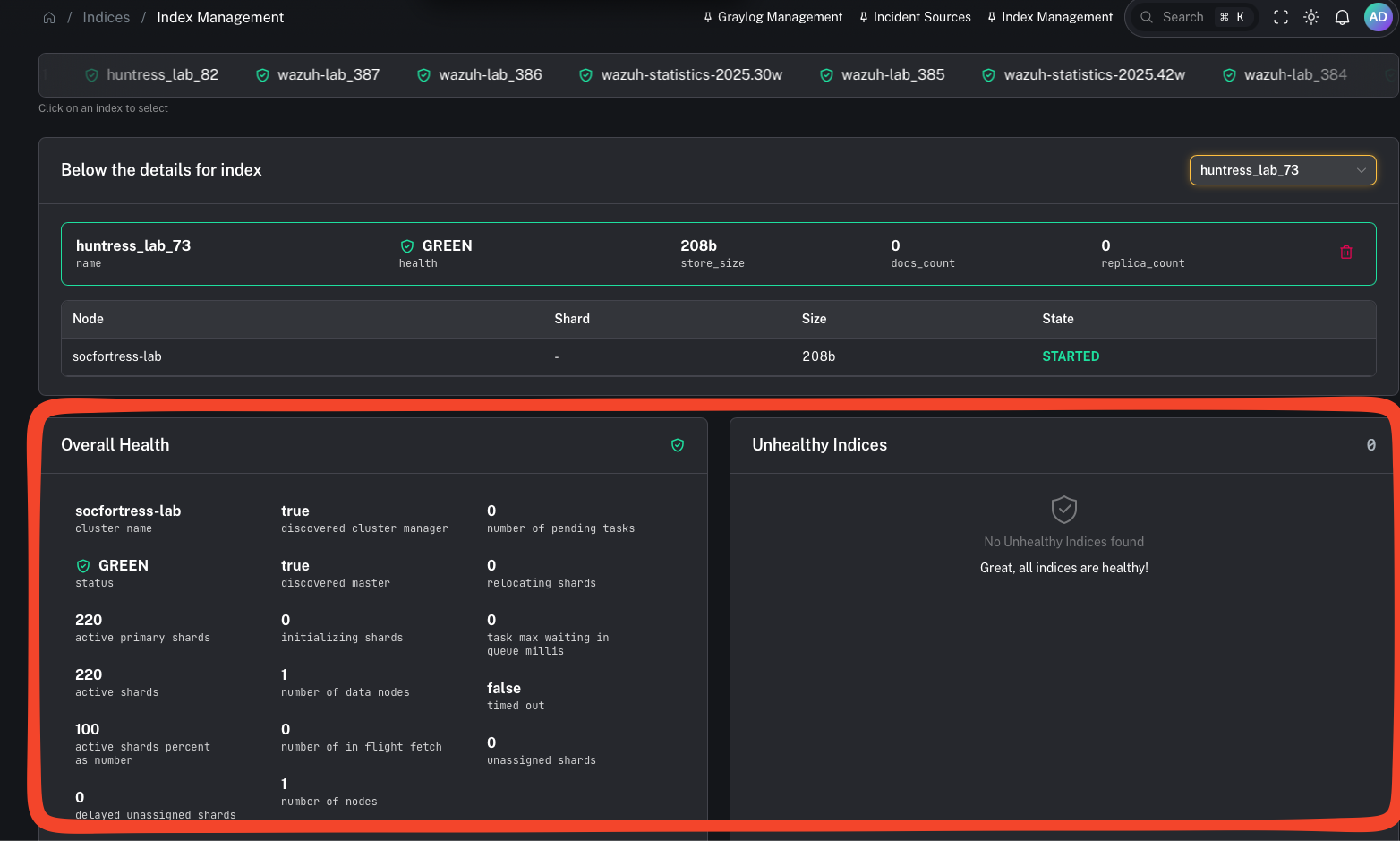 Use this as your first stop when you see:
* searches slowing down
* ingestion backpressure
* dashboards timing out
* alerting gaps
***
## Step 2 — Review storage by customer (who is using the disk?)
Use this as your first stop when you see:
* searches slowing down
* ingestion backpressure
* dashboards timing out
* alerting gaps
***
## Step 2 — Review storage by customer (who is using the disk?)
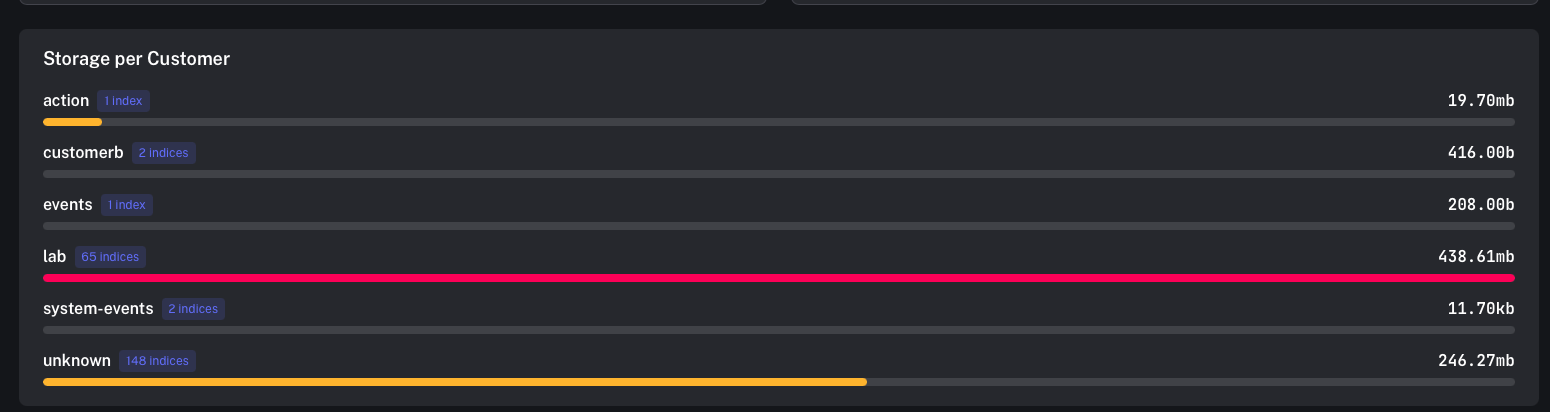 This view helps you answer:
* Which customers have the highest log volume?
* Which customer is driving storage growth this week?
* Do we need to tune ingestion/noise upstream?
Practical actions:
* confirm high-volume customers match expectations (endpoint count, integrations)
* tune noisy sources (drop/suppress earlier in the pipeline)
* adjust retention strategy
***
## Step 3 — Delete indexes (only when you mean it)
This view helps you answer:
* Which customers have the highest log volume?
* Which customer is driving storage growth this week?
* Do we need to tune ingestion/noise upstream?
Practical actions:
* confirm high-volume customers match expectations (endpoint count, integrations)
* tune noisy sources (drop/suppress earlier in the pipeline)
* adjust retention strategy
***
## Step 3 — Delete indexes (only when you mean it)
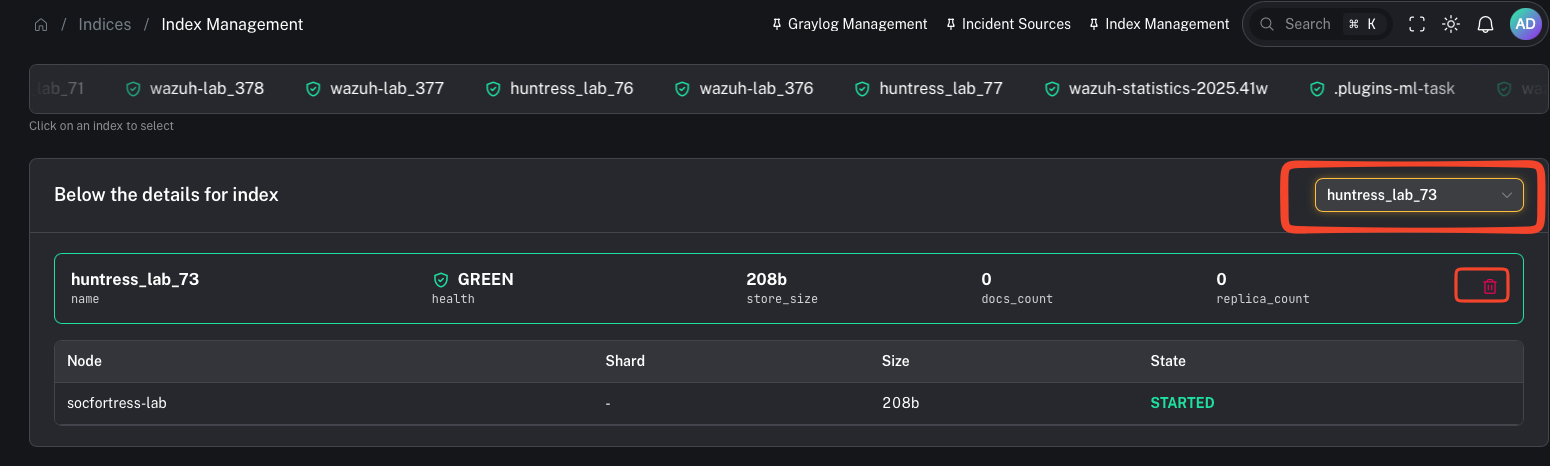 Deleting an index is destructive.
Use cases:
* removing test/lab data
* cleaning up misconfigured pipelines that created junk indexes
* emergency disk recovery (prefer snapshots + retention tuning first)
***
## Related: cold storage via Snapshot & Restore
If you need to free up space without losing historical logs, use:
* [Snapshot & Restore](/user/ui/indices-snapshots)
Deleting an index is destructive.
Use cases:
* removing test/lab data
* cleaning up misconfigured pipelines that created junk indexes
* emergency disk recovery (prefer snapshots + retention tuning first)
***
## Related: cold storage via Snapshot & Restore
If you need to free up space without losing historical logs, use:
* [Snapshot & Restore](/user/ui/indices-snapshots)