> ## Documentation Index
> Fetch the complete documentation index at: https://docs.socfortress.co/llms.txt
> Use this file to discover all available pages before exploring further.
# Incident sources (Graylog → Alerts)
> Configure how CoPilot reads Graylog event alerts and turns them into Incident Management alerts.
# Incident sources (Graylog → Alerts)
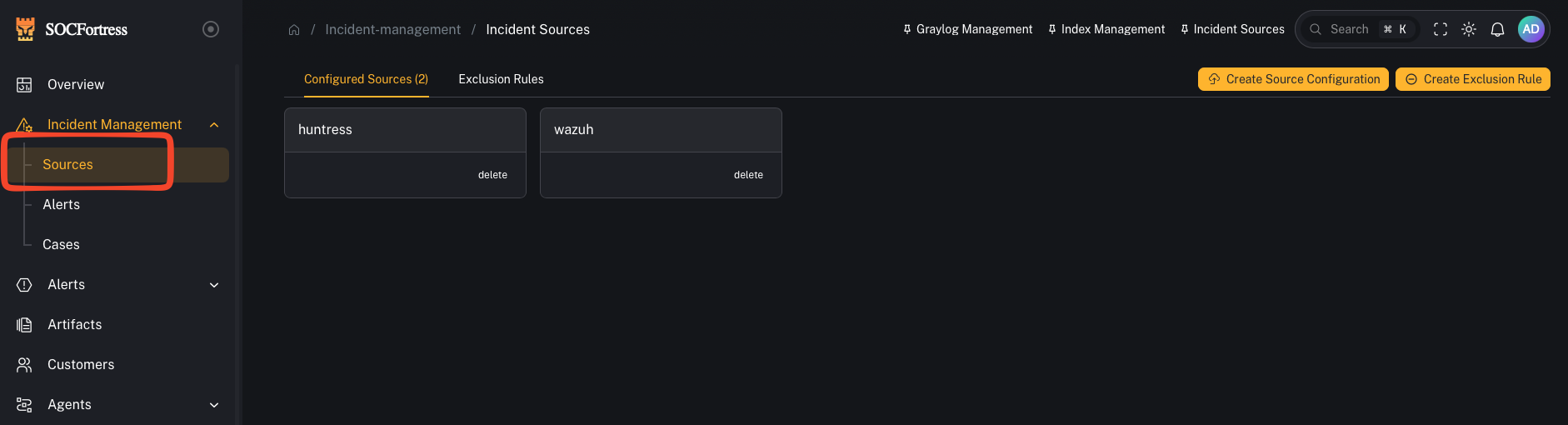
**Menu:** Incident Management → Sources
**Best for:** Admin / Engineer
Incident Sources define how CoPilot **turns Graylog event alerts into CoPilot Incident Alerts**.
In practice, Sources answer:
* *Which logs/index patterns are eligible to create alerts?*
* *How do we group alerts by “source” (Wazuh vs O365 vs Mimecast vs …)?*
* *Which fields become the alert title, asset, timestamp, and context we see in CoPilot?*
 ***
## How alerting works (mental model)
CoPilot uses **Graylog** to do the detection logic and searching.
High level:
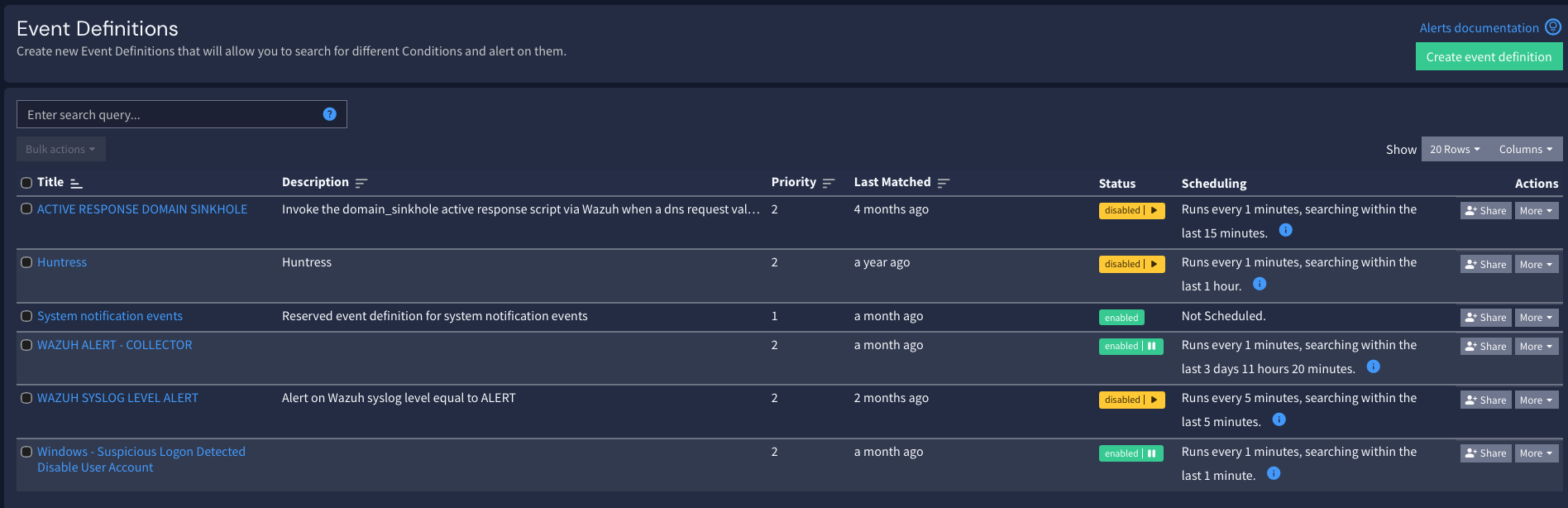
1. Graylog evaluates **Event Definitions** (your detection logic)
2. When an event fires, Graylog writes an alert into an index (commonly `gl-events*`)
3. CoPilot reads those event alerts and **creates/updates** alerts inside **Incident Management → Alerts**
***
## How alerting works (mental model)
CoPilot uses **Graylog** to do the detection logic and searching.
High level:
1. Graylog evaluates **Event Definitions** (your detection logic)
2. When an event fires, Graylog writes an alert into an index (commonly `gl-events*`)
3. CoPilot reads those event alerts and **creates/updates** alerts inside **Incident Management → Alerts**
 ***
## What a “Source” means in CoPilot
A **Source** is essentially an **alert category**.
Examples:
* **Wazuh** (endpoint alerts)
* **Office 365**
* **Mimecast**
* **CrowdStrike**
* **Firewall / Syslog**
This keeps your triage queue clean and helps you group alerts by where they came from.
***
## Step 1 — Create a source
***
## What a “Source” means in CoPilot
A **Source** is essentially an **alert category**.
Examples:
* **Wazuh** (endpoint alerts)
* **Office 365**
* **Mimecast**
* **CrowdStrike**
* **Firewall / Syslog**
This keeps your triage queue clean and helps you group alerts by where they came from.
***
## Step 1 — Create a source
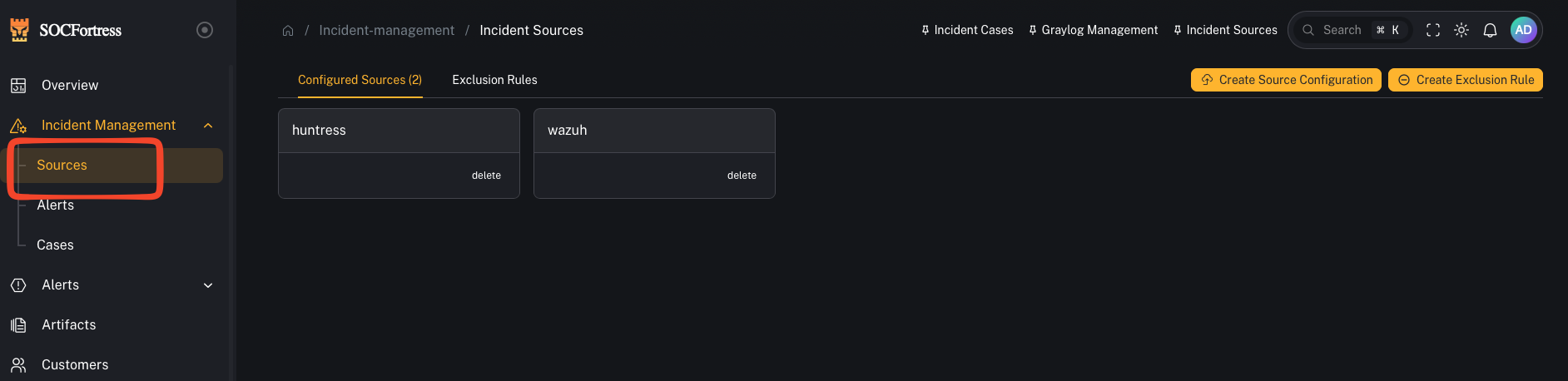 1. Open **Incident Management → Sources**
2. Click to **add** a new source
3. Give it a name you’ll use consistently (example: `wazuh`, `office365`, `mimecast`)
***
## Step 2 — Choose the index pattern(s) for this source
1. Open **Incident Management → Sources**
2. Click to **add** a new source
3. Give it a name you’ll use consistently (example: `wazuh`, `office365`, `mimecast`)
***
## Step 2 — Choose the index pattern(s) for this source
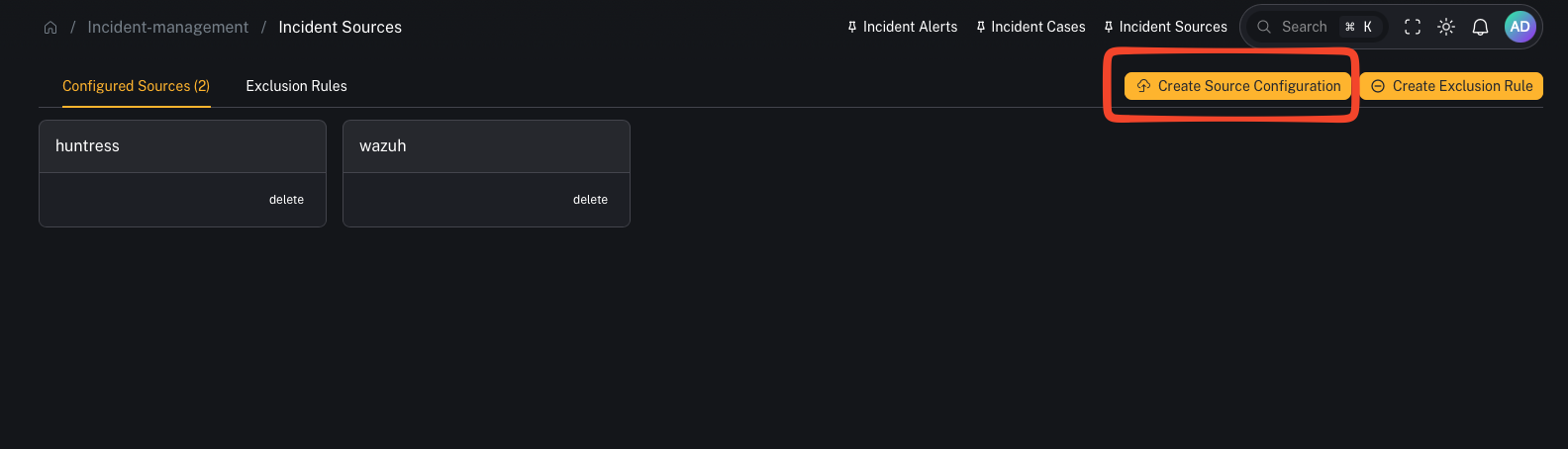 You’ll select which index patterns/log sources are relevant for this alert source.
Important:
* This does **not** mean “alerts can only be created from this one index.”
* It’s defining what data CoPilot can use as **alert context** when it builds the alert record.
***
## Step 3 — Map the fields CoPilot needs (the important part)
You’ll select which index patterns/log sources are relevant for this alert source.
Important:
* This does **not** mean “alerts can only be created from this one index.”
* It’s defining what data CoPilot can use as **alert context** when it builds the alert record.
***
## Step 3 — Map the fields CoPilot needs (the important part)
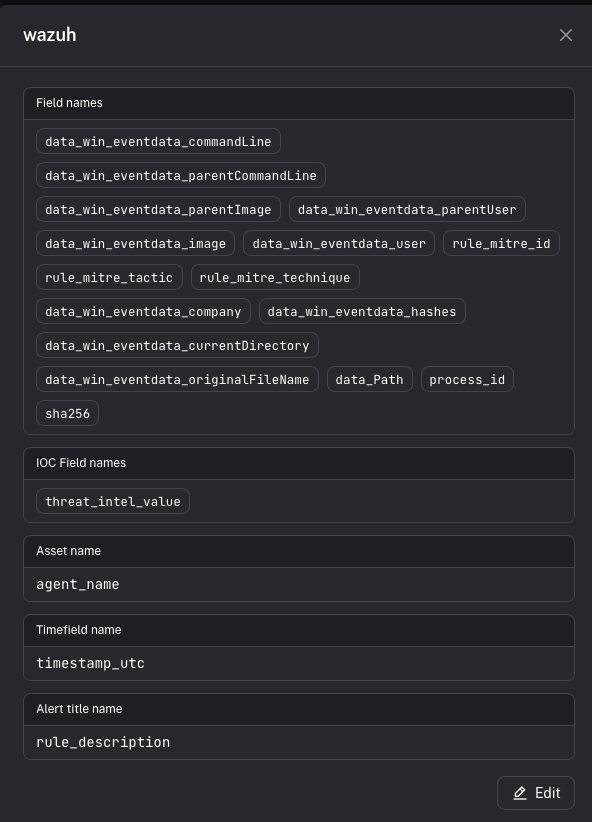 A source defines which fields CoPilot should use when it creates an alert.
### Alert title field
This becomes the alert’s **title** in CoPilot.
Example (Wazuh):
* rule description is often the best title field (it explains *why* it fired).
### Asset name field
This controls which entity becomes the **Asset** on the alert (and is key for dedup/merging behavior).
Example (Wazuh):
* agent name is commonly used as the asset name.
### Time field
This controls which timestamp CoPilot uses for alert ordering/timelines.
Tip:
* Pick the most reliable timestamp for the detection record you’re using.
### Context fields
These are the fields you want visible inside the alert details.
Important distinction:
* Context fields are **not** the detection logic.
* Detection logic stays in **Graylog Event Definitions**.
* Context fields define what metadata CoPilot stores/displays when the alert fires.
***
## Step 4 — Validate end-to-end
1. In Graylog, confirm your **Event Definition** is firing (test with a known event)
2. Confirm Graylog writes events into `gl-events*`
3. In CoPilot, confirm a new alert appears under **Incident Management → Alerts** with:
* correct **Source**
* correct **Title**
* correct **Asset**
* useful **Context** fields
***
## Common gotchas
### “Graylog is alerting, but CoPilot shows nothing”
Usually one of:
* the event alerts aren’t being written where CoPilot expects (index / permissions)
* source field mappings don’t match the fields in the event payload
### “Alerts are grouped wrong / mixed between integrations”
Create separate Sources (Wazuh vs O365 vs Mimecast vs firewall) and ensure your Graylog event definitions populate the fields needed to classify them.
### “Alerts don’t have enough metadata”
Add more **context fields** to the source mapping so CoPilot can store/display the details operators need.
Built with [Mintlify](https://mintlify.com).
A source defines which fields CoPilot should use when it creates an alert.
### Alert title field
This becomes the alert’s **title** in CoPilot.
Example (Wazuh):
* rule description is often the best title field (it explains *why* it fired).
### Asset name field
This controls which entity becomes the **Asset** on the alert (and is key for dedup/merging behavior).
Example (Wazuh):
* agent name is commonly used as the asset name.
### Time field
This controls which timestamp CoPilot uses for alert ordering/timelines.
Tip:
* Pick the most reliable timestamp for the detection record you’re using.
### Context fields
These are the fields you want visible inside the alert details.
Important distinction:
* Context fields are **not** the detection logic.
* Detection logic stays in **Graylog Event Definitions**.
* Context fields define what metadata CoPilot stores/displays when the alert fires.
***
## Step 4 — Validate end-to-end
1. In Graylog, confirm your **Event Definition** is firing (test with a known event)
2. Confirm Graylog writes events into `gl-events*`
3. In CoPilot, confirm a new alert appears under **Incident Management → Alerts** with:
* correct **Source**
* correct **Title**
* correct **Asset**
* useful **Context** fields
***
## Common gotchas
### “Graylog is alerting, but CoPilot shows nothing”
Usually one of:
* the event alerts aren’t being written where CoPilot expects (index / permissions)
* source field mappings don’t match the fields in the event payload
### “Alerts are grouped wrong / mixed between integrations”
Create separate Sources (Wazuh vs O365 vs Mimecast vs firewall) and ensure your Graylog event definitions populate the fields needed to classify them.
### “Alerts don’t have enough metadata”
Add more **context fields** to the source mapping so CoPilot can store/display the details operators need.
Built with [Mintlify](https://mintlify.com).