> ## Documentation Index
> Fetch the complete documentation index at: https://docs.socfortress.co/llms.txt
> Use this file to discover all available pages before exploring further.
# Agent groups (Wazuh)
> Multi-tenant Wazuh agent groups used to apply endpoint configuration, control telemetry, and reduce SIEM noise.
# Agent groups (Wazuh)
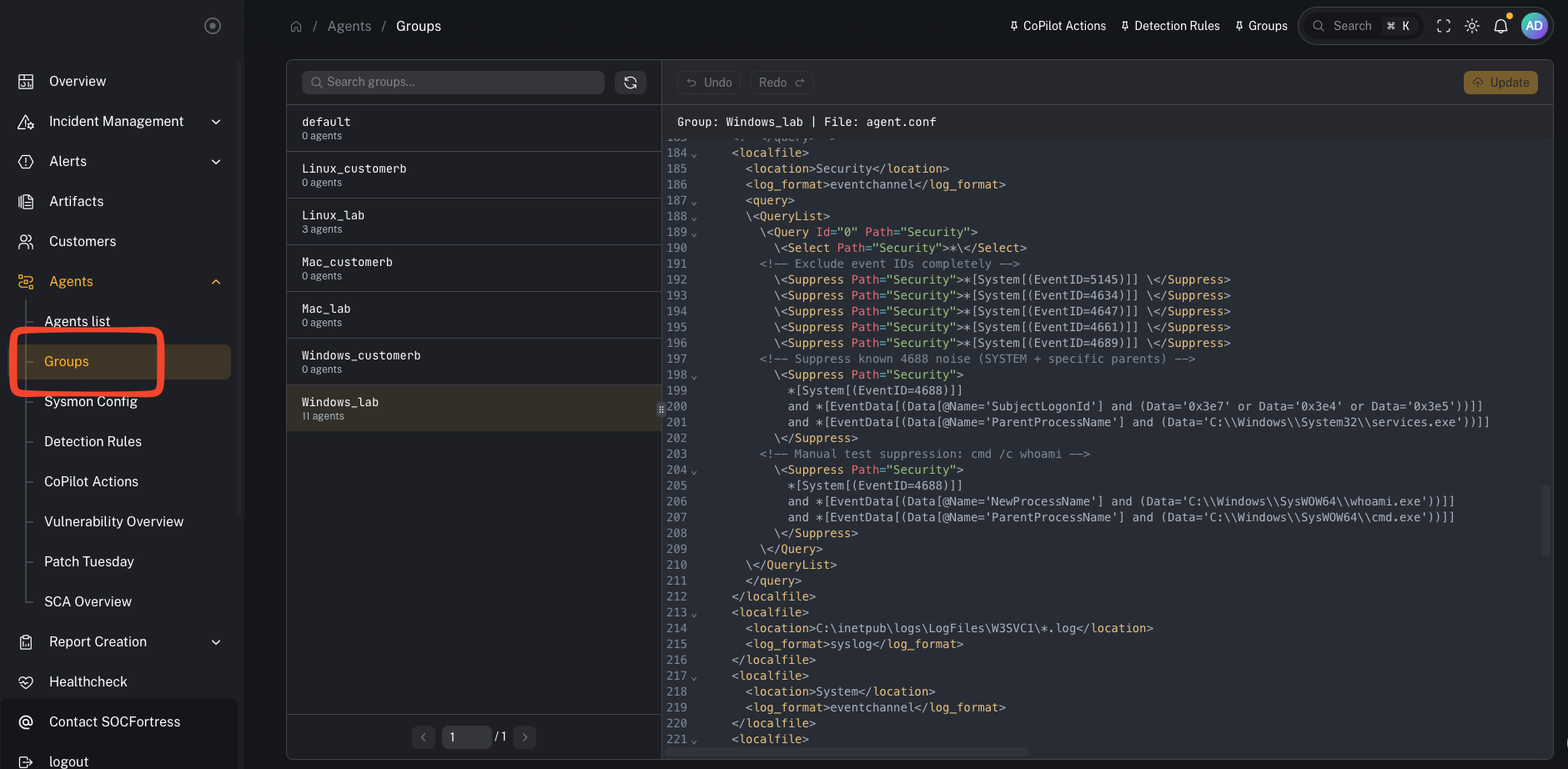
**Menu:** Agents → Groups
Agent groups in CoPilot map to **Wazuh agent groups**. Wazuh uses these groups to apply endpoint configuration such as:
* log collection settings
* Security Configuration Assessment (SCA) policy configuration
* File Integrity Monitoring (FIM) configuration
 ***
## What you’re looking at
***
## What you’re looking at
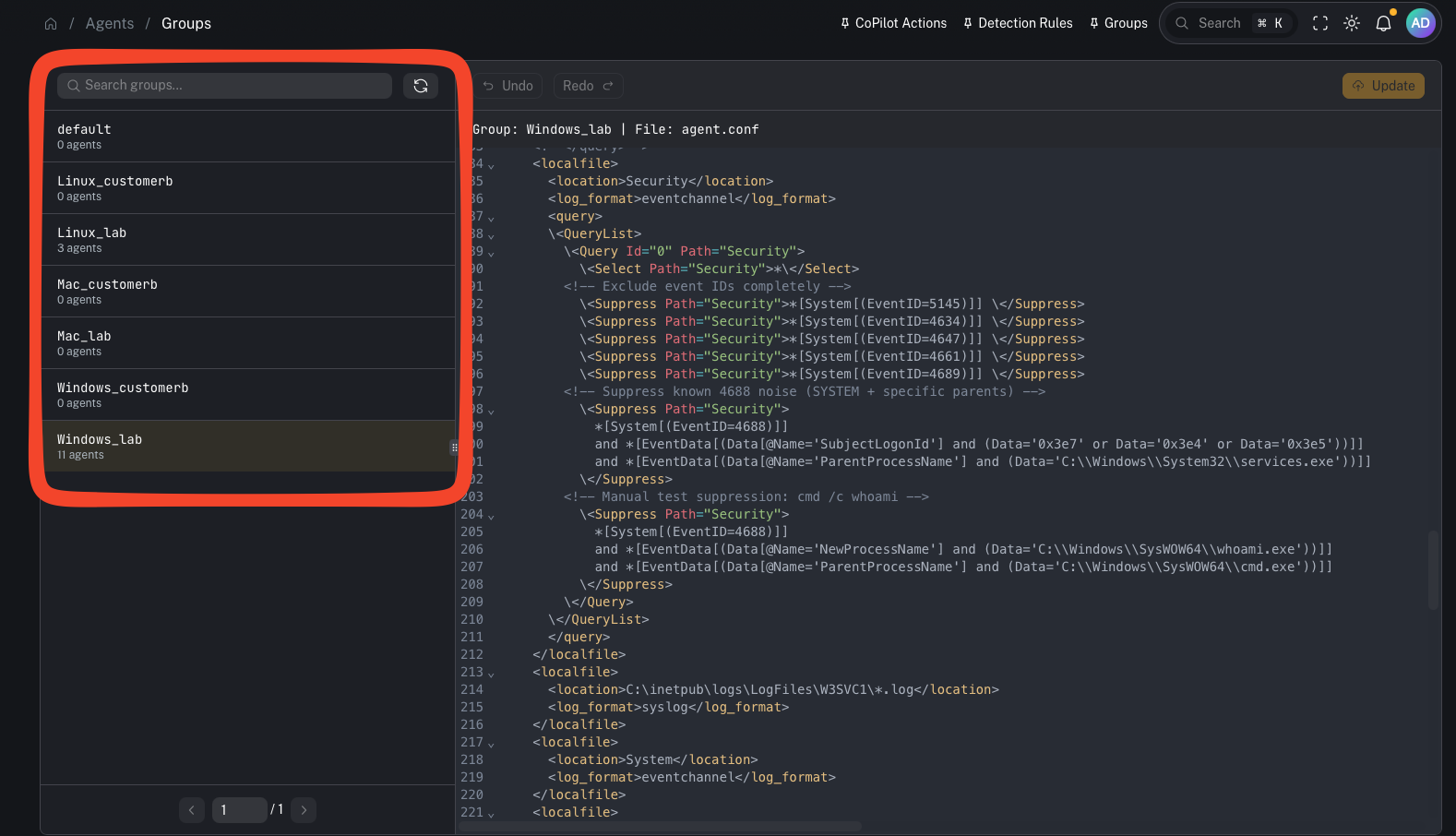 This page shows:
* the list of Wazuh groups
* how many agents are in each group
* group details/config once selected
Multi-tenancy note:
* Groups are typically created **per customer**.
* We usually also split by **operating system** (Windows / Linux / macOS).
Common naming pattern:
* `Windows_`
* `Linux_`
* `Mac_`
Example groups visible in the lab:
* `Windows_lab`, `Linux_lab`, `Mac_lab`
***
## Why groups matter
Groups are one of the highest leverage controls in the stack:
* They define what telemetry is collected and shipped to the Wazuh Manager.
* They standardize configuration across fleets (repeatable, auditable).
* They help prevent SIEM bloat by letting you suppress noise **at the agent**, before it ever hits the manager/indexer.
***
## Common tasks
### Add an agent to a group
Typical workflow:
1. Identify the agent
2. Assign it to the correct customer + OS group
3. Verify the agent receives updated configuration
### Validate a group is applied
In Wazuh terms, group configuration ends up under the manager’s shared group config and is pushed down to agents.
***
## Advanced: group configuration fields (why they’re powerful)
This page shows:
* the list of Wazuh groups
* how many agents are in each group
* group details/config once selected
Multi-tenancy note:
* Groups are typically created **per customer**.
* We usually also split by **operating system** (Windows / Linux / macOS).
Common naming pattern:
* `Windows_`
* `Linux_`
* `Mac_`
Example groups visible in the lab:
* `Windows_lab`, `Linux_lab`, `Mac_lab`
***
## Why groups matter
Groups are one of the highest leverage controls in the stack:
* They define what telemetry is collected and shipped to the Wazuh Manager.
* They standardize configuration across fleets (repeatable, auditable).
* They help prevent SIEM bloat by letting you suppress noise **at the agent**, before it ever hits the manager/indexer.
***
## Common tasks
### Add an agent to a group
Typical workflow:
1. Identify the agent
2. Assign it to the correct customer + OS group
3. Verify the agent receives updated configuration
### Validate a group is applied
In Wazuh terms, group configuration ends up under the manager’s shared group config and is pushed down to agents.
***
## Advanced: group configuration fields (why they’re powerful)
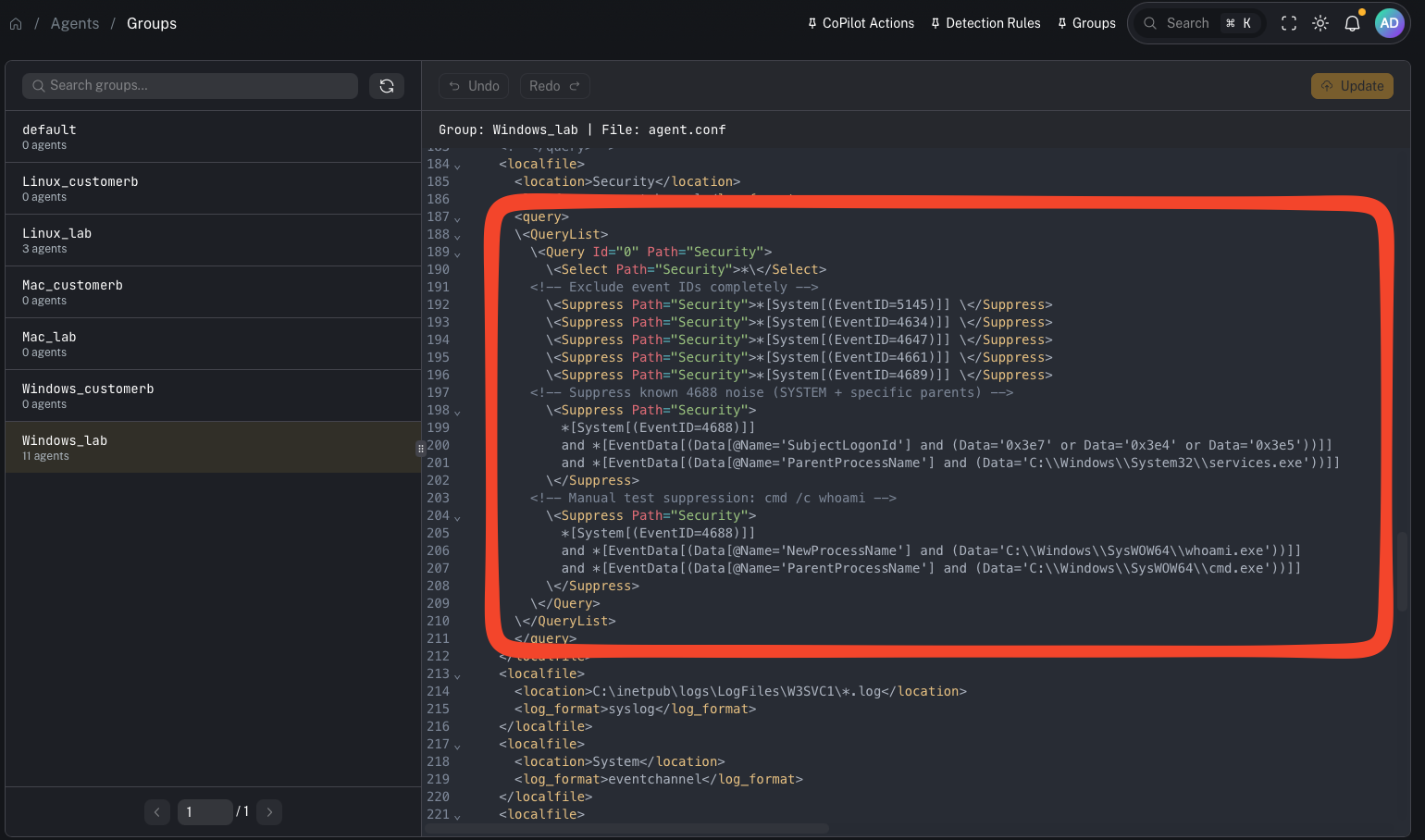 Group configuration is where you can:
* tune Windows EventChannel collection
* apply QueryList include/exclude logic
* configure SCA policy behavior
* adjust FIM rules
### Using groups to reduce SIEM noise (from the video)
Windows Security events can be extremely noisy. If you filter noise only on the **Wazuh Manager**, the manager still has to:
* receive the event
* parse/decode it
* evaluate it against rules
A better performance move is to suppress events at the **Wazuh agent**, so they are **never shipped** to the manager in the first place.
Approach (high level):
1. Start with broad collection (so you know what you’re getting)
2. Identify noisy event IDs / patterns
3. Add suppressions in the group’s agent configuration (QueryList / suppression rules)
4. Validate the agent received the updated config and the noise stopped upstream
This improves:
* Wazuh Manager performance
* indexer storage consumption
* Graylog pipeline load
* downstream alerting signal-to-noise
Video context:
* [https://www.youtube.com/watch?v=\_vfd9eslwN0](https://www.youtube.com/watch?v=_vfd9eslwN0)
***
## Gotchas
* Group config syntax can be sensitive (especially Windows event query filters). Make small changes and validate.
* Don’t suppress blindly—ensure you’re not hiding high-signal events you need for detection.
Group configuration is where you can:
* tune Windows EventChannel collection
* apply QueryList include/exclude logic
* configure SCA policy behavior
* adjust FIM rules
### Using groups to reduce SIEM noise (from the video)
Windows Security events can be extremely noisy. If you filter noise only on the **Wazuh Manager**, the manager still has to:
* receive the event
* parse/decode it
* evaluate it against rules
A better performance move is to suppress events at the **Wazuh agent**, so they are **never shipped** to the manager in the first place.
Approach (high level):
1. Start with broad collection (so you know what you’re getting)
2. Identify noisy event IDs / patterns
3. Add suppressions in the group’s agent configuration (QueryList / suppression rules)
4. Validate the agent received the updated config and the noise stopped upstream
This improves:
* Wazuh Manager performance
* indexer storage consumption
* Graylog pipeline load
* downstream alerting signal-to-noise
Video context:
* [https://www.youtube.com/watch?v=\_vfd9eslwN0](https://www.youtube.com/watch?v=_vfd9eslwN0)
***
## Gotchas
* Group config syntax can be sensitive (especially Windows event query filters). Make small changes and validate.
* Don’t suppress blindly—ensure you’re not hiding high-signal events you need for detection.