> ## Documentation Index
> Fetch the complete documentation index at: https://docs.socfortress.co/llms.txt
> Use this file to discover all available pages before exploring further.
# Detection rules (Wazuh)
> View and manage Wazuh detection rules in CoPilot to tune signal vs noise.
# Detection rules (Wazuh)
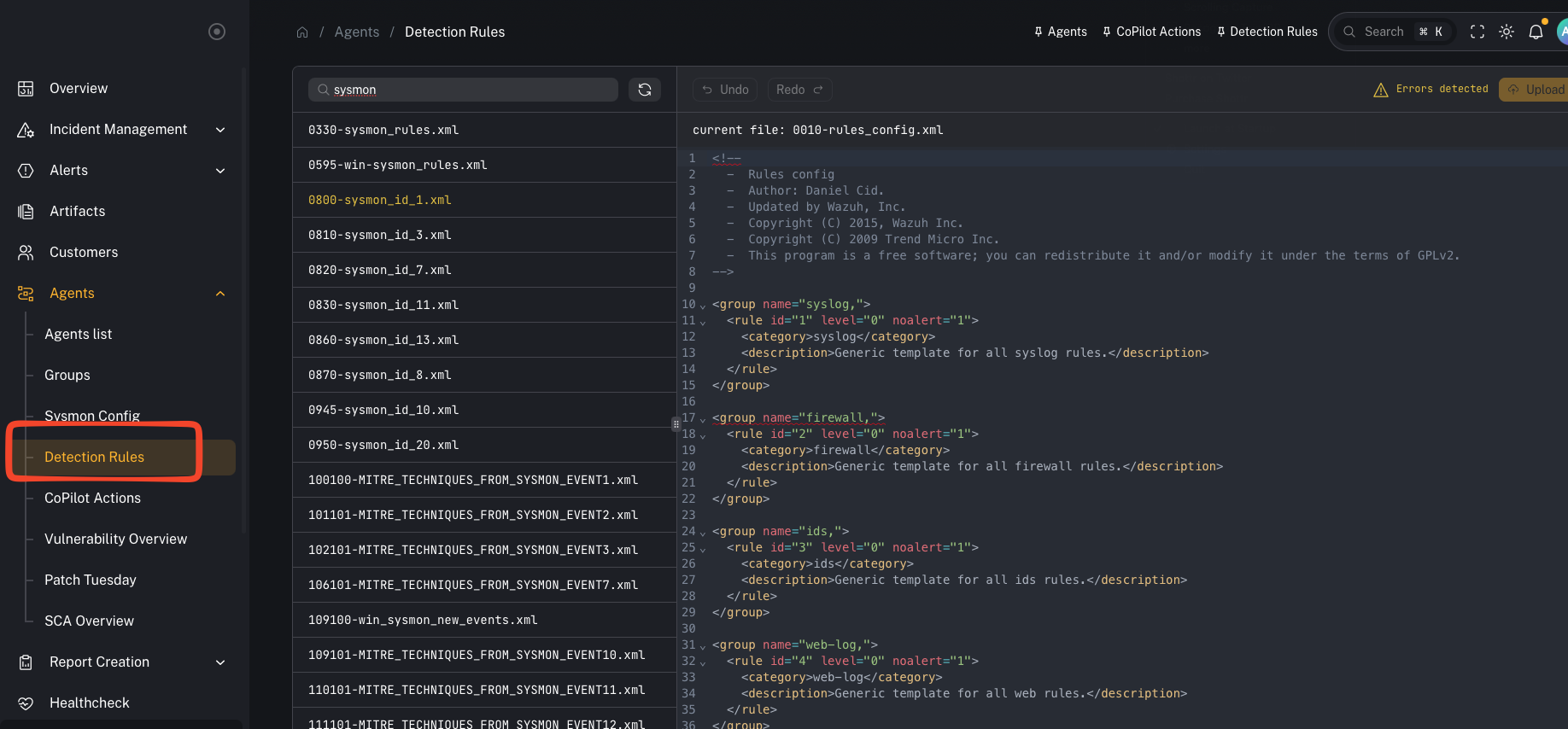
**Menu:** Agents → Detection Rules
Detection rules in CoPilot map to **Wazuh detection rules**. These rules are what Wazuh uses to generate alerts from decoded telemetry.
CoPilot lets you **view, search, and manage** these rules without SSH’ing into the Wazuh manager.
 ***
## What you’re looking at
***
## What you’re looking at
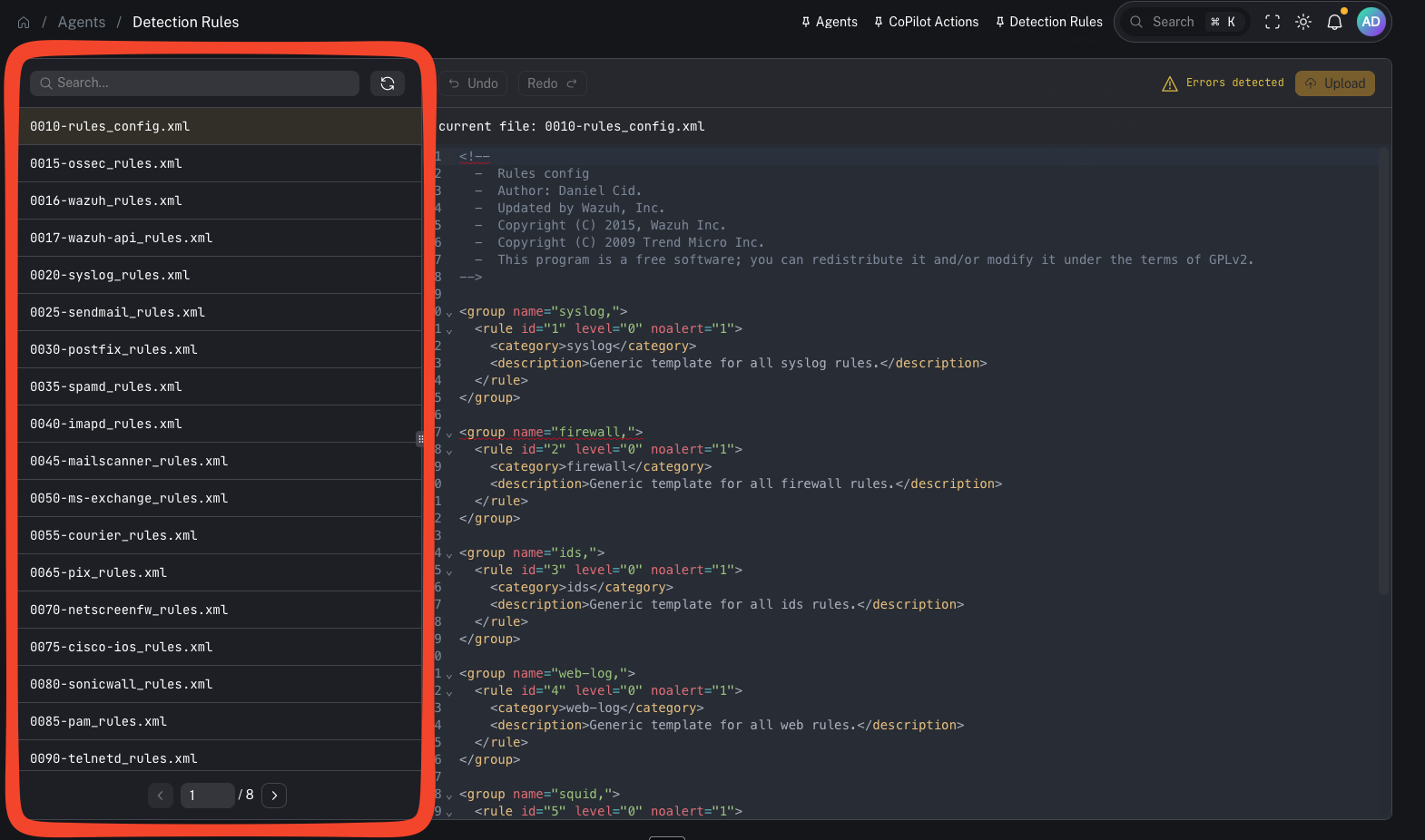 This page exposes the rule files that live on the **Wazuh manager** (e.g., the standard `*_rules.xml` files and your local exclusions/custom rules).
Key point:
* **Rules still live on the Wazuh manager.** CoPilot pulls them via API and can upload/save changes back to the manager.
***
## Why this matters
Rules are one of your main control points for:
* reducing noisy alerts (exclusions)
* adding new detection logic for emerging threats
* aligning alerting to what you actually care about in a given customer environment
***
## Common tasks
### Search for rules
This page exposes the rule files that live on the **Wazuh manager** (e.g., the standard `*_rules.xml` files and your local exclusions/custom rules).
Key point:
* **Rules still live on the Wazuh manager.** CoPilot pulls them via API and can upload/save changes back to the manager.
***
## Why this matters
Rules are one of your main control points for:
* reducing noisy alerts (exclusions)
* adding new detection logic for emerging threats
* aligning alerting to what you actually care about in a given customer environment
***
## Common tasks
### Search for rules
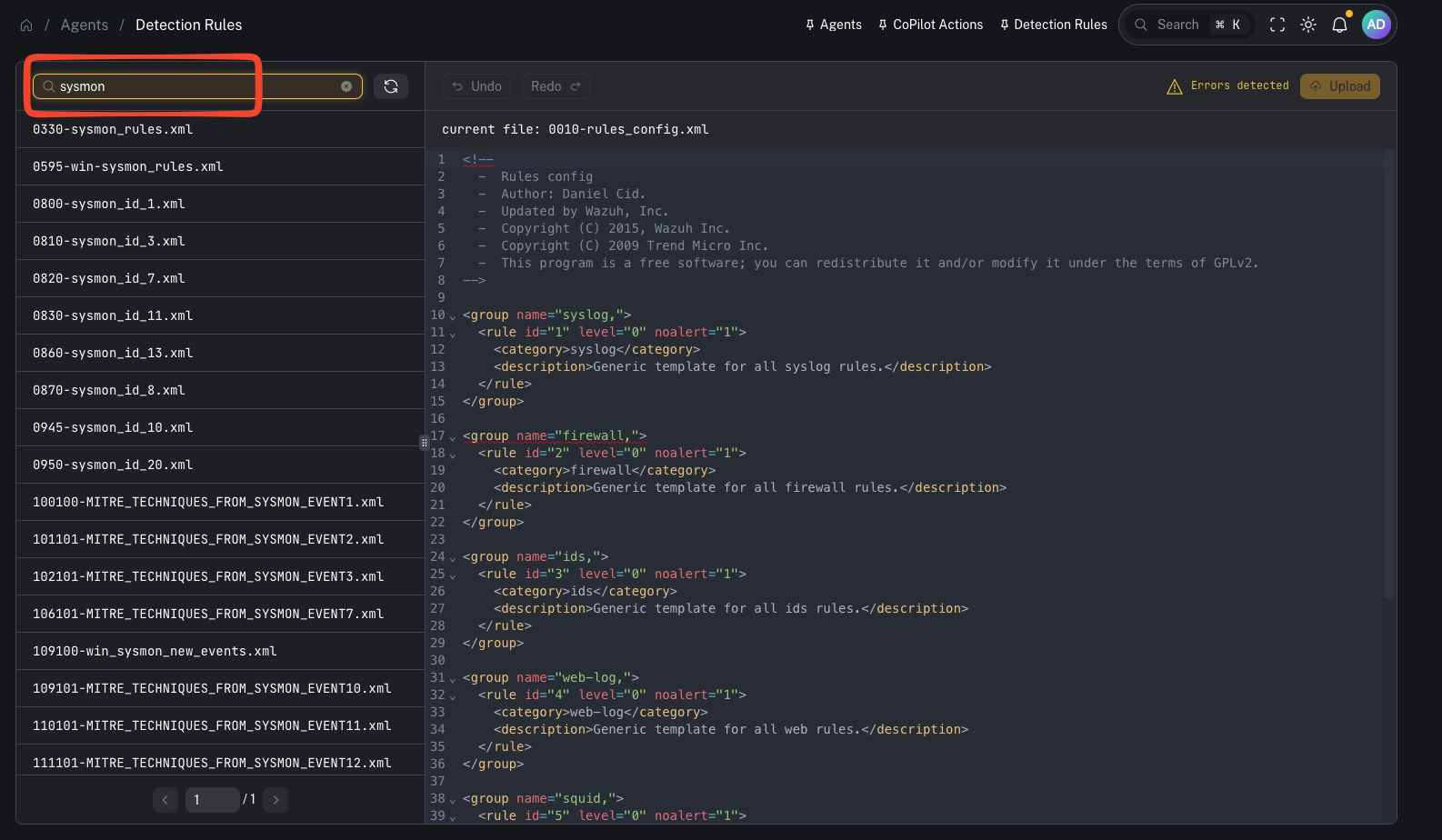 Use search when you need to:
* find a rule by **ID**
* locate a specific field match / keyword
* quickly identify which file contains the logic you need to adjust
### Add an exclusion (reduce noise)
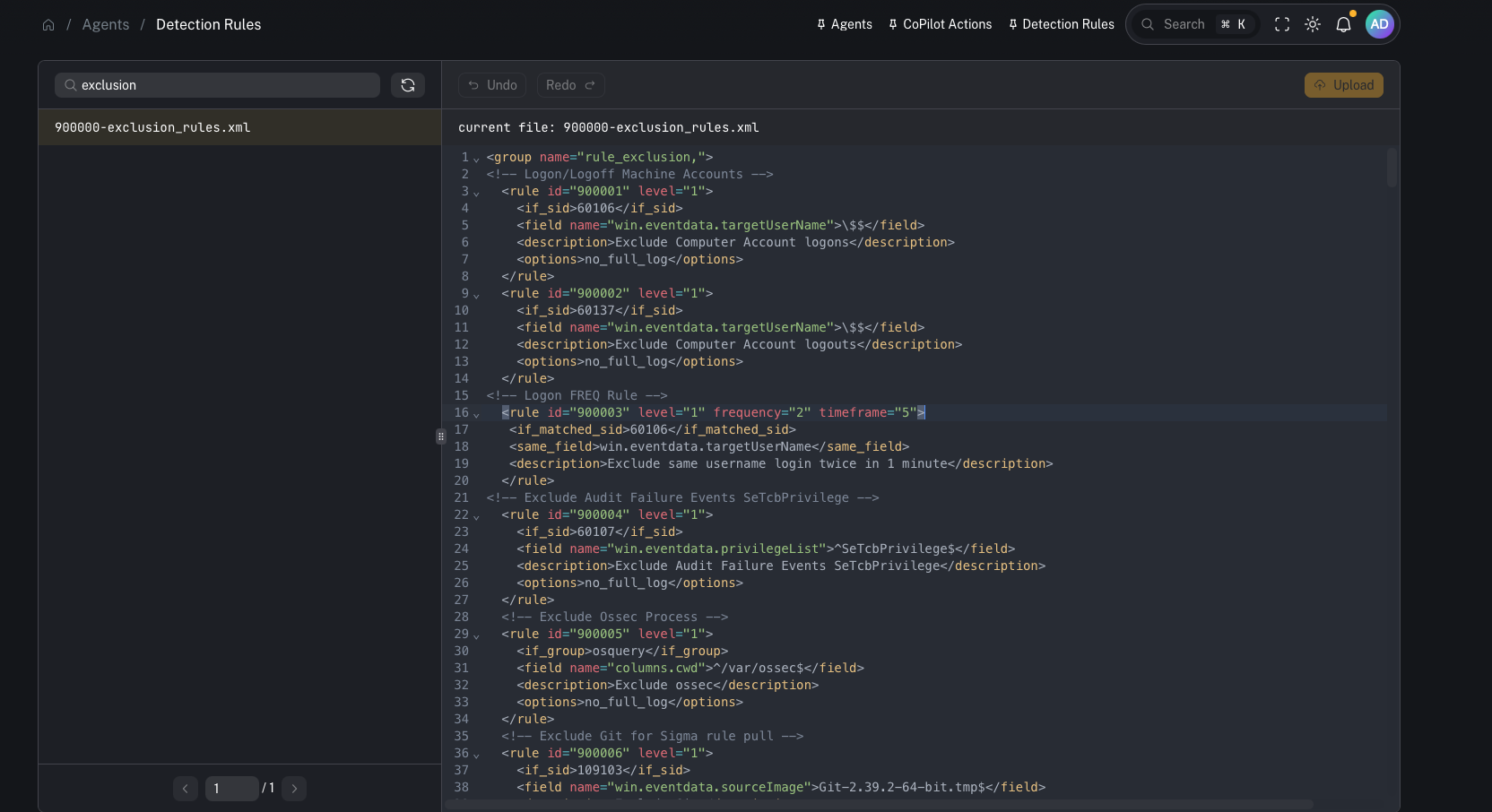
A typical workflow (from the video):
1. Open your exclusions/custom rule file
2. Add or modify a rule (incrementing the rule ID when needed)
3. Update the match conditions/fields
4. Save/upload the file
Use search when you need to:
* find a rule by **ID**
* locate a specific field match / keyword
* quickly identify which file contains the logic you need to adjust
### Add an exclusion (reduce noise)
A typical workflow (from the video):
1. Open your exclusions/custom rule file
2. Add or modify a rule (incrementing the rule ID when needed)
3. Update the match conditions/fields
4. Save/upload the file
 ### Upload/save changes to the Wazuh manager
After editing, you must upload/save so the updated file is written to the manager.
Important:
* Saving changes updates the file on the **Wazuh manager**.
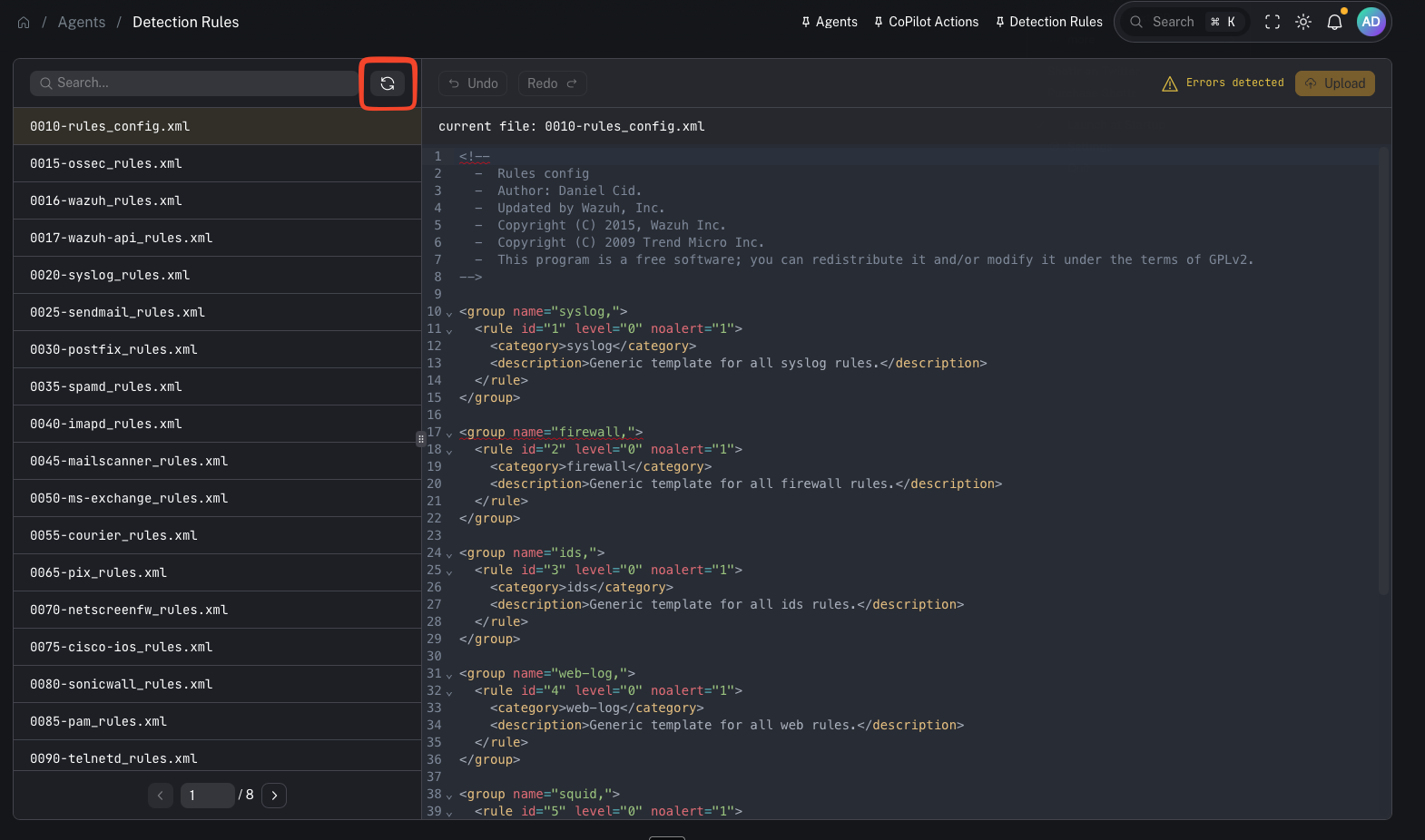
### Restart Wazuh to apply rule changes
Rule changes typically require a Wazuh manager restart/reload to take effect.
### Upload/save changes to the Wazuh manager
After editing, you must upload/save so the updated file is written to the manager.
Important:
* Saving changes updates the file on the **Wazuh manager**.
### Restart Wazuh to apply rule changes
Rule changes typically require a Wazuh manager restart/reload to take effect.
 Operational note:
* Treat restarts as a controlled change (maintenance window, customer comms if needed).
***
## When to use it
Use Detection Rules when you need to:
* reduce false positives / noisy detections
* validate why an alert did or did not fire
* tune alert fidelity for a specific customer
* add detection logic for a new threat/use case
***
## Gotchas
* Rule changes can impact alert volume immediately—roll out carefully and document changes.
* Keep ownership/change control clear (avoid ad-hoc production edits).
* Any restart/reload step should be treated as operationally significant.
***
## Video context
This page and workflow are demonstrated here:
* [https://www.youtube.com/watch?v=31lCr80-NVM](https://www.youtube.com/watch?v=31lCr80-NVM)
Operational note:
* Treat restarts as a controlled change (maintenance window, customer comms if needed).
***
## When to use it
Use Detection Rules when you need to:
* reduce false positives / noisy detections
* validate why an alert did or did not fire
* tune alert fidelity for a specific customer
* add detection logic for a new threat/use case
***
## Gotchas
* Rule changes can impact alert volume immediately—roll out carefully and document changes.
* Keep ownership/change control clear (avoid ad-hoc production edits).
* Any restart/reload step should be treated as operationally significant.
***
## Video context
This page and workflow are demonstrated here:
* [https://www.youtube.com/watch?v=31lCr80-NVM](https://www.youtube.com/watch?v=31lCr80-NVM)