> ## Documentation Index
> Fetch the complete documentation index at: https://docs.socfortress.co/llms.txt
> Use this file to discover all available pages before exploring further.
# Operators quickstart
# Quickstart (SOC Operators)
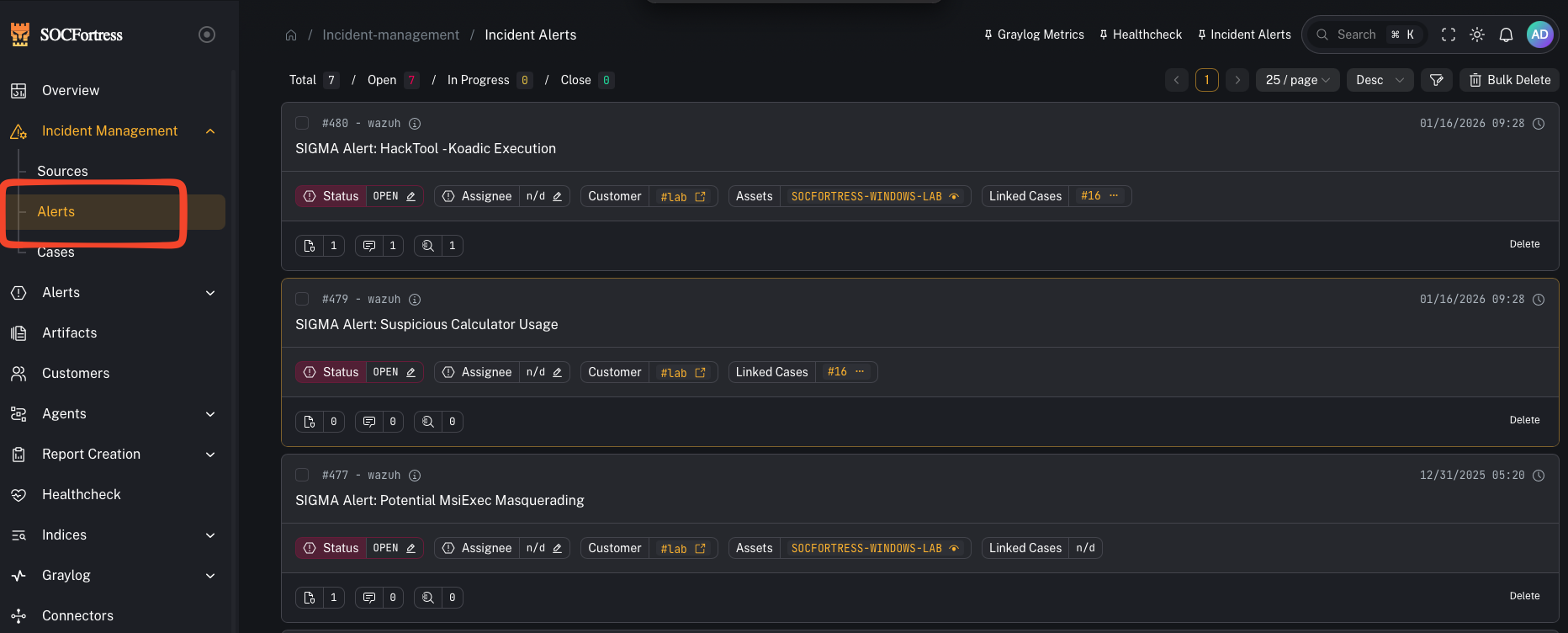 ## Where you spend most of your time
* **Incident Management → Alerts**: triage, investigate, and decide next actions.
* **Incident Management → Cases**: manage the lifecycle of incidents.
## Core workflows
### 1) Triage an alert
* Open alert details
* Review assets/context
* Add tags (use your tagging taxonomy)
* Add comments and assign if needed
### 2) Create and link a case
## Where you spend most of your time
* **Incident Management → Alerts**: triage, investigate, and decide next actions.
* **Incident Management → Cases**: manage the lifecycle of incidents.
## Core workflows
### 1) Triage an alert
* Open alert details
* Review assets/context
* Add tags (use your tagging taxonomy)
* Add comments and assign if needed
### 2) Create and link a case
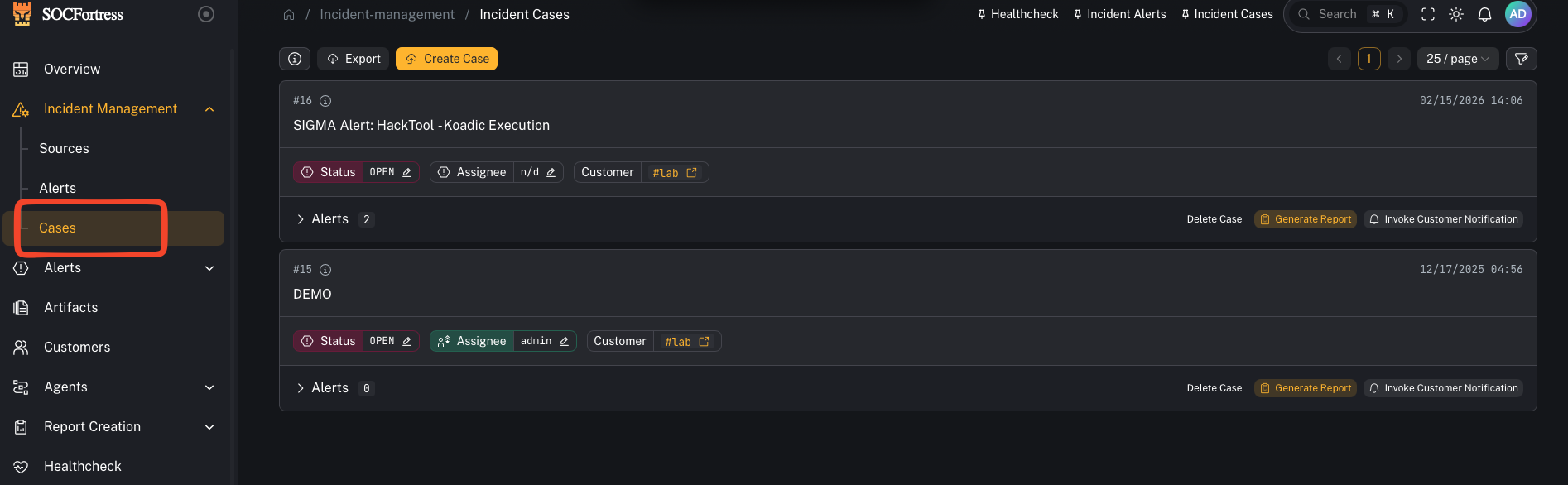 * Create a case from the alert when it needs tracking
* Link related alerts to the same case
### 3) Attach evidence (artifacts)
* Create a case from the alert when it needs tracking
* Link related alerts to the same case
### 3) Attach evidence (artifacts)
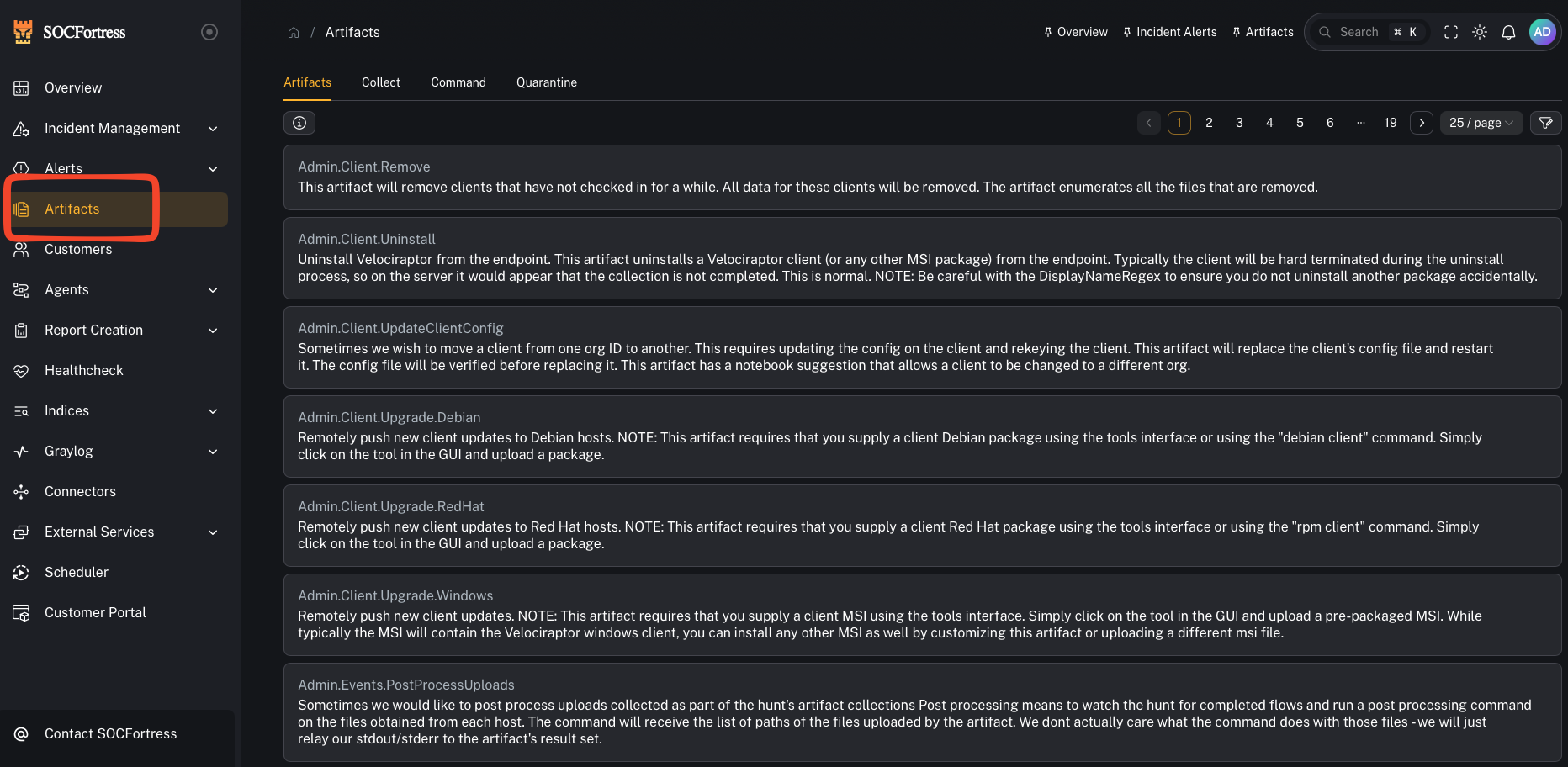 * Upload case artifacts (files, exports)
* Use report templates when generating customer-ready PDFs
### 4) Use SIEM search context
* When an alert references `index_name` + `index_id`, use the SIEM view to pivot into surrounding events
## If you can’t see alerts you expect
* Your org may have **tag-based access control** enabled (alerts require an allowed tag).
* See: **Developer / AI Agent Docs → Database Schema → Tag access control and alert visibility** for the underlying model.
* Upload case artifacts (files, exports)
* Use report templates when generating customer-ready PDFs
### 4) Use SIEM search context
* When an alert references `index_name` + `index_id`, use the SIEM view to pivot into surrounding events
## If you can’t see alerts you expect
* Your org may have **tag-based access control** enabled (alerts require an allowed tag).
* See: **Developer / AI Agent Docs → Database Schema → Tag access control and alert visibility** for the underlying model.